What No Keyboard: Hideable keyboard actually does (from store listing)
A Simple, secure yet functional minimise able, hide able keyboard to keep you productive.
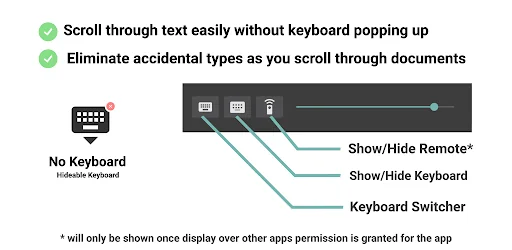
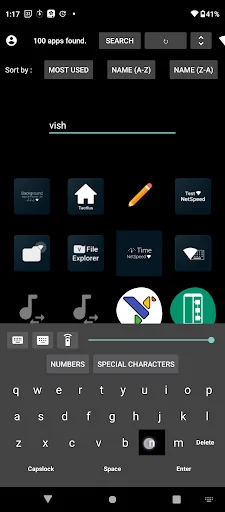
✓ Scroll through text easily without keyboard popping up.
✓ Minimise accidental types as you scroll through text easily without keyboard popping up.
✓ Set as default keyboard when you use wired/wireless keyboard.
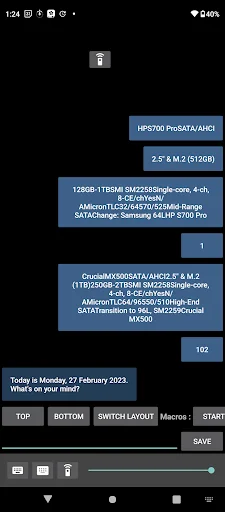
✓ Slider provided to change transparency of the No Keyboard bar
✓ If slider value is less than 5 the keyboard icon will disappear from the bar; it will reappear once the value is increased t…
A Simple, secure yet functional minimise able, hide able keyboard to keep you productive.
✓ Scroll through text easily without keyboard popping up.
✓ Minimise accidental types as you scroll through text easily without keyboard popping up.
✓ Set as default keyboard when you use wired/wireless keyboard.
✓ Slider provided to change transparency of the No Keyboard bar
✓ If slider value is less than 5 the keyboard icon will disappear from the bar; it will reappear once the value is increased to above 5.
✓ The included keyboard can be used to type using a mouse or on touchscreen devices.
✓ The popup remote helps to navigate on apps that only support dpad using your mouse.
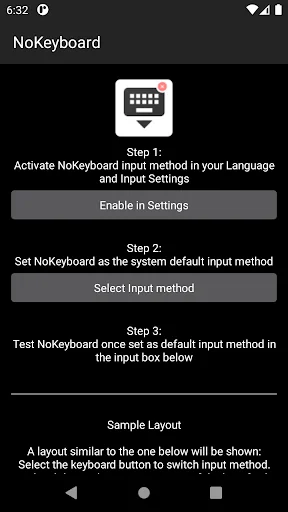
✓Easy to setup just open the app and select keyboard settings and enable No Keyboard.
✓Now go back to No Keyboard and select /switch input method and then pick it as your input method.
✓No Keyboard should appear when you click on the switch input method (keyboard switcher) button provided.
✓ To use the popup remote enable the permission to "Display over other apps" permission on your device.
Comparable Android apps
The five apps in Personalization with the closest revenue to No Keyboard: Hideable keyboard. Click any to see its detail page.
Each forecast combines App Store rating, ratings count, monetisation model, pricing tier, IAP signals and ad-supported flag.
The base estimate is then multiplied by a per-category scaling factor learned from apps with founder-verified MRR.
Every number on this page comes from public APIs and bumetric's own snapshot history.
Full methodology covers input variables, accuracy bands per category and how we treat apps without comparable anchors.
See also the live data on No Keyboard: Hideable keyboard's tracker page for current rating, reviews and snapshot timeline.
Building something similar? Get a free AI audit with $-revenue forecasts for every recommendation.

 Wallpapers for Vivo y02t
 Neon Pink Flowers Theme
 Crime Scene Keyboard Theme
 Red Burning Heart Keyboard Bac
 Graffiti Colorful Skull Keyboa