Connect from your device to any NoMachine-enabled PC or Mac at the speed of light. NoMachine is the fastest remote desktop software you have ever tried. In just a few clicks you can reach any computer in the world and start working on it as if it was right in front of you.
The perfect travel companion, you can use it to:
- Enjoy all videos, including HD movies, TV shows, and music files that are playable only on your computer
- Play graphic intensive games
- Remotely administrate unatte…
Connect from your device to any NoMachine-enabled PC or Mac at the speed of light. NoMachine is the fastest remote desktop software you have ever tried. In just a few clicks you can reach any computer in the world and start working on it as if it was right in front of you.
The perfect travel companion, you can use it to:
- Enjoy all videos, including HD movies, TV shows, and music files that are playable only on your computer
- Play graphic intensive games
- Remotely administrate unattended computers and give on-the-go support to colleagues and friends
- Control your computers remotely as if you were sitting in front of them
- Work with all your files, desktop applications and other programs all running on your computer elsewhere
Features:
- Access all computers behind firewalls
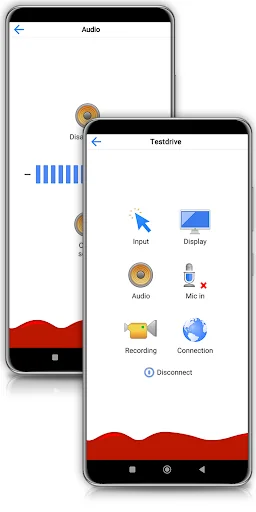
- High-resolution video and audio streaming
- Transfer files in both directions
- Record any activity on the remote desktop
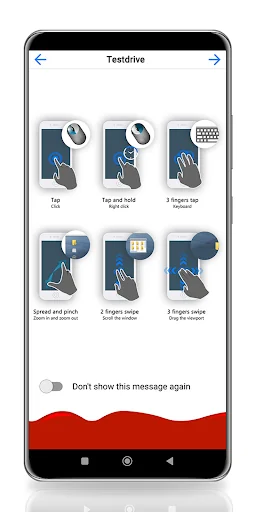
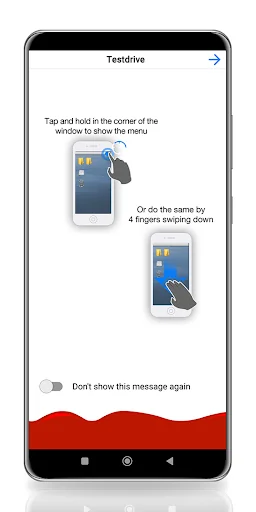
- Intuitive touch and control gestures
Quick guide
1) Install this app.
2) Download NoMachine from our website and install it on the computer you want to access.
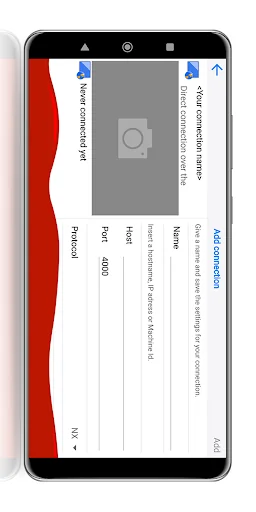
3) In the NoMachine for Android GUI enter the IP of your computer.
4) You must already have an account on the remote computer. Enter the credentials for your user account when prompted.
5) For more detailed instructions check the tutorial here: https://www.nomachine.com/getting-started-with-nomachine-for-android
Comparable Android apps
The five apps in Productivity with the closest revenue to NoMachine. Click any to see its detail page.
Each forecast combines App Store rating, ratings count, monetisation model, pricing tier, IAP signals and ad-supported flag.
The base estimate is then multiplied by a per-category scaling factor learned from apps with founder-verified MRR.
Every number on this page comes from public APIs and bumetric's own snapshot history.
Full methodology covers input variables, accuracy bands per category and how we treat apps without comparable anchors.
See also the live data on NoMachine's tracker page for current rating, reviews and snapshot timeline.
Building something similar? Get a free AI audit with $-revenue forecasts for every recommendation.


 Working Time
 Typewriter
 Rev: Transcription & Analysis
 Math Professional
 SW Truss