What Nomad Sculpt actually does (from App Store listing)
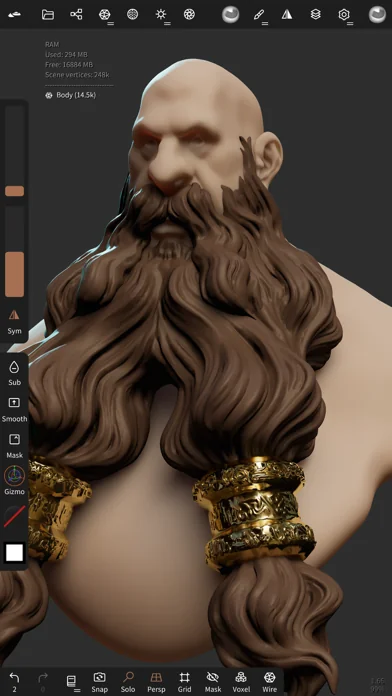
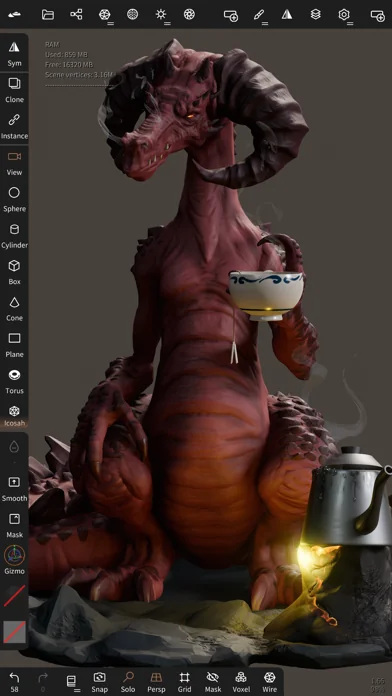
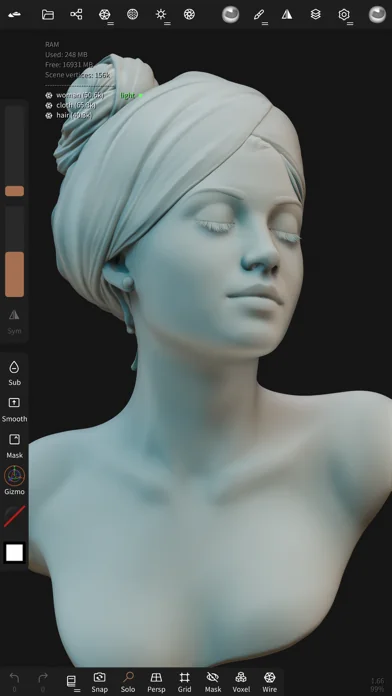
• Sculpting tools
Clay, flatten, smooth, mask and many other brushes will let you shape your creation.
You can also use the trim boolean cutting tool with lasso, rectangle and other shapes, for hardsurface purposes.
• Stroke customization
Falloff, alphas, tilings, pencil pressure and other stroke parameters can be customized.
You can save and load your tools preset as well.
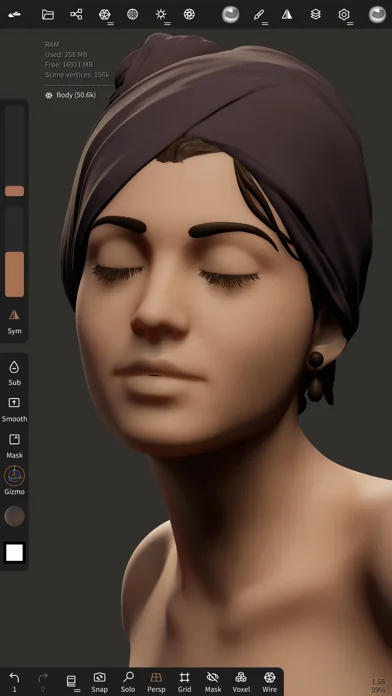
• Painting tools
Vertex painting with color, roughness and metalness.
You can easily manage all your material presets as …
• Sculpting tools Clay, flatten, smooth, mask and many other brushes will let you shape your creation. You can also use the trim boolean cutting tool with lasso, rectangle and other shapes, for hardsurface purposes.
• Stroke customization Falloff, alphas, tilings, pencil pressure and other stroke parameters can be customized. You can save and load your tools preset as well.
• Painting tools Vertex painting with color, roughness and metalness. You can easily manage all your material presets as well.
• Layers Record your sculpting and painting operations in separate layers for easier iteration during the creation process. Both the sculpting and painting changes are recorded.
• Multiresolution sculpting Go back and forth between multiple resolution of your mesh for a flexible workflow.
• Voxel remeshing Remesh quickly your mesh to get a uniform level of detail. It can be used to quickly sketch a rough shape at the beginning of the creation process.
• Dynamic topology Refine locally your mesh under your brush to get an automatic level of detail. You can even keep your layers, as they will be automatically updated!
• Decimate Reduce the number of polygons by keeping as many details as possible.
• Face Group Segment your mesh into subgroups with the face group tool.
• Automatic UV unwrap The automatic UV unwrapper can use face groups to control the unwrapping process.
• Baking You can transfer vertex data such as color, roughness, metalness and small scaled detail in to textures. You can also do the opposite, transfering textures data into vertex data or layers.
• Primitive shape Cylinder, torus, tube, lathe and other primitives can be used to quickly start new shapes from scratch.
• PBR rendering Beautiful PBR rendering by default, with lighting and shadows. You can always switch to matcap for a more standard shading for sculpting purposes.
• Post processing Screen Space Reflection, Depth of Field, Ambient Occlusion, Tone mapping, etc
• Export and Import Supported formats include glTF, OBJ, STL or PLY files.
• Interface Easy-to-use interface, designed for mobile experience. Customization is possible as well!
• Quad Remesher (separate in-app purchase only) Remesh your object automatically with a quad dominant mesh that follows the mesh curvatures. It supports guides, face groups and density painting.
🆕 What's new · v2.9
• New tools
- Elastic and Polish brushes
- Arrange: spread objects along a line, circle or sphere
- VDM brushes: capture a VDM from your sculpt, sculpt a new one, fix existing ones
- Text primitive with Google Fonts
- Link: live sync with Blender, ZBrush (GoZ) and other Nomad devices
• Sculpting
- Stroke trail, random intensity and color
- Hold a stroke to snap it to a shape
- Separate area and falloff normal filters
- Tiled symmetry, symmetry from the pivot
- Fix alpha: flip, rotate, clean borders
- Nudge fold, Smooth keeps borders, Trim keeps topology
• Curves and primitives
- Edit curves with the Move tool
- Curves: IK, sharpness, bevel and warp
- Spiral presets: rope, braid, ribbon, strands
- New cap fills and rounded caps
- Surface repeater: scatter copies on faces or edges
• Mask and selection
- Gizmo pivot reset: mask, center, top, bottom
- Improved Lattice: point selection, soft radius, rigidity
- Mask grow, shrink, border and cavity
- Face groups from UVs, normals, parts or mask
- Measure: shortest path and cross-section
• Topology
- New Autoremesher and UV unwrap
- Bake from multires
- Voxel remesh: edge length, thicken thin parts
- Decimate: preserve borders and painting, uniform faces
- Split by parts, groups or layers
- Clean overlaps, weld radius for positions and UVs
- Extract: bevel, gap and wall profile
- Trim, split and project on several objects, with masking
- Better hole filling
- DynTopo keeps UVs
• Painting and rendering
- 25 layer blend modes
- Texture curves and material picker
- Volumetric fog
- Poly Haven environments and textures
- Radial and sky gradient backgrounds
- Depth of field aperture mode, better SSAO, render with transparency
• History and files
- Save the history with your project and replay it
- Export with embedded assets and history
- Import: merge duplicate positions and UVs
- STL for scenes over 50M triangles
• Interface and input
- Customize the interface: colors, glass, accents
- Reorder the top menus, HSB and RGB color sliders
- Snap to grid and to points
- Reorder cameras and lights
- Gamepad, SpaceMouse on Mac, trackpad gestures
- Apple Pencil: more precise on lift, tap while hovering
Comparable iOS apps
The five apps in Business with the closest revenue to Nomad Sculpt. Click any to see its detail page.
Each forecast combines App Store rating, ratings count, monetisation model, pricing tier, IAP signals and ad-supported flag.
The base estimate is then multiplied by a per-category scaling factor learned from apps with founder-verified MRR.
Every number on this page comes from public APIs and Bumetric's own snapshot history.
Full methodology covers input variables, accuracy bands per category and how we treat apps without comparable anchors.
See also the live data on Nomad Sculpt's tracker page for current rating, reviews and snapshot timeline.
Building something similar? Get a free AI audit with $-revenue forecasts for every recommendation.


 Genius Scan Enterprise - PDF
 Shadowrocket
 Mein Scanner - PDF bearbeiten
 Jobber Field Service Software
 Microsoft Defender: Sicherheit