What Notebook – Notes, Tasks, AI actually does (from store listing)
Zoho Notebook is an AI note-taking app that helps students and professionals remember what was said in meetings and lectures — by recording and transcribing them, turning them into summaries and action items, and keeping every note searchable in one place.
WHO IT'S FOR
• Students taking lecture notes and revising from them.
• Professionals who need a record of a meeting without typing through it.
• Freelancers and teams tracking tasks, clients and ideas in one notepad.
• Anyone keeping …
Zoho Notebook is an AI note-taking app that helps students and professionals remember what was said in meetings and lectures — by recording and transcribing them, turning them into summaries and action items, and keeping every note searchable in one place.
WHO IT'S FOR
• Students taking lecture notes and revising from them.
• Professionals who need a record of a meeting without typing through it.
• Freelancers and teams tracking tasks, clients and ideas in one notepad.
• Anyone keeping a private journal, a daily planner or a grocery checklist.
It suits people who take notes in more than one form — typed, handwritten, spoken, photographed or scanned — and want them searchable together.
WHAT PEOPLE USE NOTEBOOK FOR
1. Meeting notes. Record the meeting and Notebook AI transcribes it live, then writes the summary and action items — so you can take part instead of typing through it.
2. Lecture and study notes. Record a lecture while you type, and scan textbooks, documents and handwritten pages into searchable PDFs — so you can find one phrase months later.
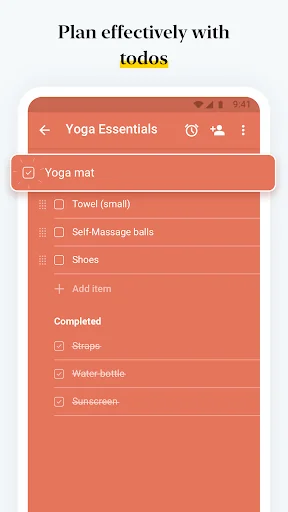
3. To-do lists and planning. Build checklists and task lists with reminders — so tasks buried in your notes don't get lost between apps.
4. A private diary or journal. Lock any note or notebook with a password, fingerprint or face lock — so entries stay private on a shared device.
5. Research and documents. Save articles with the Web Clipper, drop in files and photos, and search the text inside images and scans — so one topic sits in one notebook.
QUESTIONS PEOPLE ASK
What kind of notes app is Notebook?
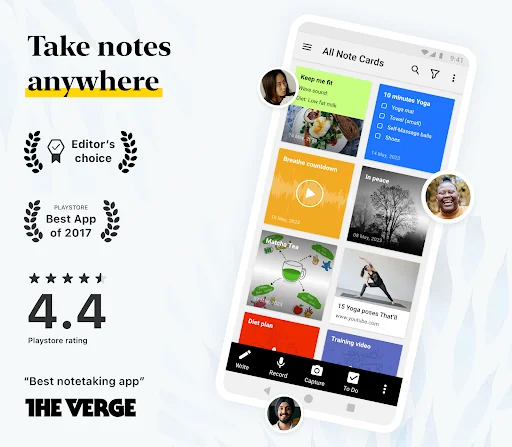
A free notes app and digital notepad combining an AI note taker, a task organiser, a document scanner and a private journal. Notes use seven card types: text, checklist, audio, photo, smart, sketch, file.
Can Notebook take notes in my meetings for me?
Yes. Record or upload audio or video and Notebook AI transcribes it in real time, then writes a summary with action items. It also turns rough ideas into outlines, to-do lists or mind maps, suggests grammar and tone fixes, translates notes, and tidies hand-drawn shapes.
Is Notebook good for students?
Yes. Record a lecture while typing, handwrite with the S Pen or a stylus, scan textbooks into searchable PDFs, and search a phrase across every note you have.
Can I switch from Evernote, Google Keep or OneNote?
Yes. Dedicated migration tools import your notes, so nothing is left behind.
Does Notebook work offline?
Yes. Create, edit and read notes offline; they sync when you reconnect, across Android, iOS, Mac, Windows and the web.
Is Notebook free?
Yes. The free plan includes 2 GB of cloud storage, with no ads or hidden fees. Notebook AI and a Pro plan are optional paid add-ons.
Is my data private?
Notes are encrypted in transit and at rest. Zoho never sells your data, shows no ads, and shares no data with third parties.
Can my AI assistant use my notes?
Yes. Connect Notebook to Claude, ChatGPT and other AI tools via MCP, so your assistant can capture and organise notes.
BUILT FOR ANDROID
• Home-screen widgets and pinned shortcuts — so a note is one tap from your launcher.
• A Quick Settings tile to open a new note instantly.
• Sticky notes in picture-in-picture, floating above whatever else you're doing.
• Multi-window, keyboard shortcuts, printing, grid and landscape views.
MORE IN THE APP
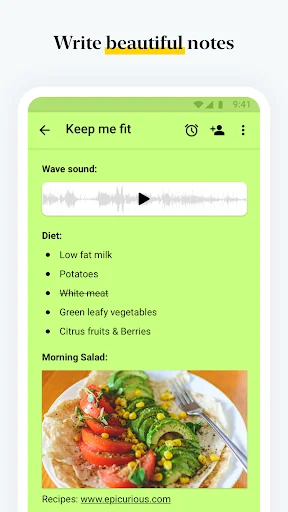
• One card holds text, checklists, tables, images and audio — so everything about one thing stays together.
• Nested notebooks, tags and custom sorting — so notes stay findable as they pile up.
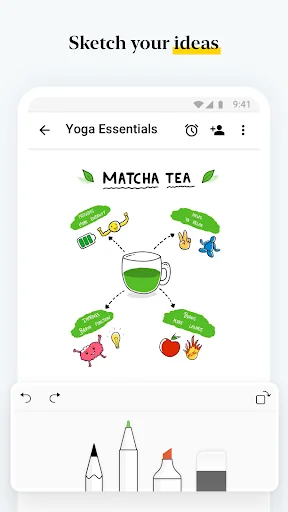
• Handwrite and sketch with the S Pen or a stylus; add videos with chapter markers.
• Covers, themes and note colours to suit how you work.
• Share with view, edit or share access, publish a public link with an expiry date, or export as PDF.
ABOUT NOTEBOOK
Editors' Choice on Google Play, with over 5 million downloads. Rated 4.5/5 on Capterra and listed in the G2 Best Software 2025 Top 100. Free, ad-free and synced across your devices.
Comparable Android apps
The five apps in Productivity with the closest revenue to Notebook – Notes, Tasks, AI. Click any to see its detail page.
Each forecast combines App Store rating, ratings count, monetisation model, pricing tier, IAP signals and ad-supported flag.
The base estimate is then multiplied by a per-category scaling factor learned from apps with founder-verified MRR.
Every number on this page comes from public APIs and Bumetric's own snapshot history.
Full methodology covers input variables, accuracy bands per category and how we treat apps without comparable anchors.
See also the live data on Notebook – Notes, Tasks, AI's tracker page for current rating, reviews and snapshot timeline.
Building something similar? Get a free AI audit with $-revenue forecasts for every recommendation.


 HVAC Toolkit
 e-Boks.dk
 Mopria Print Service
 DuctChecker for Android
 Verizon Content Transfer