What Oilist actually does (from App Store listing)
Oilist: the Artist in your pocket.
Make Fine Art based on your pictures!
"Oilist is an artist in your phone, one that you watch sketch, paint, and craft a unique version of a photo you’ve shot." - MacStories, May 2017
"App of the week: Oilist review - Hypnotic, engaging, with a longevity that escapes most filter apps, and with high-res output so you can use it to create real-world art." - Stuff Magazine, April 2017
Give Oilist an image, and it will automatically generate a genuine and unique…
Oilist: the Artist in your pocket. Make Fine Art based on your pictures!
"Oilist is an artist in your phone, one that you watch sketch, paint, and craft a unique version of a photo you’ve shot." - MacStories, May 2017
"App of the week: Oilist review - Hypnotic, engaging, with a longevity that escapes most filter apps, and with high-res output so you can use it to create real-world art." - Stuff Magazine, April 2017
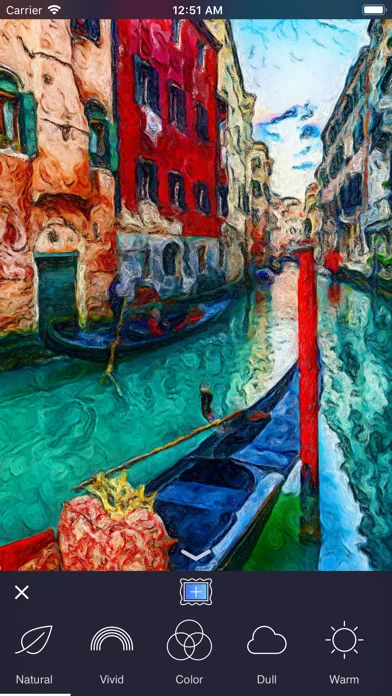
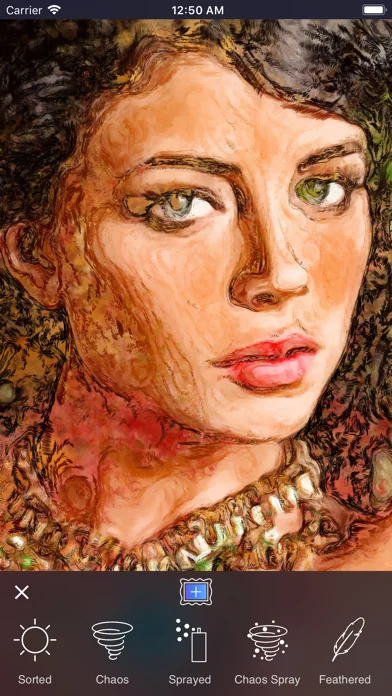
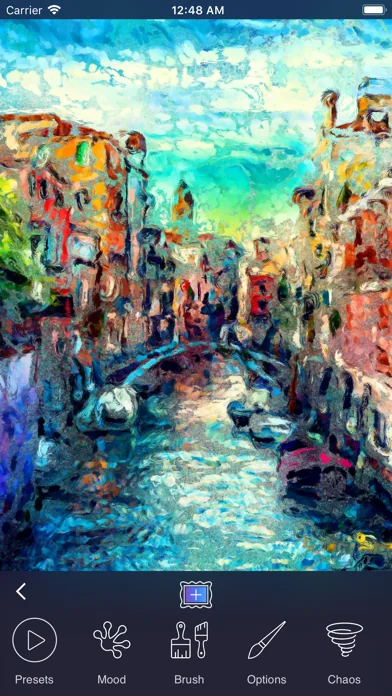
Give Oilist an image, and it will automatically generate a genuine and unique work of art based on it. Painted for you in real time! Participate or spectate it's up to you, Oilist will delight! All saved at canvas-worthy 4k resolution. Oilist comes with 48 infinitely customizable styles; from photo-realist to impressionist, to abstract. Every style except for our photo-realist style offers three different levels of abstraction.
Oilist is not a photo filter. Unlike most filter apps, Oilist will never generate the same results twice, and in fact, each brush stroke is unique. Instead of applying a fixed formula to an image as photo filters typically do, Oilist analyzes the supplied image using computer vision technology, then paints simulated paint particles that are applied using various brush strokes and techniques.
At any time during the painting process, 4k resolution images may be captured as often as desired.
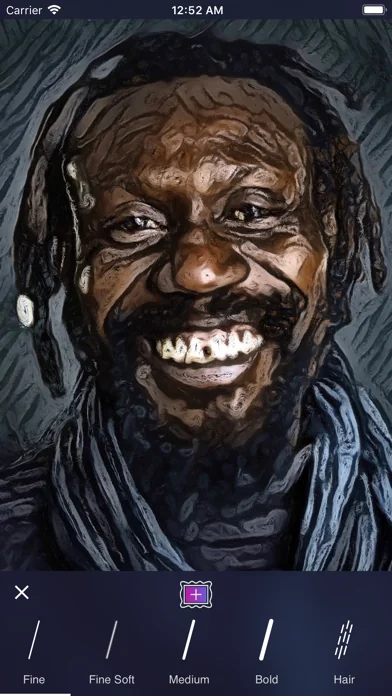
When Oilist is painting, styles can be infinitely customized with 17 different presets (these were called Styles in previous versions of Oilist), 13 different painting moods, 15 different brushes, setting brush options such as the size and spacing, and by splashing paint with our exciting Chaos tool. Control paint gravity by tilting your device and brush angles by yawing (rotating) the device.
Obtain new and exciting results by alternating settings with new settings painted on top of the previous settings. For instance, first, paint a layer using the Warm mood followed by a layer using the Cool mood. The use of large brushes tend to create more abstract artwork, and smaller brushes work best for high definition detail.
Oilist will automatically provide smaller brush strokes and greater photo-realism to detected faces.
Check out #oilist and follow us @3dtopo on Instagram and Twitter!
🆕 What's new · v2.5.0
• Now paints up to 12K (adjustable in Settings)
• Output up to 150 megapixels (previous versions output 16 megapixels)
• New Brushwork option on the Finish screen for stylized images
• Increased brush stroke detail
• Higher resolution style image
• More painterly and higher quality output
• New photo picker
Comparable iOS apps
The five apps in Photo & Video with the closest revenue to Oilist. Click any to see its detail page.
Each forecast combines App Store rating, ratings count, monetisation model, pricing tier, IAP signals and ad-supported flag.
The base estimate is then multiplied by a per-category scaling factor learned from apps with founder-verified MRR.
Every number on this page comes from public APIs and bumetric's own snapshot history.
Full methodology covers input variables, accuracy bands per category and how we treat apps without comparable anchors.
See also the live data on Oilist's tracker page for current rating, reviews and snapshot timeline.
Building something similar? Get a free AI audit with $-revenue forecasts for every recommendation.


 Photobucket: Private sharing
 Reelsapp: reel & video editor
 AI Maker: Photo Video Filters
 IntroMate - Intro Maker for YT
 Liro: Субтитри Українською