What OldSchool Editor : Text Editor actually does (from store listing)
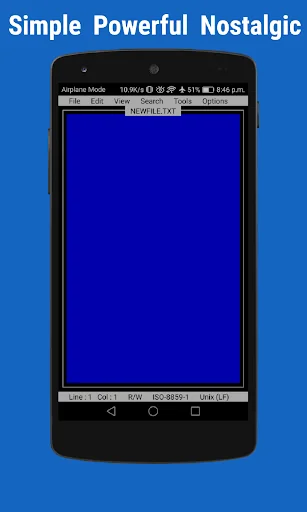
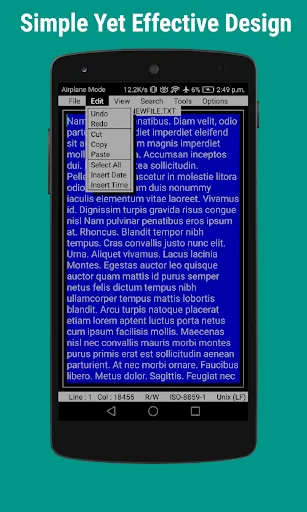
OldSchool Editor is text editor has a simple, powerful, intuitive and nostalgic interface that gives feel of working on desktop. OldSchool Editor can be used as standard editor for editing any kind of text files.
Note : It is an editor for plain text files and not designed for opening pdf, doc, docx or any other non plain text file format.
Features of OldSchool Editor :
★ Simple, small size and Ad Free.
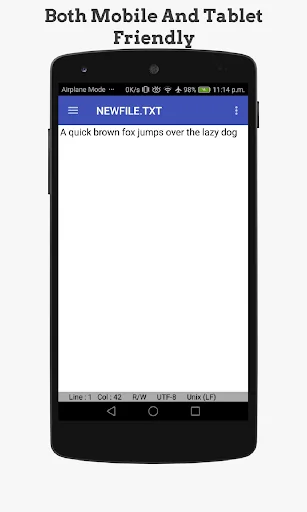
★ Powerful and simple user interface designed for both phones and tablets.
★ M…
OldSchool Editor is text editor has a simple, powerful, intuitive and nostalgic interface that gives feel of working on desktop. OldSchool Editor can be used as standard editor for editing any kind of text files.
Note : It is an editor for plain text files and not designed for opening pdf, doc, docx or any other non plain text file format.
Features of OldSchool Editor :
★ Simple, small size and Ad Free.
★ Powerful and simple user interface designed for both phones and tablets.
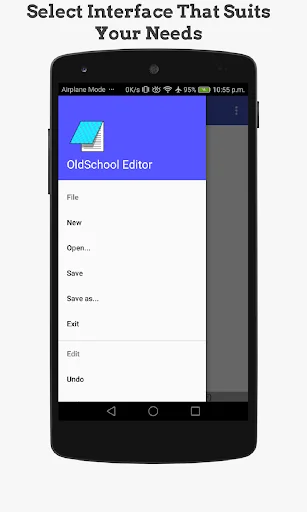
★ Multiple interfaces available to increase productivity in both phones and tablets.
★ Create, browse and save text files with auto saving feature.
★ Change Interface, text size, font and color.
★ Print text files on Android 5 or above.
★ Support case conversion and text trim operation.
★ Open large files in parts with paging system.
★ Display line numbers.
★ Supports Undo and Redo operations.
★ Supports Read only mode, word wrap and word count.
★ Supports Find & Replace, line jumping and regular expression search.
★ Quickly open HTML files in browser or internal viewer.
★ Built-in color picker for getting color codes in different format such as RGB, HSL and HEX.
★ Supports keyboard shortcuts for many editor operations.
★ Supports different kind of Line ending styles ( \n , \r , \r\n ).
★ Supports US-ASCII, UTF-8, ISO-8859-1 and IBM437 encoding standards with encoding detector.
If you find any problems feel free to give suggestions and feedback at feedbackdtw@gmail.com.
Join OldSchool Editor's facebook page for interaction with developer
https://www.facebook.com/oldschooleditor/
If you like this application and want to support development or appreciate developer you can buy support version of this application. Support version has exactly same features.
Permissions Required :
READ_EXTERNAL_STORAGE : Reading storage
WRITE_EXTERNAL_STORAGE : Writing files in storage
INTERNET : For internal browser
WAKE_LOCK : For Firebase analytics
ACCESS_NETWORK_STATE : For Firebase analytics
Comparable Android apps
The five apps in Productivity with the closest revenue to OldSchool Editor : Text Editor. Click any to see its detail page.
Each forecast combines App Store rating, ratings count, monetisation model, pricing tier, IAP signals and ad-supported flag.
The base estimate is then multiplied by a per-category scaling factor learned from apps with founder-verified MRR.
Every number on this page comes from public APIs and bumetric's own snapshot history.
Full methodology covers input variables, accuracy bands per category and how we treat apps without comparable anchors.
See also the live data on OldSchool Editor : Text Editor's tracker page for current rating, reviews and snapshot timeline.
Building something similar? Get a free AI audit with $-revenue forecasts for every recommendation.


 freenet Cloud
 Minimalistic Countdown Timer
 Congregation's Secretary
 Smart Contact Manager
 Gob.EC