What Packing List actually does (from store listing)
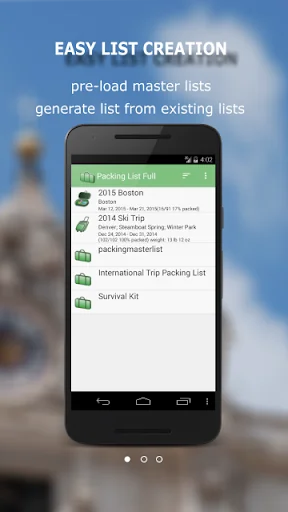
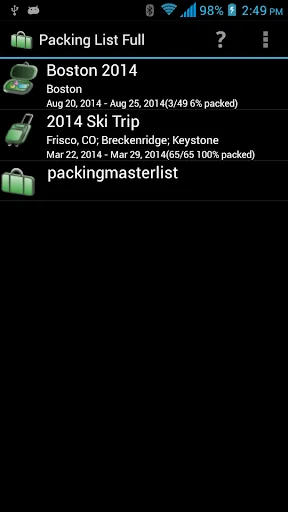
Packing List helps you create and maintain packing lists. It not only lets the user create a list from scratch, but also allows you to generate lists from an existing one. This application comes with several pre-loaded packing master lists. You can simply open the master list(or any existing list). Click on “Generate List/Mass Change” menu item. Check the items you want for your trip and you will have a new packing list ready in no time.
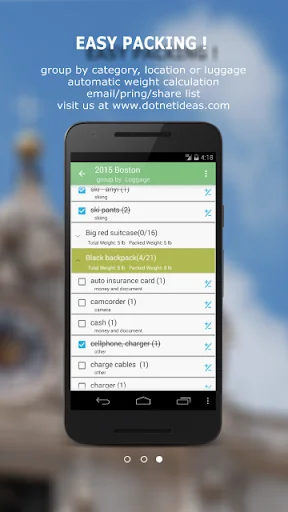
You can group items by category, location, and luggage…
Packing List helps you create and maintain packing lists. It not only lets the user create a list from scratch, but also allows you to generate lists from an existing one. This application comes with several pre-loaded packing master lists. You can simply open the master list(or any existing list). Click on “Generate List/Mass Change” menu item. Check the items you want for your trip and you will have a new packing list ready in no time.
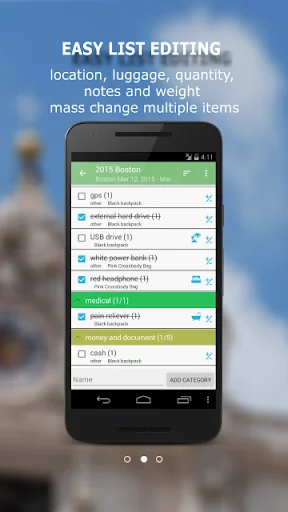
You can group items by category, location, and luggage. Each item also has note, quantity and weight fields. Mass change features allow you to edit lists more easily. You may also email and share your lists. Printing out a copy of the lists helps you in case of lost luggage.
Key features include:
• Pre-loaded master lists(for general use, international travel, travel with kids and etc.)
• Create a new list from scratch or generate from existing one
• Support Multiple lists
• Reorder categories/items using drag/drop
• Mass change for easy editing
• Group by location/luggage for easy packing
• Backup/Restore lists locally to/from SD card
• Email/Share lists
• Shortcut to a particular list from home screen
This lite version displays ads in the app.
When you upgrade from lite to full version, you don't need to re-enter your data. They will be automatically loaded into the full version.
Please check the help file for detailed information.
***Upgrade from Lite to Full app:
When you upgrade from lite to full, you can use the "Backup and Restore" feature to migrate your data.
To backup your lists, open the lite app and click on "Menu"->"Backup and Restore"->"Backup" in Routine View. Then click on "Backup" to use the default folder or "Select Folder" to choose a different location.
Then open the full version, click on "Menu"->"Backup and Restore"->"Restore". It will open default backup location. Choose the folder which contains backup files and click on "Restore". If you have chosen different backup location, then navigate to that location and click on "Restore".
Comparable Android apps
The five apps in Travel & Local with the closest revenue to Packing List. Click any to see its detail page.
Each forecast combines App Store rating, ratings count, monetisation model, pricing tier, IAP signals and ad-supported flag.
The base estimate is then multiplied by a per-category scaling factor learned from apps with founder-verified MRR.
Every number on this page comes from public APIs and bumetric's own snapshot history.
Full methodology covers input variables, accuracy bands per category and how we treat apps without comparable anchors.
See also the live data on Packing List's tracker page for current rating, reviews and snapshot timeline.
Building something similar? Get a free AI audit with $-revenue forecasts for every recommendation.

 台灣公車何時來
 UDOT Traffic
 韩巢韩国地图-韩国自由行必备的中文版韩国全国地图
 USA Rest Stop Locator
 Cachoeiras Estrada Real