What Passfoto - PhotoAiD actually does (from App Store listing)
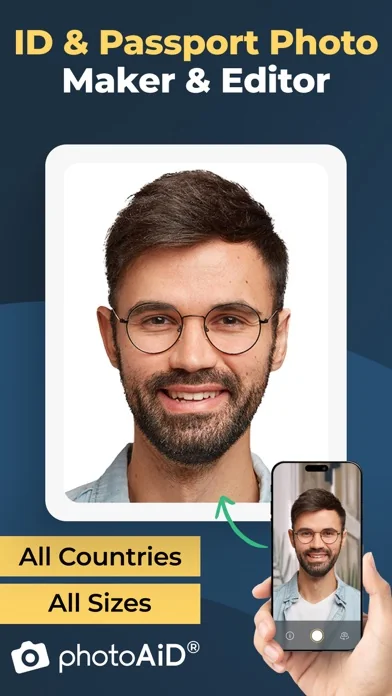
Our app automatically adjusts your photo, enabling you to convert selfies into biometric passport-size photos that comply with all official requirements for passports, IDs, visas, Green Cards, Student cards, and driver's licenses. It also supports baby passport photos, including infant and newborn passport photo requirements.
WHY PHOTOAID TO CREATE PASSPORT PHOTOS?
• Every photo is carefully verified by our photo experts in real time,
• All photos checked and approved by our experts are guaran…
Our app automatically adjusts your photo, enabling you to convert selfies into biometric passport-size photos that comply with all official requirements for passports, IDs, visas, Green Cards, Student cards, and driver's licenses. It also supports baby passport photos, including infant and newborn passport photo requirements.
WHY PHOTOAID TO CREATE PASSPORT PHOTOS?
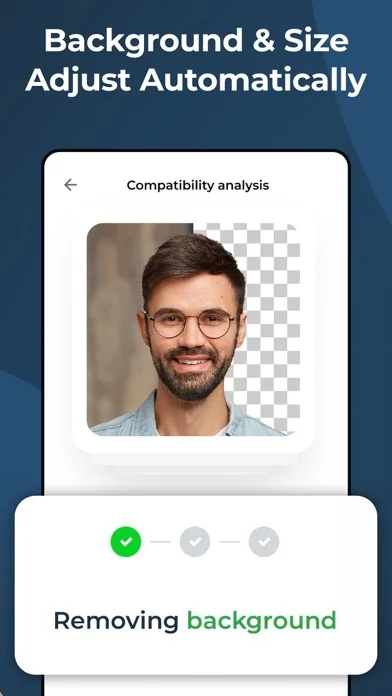
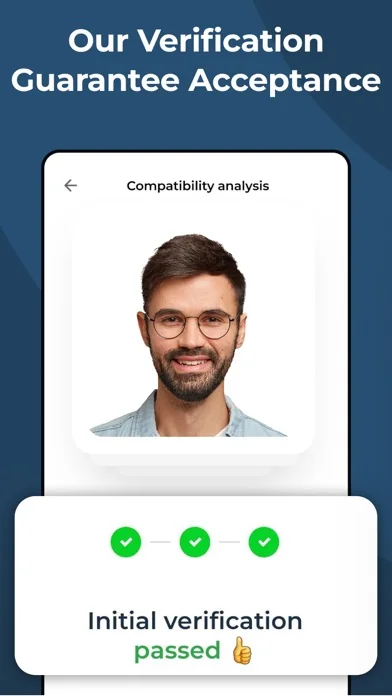
• Every photo is carefully verified by our photo experts in real time, • All photos checked and approved by our experts are guaranteed to comply with all rigorous standards, • Our verification process eliminates the risk of photo rejection due to common errors, • If any issues are detected, we provide detailed feedback for quick and easy corrections within 5 minutes, • With PhotoAiD, your privacy is well protected so that you can use our app with confidence, • Easy-to-use & intuitive interface designed for all people regardless of their tech skills, • No need to find a white wall; our app can automatically remove or adjust the background to fit official standards, • Our app automatically ensures your face is properly centered and your photo meets size specifications, • Photos instantly to your mailbox or with free delivery right to your hands, • Over 35M+ accepted photos made with PhotoAiD.
HOW DOES IT WORK?
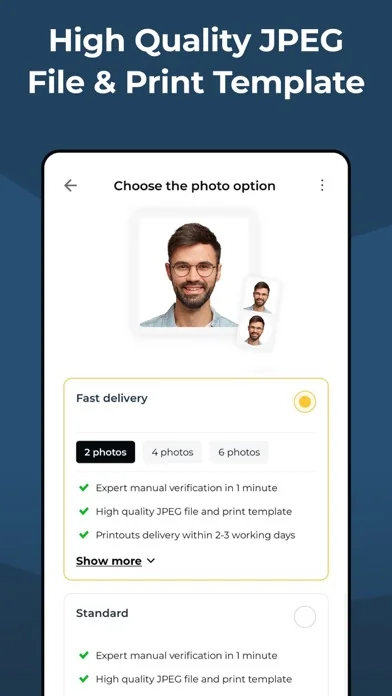
1. Take a selfie at any place or select a preferred image from your gallery. Our system meticulously modifies it to align with stringent official guidelines. 2. Your image undergoes a rigorous two-tiered verification process. AI will prepare and preliminarily check your image, then a human photo expert will double-check the conformity of your pictures. 3. Post-verification, your photograph is primed for immediate printing. You will get digital photos that can be used for online applications, or you can order high-quality printouts with free delivery.
HOW TO TAKE PASSPORT-SIZE PHOTOS CORRECTLY?
• Maintain the right distance - ideal camera positioning for optimal photo capture, • Posture matters - keep your head & body straight for the perfect shot, • Optimal lighting is key - avoid shadows for clear, compliant photos.
WHAT TO WEAR TO TAKE PERFECT PASSPORT-SIZE PHOTOS?
• Avoid wearing clothes in light colors, which might cause you to blend in with the background. • Keep in mind that any head coverings are prohibited. • You can wear glasses only if they are prescription glasses. However, if your glasses frames cover too much of your face, you need to take them off. Sunglasses or glasses with tinted lenses are forbidden. • It is fine to have a beard in your photo.
COMMON MISTAKES TO AVOID:
• A wide smile - You must avoid showing any facial expression. Keep a neutral face. • Photo older than six months - If your look has changed significantly, you should take a new picture. • Low quality of the photo - The picture must not be pixelated, blurred, or damaged in any other way. • Portrait style photo - If your photo does not qualify for biometric standards, it will be rejected, so make sure the photo is taken face on, you are looking straight into the lens, with your mouth closed and eyes open.
We value your feedback! We'd love to hear from you if you have suggestions or feedback to improve our application. Don't hesitate to contact us at help@photoaid.com.
LOVE PHOTOAID?
Like us on Facebook: https://www.facebook.com/photoaidcom Follow us on LinkedIn: https://www.linkedin.com/company/photoaid
🆕 What's new · v3.5.0
Performance improvements and bug fixes
Comparable iOS apps
The five apps in Photo & Video with the closest revenue to Passfoto - PhotoAiD. Click any to see its detail page.
Each forecast combines App Store rating, ratings count, monetisation model, pricing tier, IAP signals and ad-supported flag.
The base estimate is then multiplied by a per-category scaling factor learned from apps with founder-verified MRR.
Every number on this page comes from public APIs and bumetric's own snapshot history.
Full methodology covers input variables, accuracy bands per category and how we treat apps without comparable anchors.
See also the live data on Passfoto - PhotoAiD's tracker page for current rating, reviews and snapshot timeline.
Building something similar? Get a free AI audit with $-revenue forecasts for every recommendation.


 Mixbook | Create Photo Books
 Unsplash
 S3 Photos
 POV – Disposable Camera Events
 Inmate Photos, send to prison