What Password Manager: My Passwords actually does (from store listing)
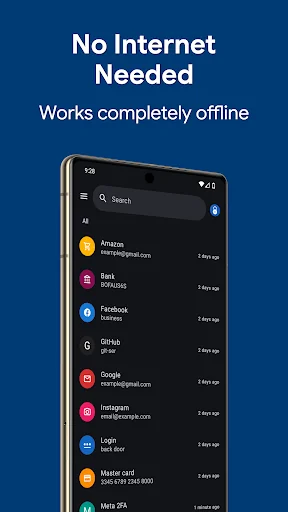
My Passwords is an offline password manager built for privacy. Your encrypted vault stays on your device — no cloud, no tracking, no accounts to create. AES-256 encryption, biometric unlock, passkeys, and built-in 2FA codes keep every login safe and instantly accessible.
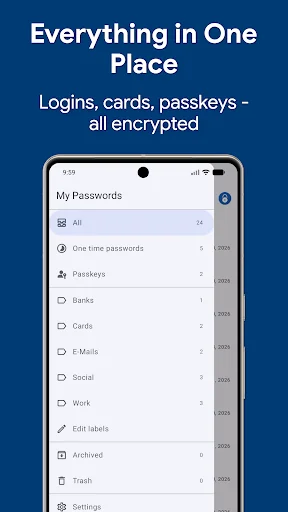
Tired of password reset emails? Worried your data could leak from a hacked cloud service? My Passwords stores your logins, passkeys, 2FA codes, secure notes, and cards in a highly encrypted vault, accessible only with your ma…
My Passwords is an offline password manager built for privacy. Your encrypted vault stays on your device — no cloud, no tracking, no accounts to create. AES-256 encryption, biometric unlock, passkeys, and built-in 2FA codes keep every login safe and instantly accessible.
Tired of password reset emails? Worried your data could leak from a hacked cloud service? My Passwords stores your logins, passkeys, 2FA codes, secure notes, and cards in a highly encrypted vault, accessible only with your master password.
Unlike cloud-based managers, your data never leaves your device, ensuring strong security with no internet access required.
Key Features • AES-256 encryption – The gold standard for data security
• Offline & private – No internet permission required
• Autofill – One-tap sign-in for apps and websites
• Quick & easy access – Simplify login management
• Backup & restore – Securely transfer data between devices
• Built-in password generator – Create strong passwords instantly
• Auto exit – Locks when the screen turns off
• Multi-window support – Boost productivity
• Unlimited entries – Store all your logins with ease
• Theme selection – Personalize your app with various themes
PRO Features • Passkeys – Store and use modern phishing-resistant credentials, offline
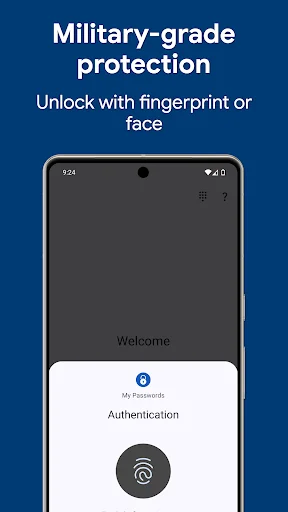
• Biometric unlock – Fingerprint & face authentication
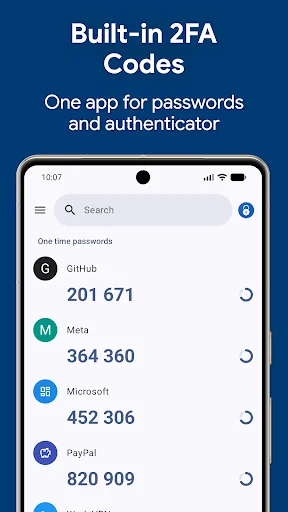
• One-Time Passwords (OTP) – Built-in authenticator for 2FA accounts
• Password history – Track previous passwords
• Self-destruction – Extra security in case of attacks
• Custom fields – Store additional details for each entry
• Clipboard auto-clear – Prevent leaks
• CSV import & export – Seamless migration and backup
• PDF export & print – Save and print your passwords securely
• Image attachments – Store visual credentials
• Wear OS support – Access passwords on your smartwatch
• Unlimited labels & mass actions – Organize your way
Choose Your Pro Plan Two ways to unlock every Pro feature — pick whichever fits you:
• Lifetime – One-time purchase, yours forever, no recurring charges
• Monthly or yearly subscription – Lower upfront cost, cancel anytime
What are passkeys? Passkeys are the modern, phishing-resistant alternative to passwords. Instead of a string you can forget or reuse, your account uses a cryptographic key — stored safely in your My Passwords vault. Fully offline, fully under your control, no third-party sync required.
Security You Can Trust Your data is protected with AES-256 encryption, a widely trusted industry standard. Need a strong password? Generate one instantly with the built-in tool.
Backup & Restore Easily transfer your data across devices using local storage or apps like Dropbox and Google Drive. Just create a backup and restore it using your master password.
Wear OS Integration Store selected passwords on your smartwatch for quick access. Just open an entry on your phone and tap the watch icon. View selected OTP codes directly on your smartwatch for quick access.
Important Notes • My Passwords is an offline password manager. Data is not automatically synced between devices.
• Lost Master Password? Your data cannot be recovered. Please choose and remember your master password carefully.
Comparable Android apps
The five apps in Productivity with the closest revenue to Password Manager: My Passwords. Click any to see its detail page.
Each forecast combines App Store rating, ratings count, monetisation model, pricing tier, IAP signals and ad-supported flag.
The base estimate is then multiplied by a per-category scaling factor learned from apps with founder-verified MRR.
Every number on this page comes from public APIs and bumetric's own snapshot history.
Full methodology covers input variables, accuracy bands per category and how we treat apps without comparable anchors.
See also the live data on Password Manager: My Passwords's tracker page for current rating, reviews and snapshot timeline.
Building something similar? Get a free AI audit with $-revenue forecasts for every recommendation.


 Inventory & barcode scanner
 Get Real Followers & Likes
 Shia Calendar
 ScanWritr: scan docs, PDF, fax
 Hindi Translator Keyboard