ML revenue forecast.
Calibrated against 2436 apps in this category.
Confidence band
±15%
High — many comparable apps with verified data
At a glance
Earns 14.89× more than the category median (773/mo).
Ranks #138 of 2,436 in Business (top 5.7% by revenue).
Ratings volume grew 18.6% over the last 30 days, suggesting active user acquisition.
Launched Sep 29, 2022 · last updated May 06, 2026.
24 months of snapshot history tracked.
What the app looks like
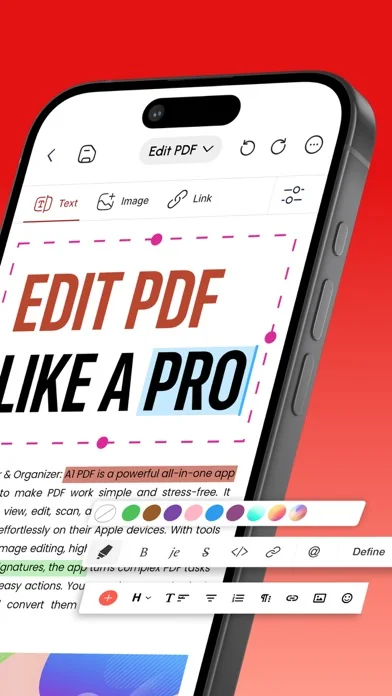
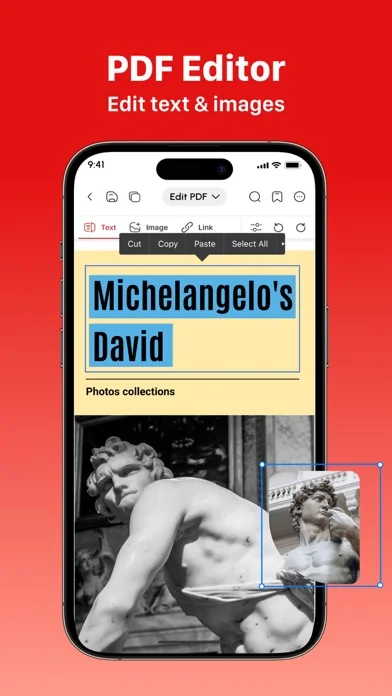
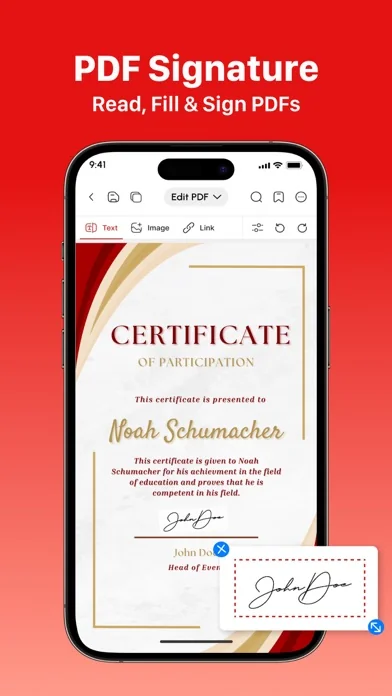
Live screenshots from the App Store, captured by our snapshot worker. Tap any image to enlarge.
PDF Bearbeiten und Erstellen's revenue trajectory
Forecast revenue from snapshot history. Last 24 months.
Where PDF Bearbeiten und Erstellen sits in Business
Revenue distribution of 2436 comparable apps. PDF Bearbeiten und Erstellen highlighted.
PDF Bearbeiten und Erstellen vs comparable apps
Revenue trajectory side-by-side. Bold = PDF Bearbeiten und Erstellen, ghosted = peers.
App spec
Version
1.1.80
Last update
May 06, 2026
Launched
Sep 29, 2022
Min OS
15.0
Rating
4+
Price
Free
Monetization
Paid
Languages
AR, EN, FR, DE +7
What PDF Bearbeiten und Erstellen actually does (from App Store listing)
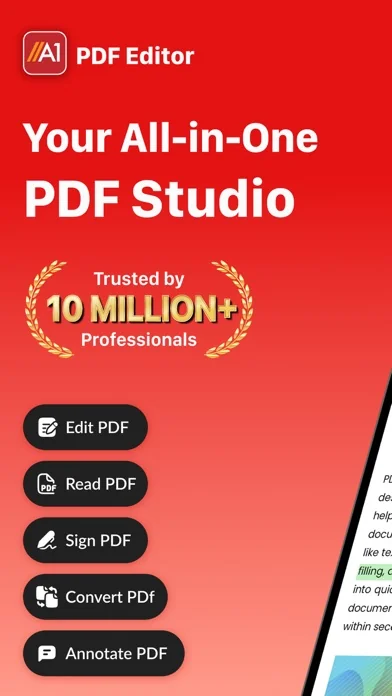
Edit, Read, Scan, Convert, Annotate & Sign Your PDF Documents With A1 PDF EDITOR!
A1 PDF EDITOR is your all-in-one PDF converter, reader and editor app. It allows you to view, scan, edit, annotate, convert, draw and sign PDFs, allowing you to handle your important documents in an easy, breezy and safe way!
KEY FEATURES:
→ PDF EDITOR:
Edit & Annotate Documents Easily:
• Edit PDF, write, annotate and leave comments easily on your doc with our customizable sticky notes and intuitive drawing tool…
Edit, Read, Scan, Convert, Annotate & Sign Your PDF Documents With A1 PDF EDITOR!
A1 PDF EDITOR is your all-in-one PDF converter, reader and editor app. It allows you to view, scan, edit, annotate, convert, draw and sign PDFs, allowing you to handle your important documents in an easy, breezy and safe way!
KEY FEATURES:
→ PDF EDITOR: Edit & Annotate Documents Easily: • Edit PDF, write, annotate and leave comments easily on your doc with our customizable sticky notes and intuitive drawing tools. • Highlight key passages, add text boxes for in-depth comments, and respond to existing annotations. (Apple Pencil support on iPad Pro for enhanced precision).
→ PDF READER: View & Read PDF Documents: • Received a document you need to view and read? Our app lets you view any type of document which is easy to read with our high quality PDF opener app.
→ PDF SCANNER: Scan Physical Documents: • Scan your physical documents and convert them into universally readable documents using your phone’s camera. • Our advanced scanning technology ensures your scanned PDFs look professional with automatic perspective correction, color adjustments, and intelligent cropping tools.
→ PDF CONVERTER: Convert to PDF from different Documents: • Word Document → PDF • Excel Spreadsheets → PDF • Presentations → PDF • Images (JPG, PNG) → PDF • Plain Text (TXT) → PDF
→ PDF to FILES: Convert PDF to any document easily: • PDF → Word Document • PDF → Excel Spreadsheets • PDF → Presentations
→ PDF SIGNATURE: Sign Documents Without Hassle: • Fill out your forms and sign without any hassle using your finger or Apple pencil. • Our electronic signature system makes sure your original signatures look just as good and accurate on your PDF documents.
→ SHARE & EXPORT & COLLABORATE: • Invite colleagues or clients to collaborate by effortlessly sharing PDF files via email, link, or text message. • Set permission levels for recipients, allowing them to view, edit, or sign the PDF document according to your needs. • Print, fax, or convert any doc to PDF - Word, Excel, and PowerPoint formats for maximum flexibility
→ MORE TOOLS: • Insert Images & Draw Effortlessly • Unleash your creative side by inserting images, editing images and using our multiple PDF tools to draw and beautify your documents.
Why Should You Choose A1 PDF EDITOR?
• Compatible With All Apple Devices - iPhone (iOS 15.0 or later), iPad (iPadOS 15.0 or later), Mac (macOS 12.0 or later and a Mac with Apple M1 chip or later) • All In One PDF App - No need to download multiple apps to scan, edit, convert, or annotate docs; this one app allows you to do it all effortlessly! • Work Offline - Fluctuating internet? No need to panic! Work offline and the changes will be synced as soon as you are back online :D • Free Premium Trial - Unlock the Full Potential with a Free Trial. Experience all the premium features of A1 PDF EDITOR free for 3 days! Choose a subscription plan that best suits your needs and cancel anytime without obligation.
Please note: Subscriptions are charged through your App Store account. Subscriptions automatically renew unless canceled at least 24 hours before the end of the current period. Manage your subscription through your App Store account settings after purchase.
What are you waiting for? No need to download multiple PDF apps. Make your life easier with the A1 PDF EDITOR today!
Terms of use - https://blog.a1apps.co/terms-of-use-a1-pdf-editor/ Privacy Policy - https://a1office.co/ios-privacy-policy/
🆕 What's new · v1.1.80
- Improved navigation and user experience
- Easier access to all tools for a smoother experience
- Minor bug fixes to improve stability
Comparable iOS apps
The five apps in Business with the closest revenue to PDF Bearbeiten und Erstellen. Click any to see its detail page.
Each forecast combines App Store rating, ratings count, monetisation model, pricing tier, IAP signals and ad-supported flag.
The base estimate is then multiplied by a per-category scaling factor learned from apps with founder-verified MRR.
Every number on this page comes from public APIs and bumetric's own snapshot history.
Full methodology covers input variables, accuracy bands per category and how we treat apps without comparable anchors.
See also the live data on PDF Bearbeiten und Erstellen's tracker page for current rating, reviews and snapshot timeline.
Building something similar? Get a free AI audit with $-revenue forecasts for every recommendation.


 Bakesy: Home Bakery Biz App
 FAX from iPhone: Fax App
 1tap receipts: Track Expenses
 Zeiterfassung - myWork
 FAX iPhone - Scannen & Senden