ML revenue forecast.
Calibrated against 2218 apps in this category.
Confidence band
±15%
High — many comparable apps with verified data
At a glance
Earns 5.6× less than the category median (1.0K/mo).
Ranks #2,007 of 2,218 in Productivity (top 90.5% by revenue).
Ratings volume grew 619.0% over the last 30 days, suggesting active user acquisition.
Launched Mar 15, 2022 · last updated Apr 29, 2026.
12 months of snapshot history tracked.
What the app looks like
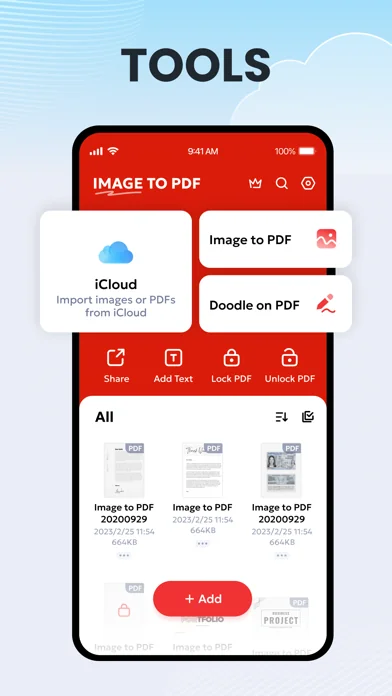
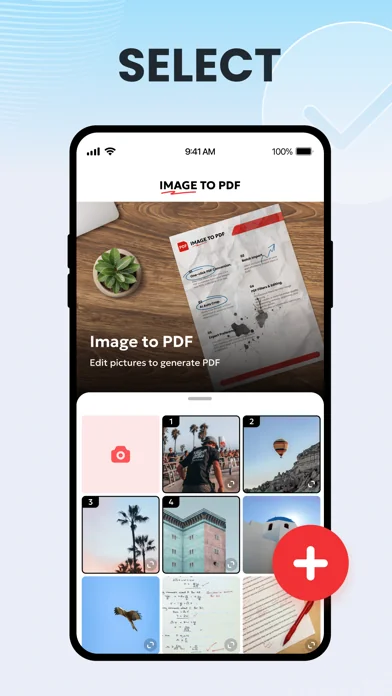
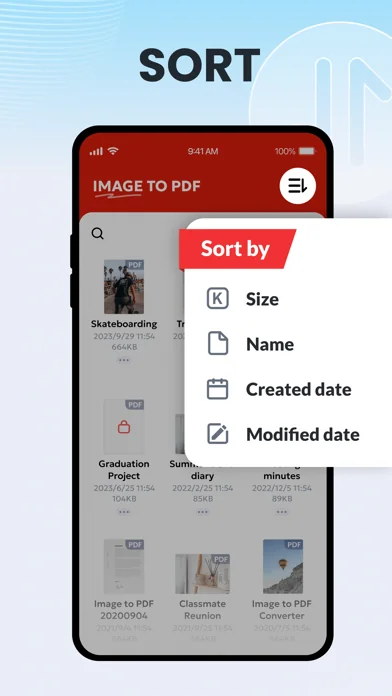
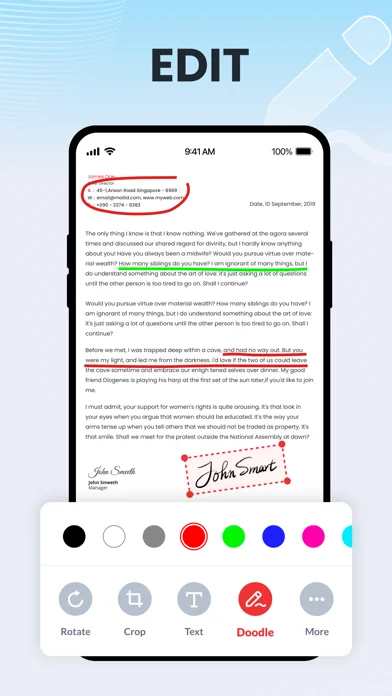
Live screenshots from the App Store, captured by our snapshot worker. Tap any image to enlarge.
PDF Converter , Photo to PDF's revenue trajectory
Forecast revenue from snapshot history. Last 12 months.
Where PDF Converter , Photo to PDF sits in Productivity
Revenue distribution of 2218 comparable apps. PDF Converter , Photo to PDF highlighted.
PDF Converter , Photo to PDF vs comparable apps
Revenue trajectory side-by-side. Bold = PDF Converter , Photo to PDF, ghosted = peers.
App spec
Version
1.3.8
Last update
Apr 29, 2026
Launched
Mar 15, 2022
Min OS
15.0
Rating
4+
Price
Free
Monetization
Freemium
Languages
AR, EN, FR, DE +14
What PDF Converter , Photo to PDF actually does (from App Store listing)
Image to PDF Converter — the fastest way to turn photos and JPG, PNG, or HEIC files into professional PDFs.
It's like carrying your entire office in your pocket — preserving research materials, organizing important files, and managing documents efficiently wherever you go.
With Image to PDF Converter, you can:
► Convert image to PDF in seconds
Import images from your device or iCloud, or scan paper files with your camera and convert them into PDFs — notes, receipts, invoices, forms, business …
Image to PDF Converter — the fastest way to turn photos and JPG, PNG, or HEIC files into professional PDFs.
It's like carrying your entire office in your pocket — preserving research materials, organizing important files, and managing documents efficiently wherever you go.
With Image to PDF Converter, you can:
► Convert image to PDF in seconds Import images from your device or iCloud, or scan paper files with your camera and convert them into PDFs — notes, receipts, invoices, forms, business cards, certificates, whiteboards, ID cards, etc., all supported.
►Resize images Resize, crop, doodle, and rotate the images as you like. Optimize images for better PDF output.
►Edit PDFs Add your e-signature anytime. Highlight or annotate with different colors, manage pages, insert text, and compress PDFs with different compression levels for easier sharing and optimized storage.
►Auto sorting Automatically sort images and PDF files by name, size, created date, modified date, etc. Of course, you can sort manually if you want.
►Set password You can set passwords to protect your PDF files, and encrypt confidential files to be shared to prevent others from peeking at them.
►Work offline No need to send data to the cloud, easily convert your images to PDF offline.
►Share converted PDF files Easily send and share converted PDF files via social media, Email, quick share, etc.
►Quick search Try the quick search function, and you will find it’s easy to find your target files. Just enter the keywords and the results will be displayed automatically.
This app requires permission to access your Camera and Photo Library for PDF conversion.
We will keep working hard to optimize the app and improve the user experience. Please feel free to contact us at imgtopdfios@gmail.com if you have any suggestions.
Subscription Terms and Details - Get unlimited access to all features: ① USD $9.99/month ② USD $29.99/year with 3-day trial - The payment will be charged to your iTunes account at confirmation of purchase. - The subscription automatically renews unless auto-renew is turned off at least 24 hours before the end of the current period. - Subscription may be managed and auto-renewal may be turned off by going to Account Settings after purchase. - The account will be charged for renewal within 24 hours prior to the end of the current period. - Any unused portion of a free trial period will be forfeited when the user purchases a subscription to that publication.
Privacy Policy: https://image2pdf.simplehealth.ltd/privacypolicy.html Terms of Use: https://image2pdf.simplehealth.ltd/terms.html
🆕 What's new · v1.3.8
What's new in Image to PDF Converter, Editor
1. Add "PDF to Word" feature based on user feedback
2. Optimize performance and interaction
3. Fix minor bugs
Comparable iOS apps
The five apps in Productivity with the closest revenue to PDF Converter , Photo to PDF. Click any to see its detail page.
Each forecast combines App Store rating, ratings count, monetisation model, pricing tier, IAP signals and ad-supported flag.
The base estimate is then multiplied by a per-category scaling factor learned from apps with founder-verified MRR.
Every number on this page comes from public APIs and bumetric's own snapshot history.
Full methodology covers input variables, accuracy bands per category and how we treat apps without comparable anchors.
See also the live data on PDF Converter , Photo to PDF's tracker page for current rating, reviews and snapshot timeline.
Building something similar? Get a free AI audit with $-revenue forecasts for every recommendation.


 Langdock
 ControlPlus2
 KYOCERA Mobile Print
 Lens: PDF Bearbeiten und Scan
 Pixel Cleaner:cleanup app