What PDF Editor ® actually does (from App Store listing)
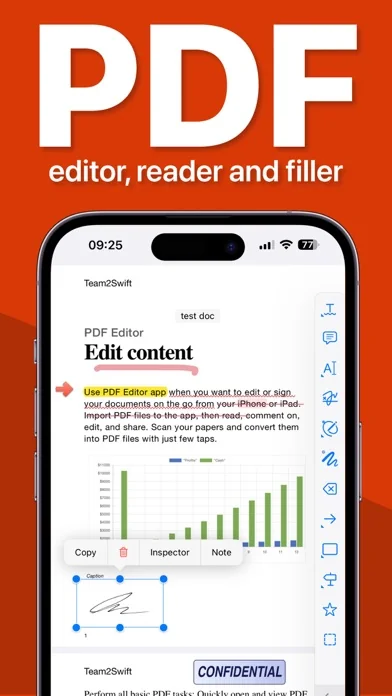
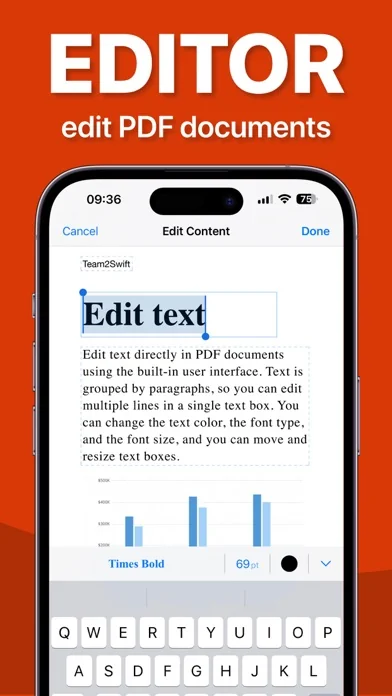
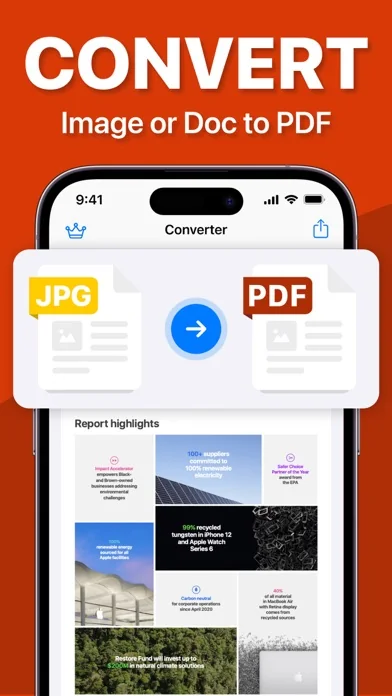
Use PDF Editor app when you want to edit or sign your documents on the go from your iPhone or iPad. Import PDF files to the app, then read, comment on, edit, and share. Scan your papers and convert them into PDF files with just few taps.
Perform all basic PDF tasks:
- Quickly open and view PDF files
- Search, scroll, and zoom in and out
Scan paper documents to PDF:
- Turn you camera into advanced document scanner
- Perspective document transformation
- Color adjustions
- Automatic crop tools
…
Use PDF Editor app when you want to edit or sign your documents on the go from your iPhone or iPad. Import PDF files to the app, then read, comment on, edit, and share. Scan your papers and convert them into PDF files with just few taps.
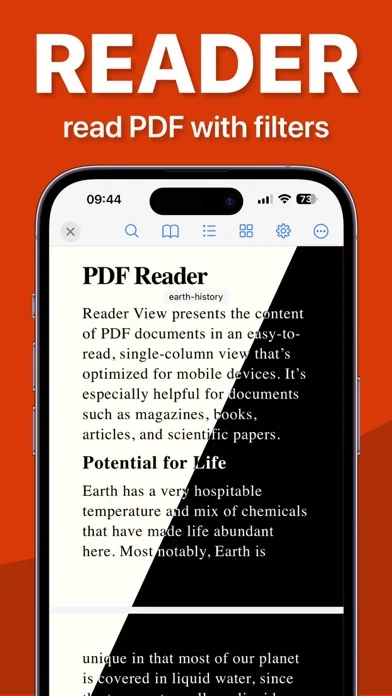
Perform all basic PDF tasks: - Quickly open and view PDF files - Search, scroll, and zoom in and out
Scan paper documents to PDF: - Turn you camera into advanced document scanner - Perspective document transformation - Color adjustions - Automatic crop tools
Anotate PDF files: - Comment on PDFs using sticky notes and drawing tools - Highlight and mark up text with annotation tools - View and respond to annotations in the comments list - Use Apple Pencil with iPad Pro to improve your precision
Sign important documents: - Quickly fill out PDF forms by typing text into fields - Use your finger or Apple Pencil to e-sign any PDF document
All documents are stored locally on your device, they are not available to us, nor to third parties. You can easily share documents using the export option.
Privacy Policy: https://pdfeditor7.com/en/privacy-policy Terms of Use: https://pdfeditor7.com/en/terms-of-usage
For any questions or requests, please use our customer support form at: https://www.team2swift.com/
🆕 What's new · v3.5.1
This update makes PDF Editor smoother to use.
• Improvements to reading, annotations, and colors.
• Easier Google Drive sign-in and file selection.
• Bug fixes and usability improvements.
Comparable iOS apps
The five apps in Business with the closest revenue to PDF Editor ®. Click any to see its detail page.
Each forecast combines App Store rating, ratings count, monetisation model, pricing tier, IAP signals and ad-supported flag.
The base estimate is then multiplied by a per-category scaling factor learned from apps with founder-verified MRR.
Every number on this page comes from public APIs and Bumetric's own snapshot history.
Full methodology covers input variables, accuracy bands per category and how we treat apps without comparable anchors.
See also the live data on PDF Editor ®'s tracker page for current rating, reviews and snapshot timeline.
Building something similar? Get a free AI audit with $-revenue forecasts for every recommendation.


 ProCamera. Professional Camera
 Sun Seeker - Sunlight Tracker
 Tiny Fax: Send Fax From iPhone
 Scan to PDF: Converter Scanner
 CompanyCam