ML revenue forecast.
Calibrated against 2549 apps in this category.
Confidence band
±15%
High — many comparable apps with verified data
At a glance
Earns 19.96× more than the category median (802/mo).
Ranks #127 of 2,549 in Business (top 5.0% by revenue).
Launched Jan 25, 2021 · last updated Jul 20, 2026.
24 months of snapshot history tracked.
What the app looks like
Live screenshots from the App Store, captured by our snapshot worker. Tap any image to enlarge.
PDF Guru – Edit & Sign's revenue trajectory
Forecast revenue from snapshot history. Last 24 months.
Where PDF Guru – Edit & Sign sits in Business
Revenue distribution of 2549 comparable apps. PDF Guru – Edit & Sign highlighted.
PDF Guru – Edit & Sign vs comparable apps
Revenue trajectory side-by-side. Bold = PDF Guru – Edit & Sign, ghosted = peers.
App spec
Version
1.4.7
Last update
Jul 20, 2026
Launched
Jan 25, 2021
Min OS
15.0
Rating
4+
Price
Free
Monetization
Paid
Languages
AR, EN, FR, DE +8
What PDF Guru – Edit & Sign actually does (from App Store listing)
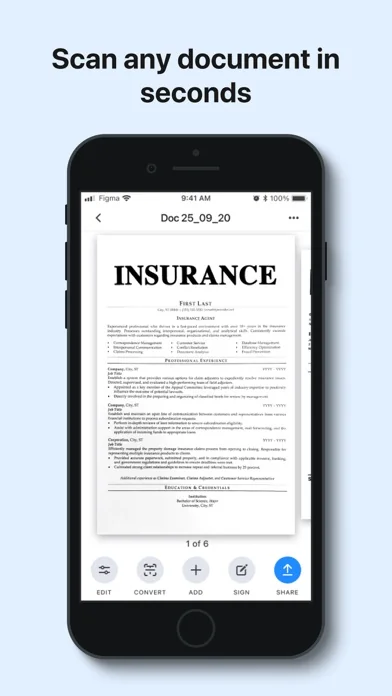
uScan is a fast scanner app that will turn your phone into a portable scanner that fits in your pocket!
Go paperless with our fast PDF scanner – keep high-quality documents handy.
Become more productive with our powerful free scanner app:
1. SCAN & EDIT ANY DOCUMENT
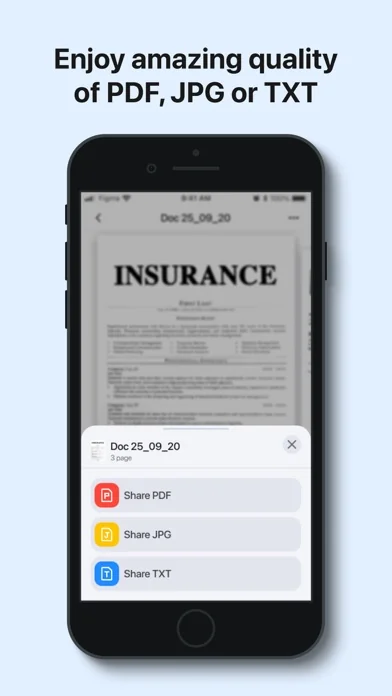
Scan anything you need, including receipts, contracts, paper notes, fax papers and books. Save, and share any document in just a few taps as multipage PDF or JPEG files.
A must-have for accountants, realtors, managers, small busine…
uScan is a fast scanner app that will turn your phone into a portable scanner that fits in your pocket! Go paperless with our fast PDF scanner – keep high-quality documents handy.
Become more productive with our powerful free scanner app:
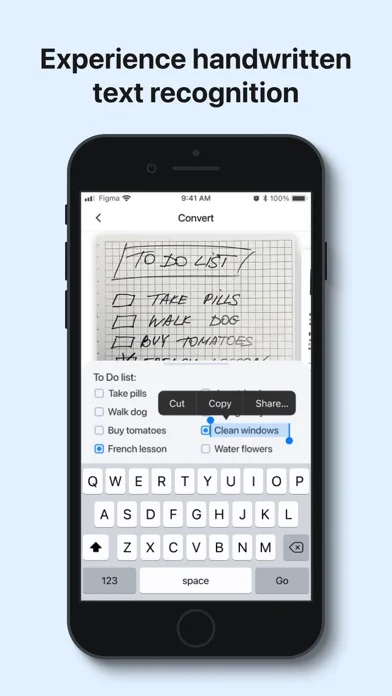
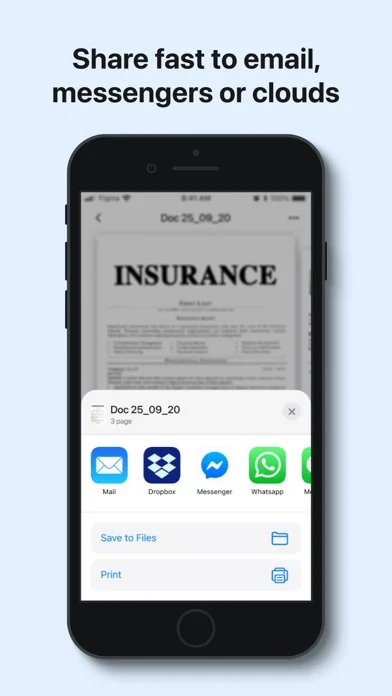
1. SCAN & EDIT ANY DOCUMENT Scan anything you need, including receipts, contracts, paper notes, fax papers and books. Save, and share any document in just a few taps as multipage PDF or JPEG files. A must-have for accountants, realtors, managers, small business owners, lawyers or students.
2. CONVERT IMAGE INTO EDITABLE TEXT Extract text from any scanned page or image, edit it, and save as a new text document. Our highly accurate OCR scanner recognizes all popular languages.
3. SIGN DOCUMENTS IN JUST ONE TAP Add an electronic signature to your contracts, invoices or bills and send them to business partners, colleagues, or clients on the go.
4. GET HIGH-QUALITY PDF or DOC files Our advanced scanning technology removes shadows, corrects perspective and distortion. Scan anything and get a professional looking PDF or DOC file.
Keep the entire office in your pocket and increase your productivity at work, use scanner pro features to manage all your paperwork with ease.
Additional features: - Smart image editor - Variety of filters B&W, grayscale or color - Easy sharing options - Multi Page scanning - Automatic shutter and border detection for any scannable object - File manager with folders and drag & drop - Built-in storage - Offline mode
PRO scanner features: - Unlimited number of scans and folders - Text Recognition (OCR) - Signature
Information about auto-renewal of subscription: - Subscription automatically renews unless auto-renew is turned off at least 24-hours before the end of the current period. - Subscriptions can be managed by the user and auto-renewal can be turned off by going to the user’s Account Settings after purchase. - Any unused portion of the free trial period will be forfeited when the user purchases a subscription. - Payment will be charged to iTunes Account at confirmation of purchase. - An account will be charged for renewal within 24 hours prior to the end of the current period. The amount charged will depend on the selected plan.
Each forecast combines App Store rating, ratings count, monetisation model, pricing tier, IAP signals and ad-supported flag.
The base estimate is then multiplied by a per-category scaling factor learned from apps with founder-verified MRR.
Every number on this page comes from public APIs and Bumetric's own snapshot history.
Full methodology covers input variables, accuracy bands per category and how we treat apps without comparable anchors.
See also the live data on PDF Guru – Edit & Sign's tracker page for current rating, reviews and snapshot timeline.
Building something similar? Get a free AI audit with $-revenue forecasts for every recommendation.


 FineReader: PDF Scanner & OCR
 Harvard Business Review
 TapeACall Pro: Call Recorder
 Sendungsverfolgung - pkge app
 FAX・Faxen Senden und Empfangen