What Perfect Click Autoclicker actually does (from store listing)
<b> Features: </b>
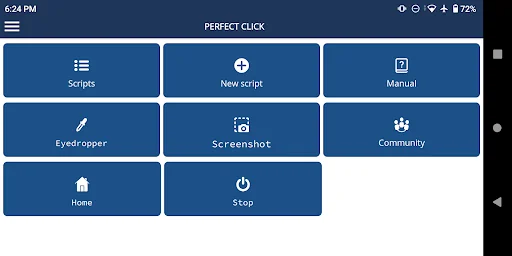
• Performing touches, swipes.
• Search for images on the screen.
• Text recognition.
• Determination of the color of pixels.
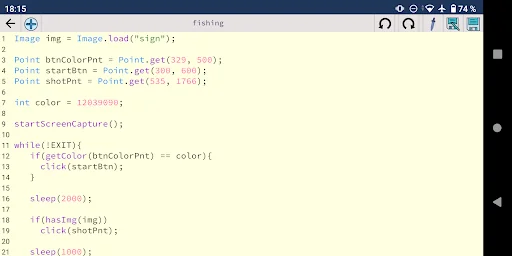
• Code editor with syntax highlighting.
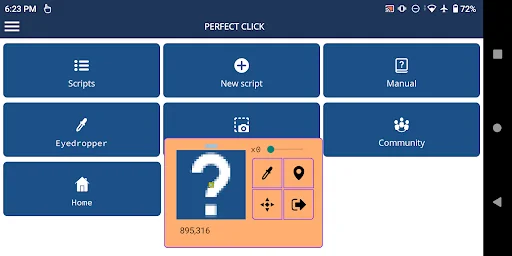
• Eyedropper.
• Tool for creating templates for images.
• User guide.
<b> Requirements: </b>
- Android 7.0 or higher.
- Overlay on top of other applications.
- Accessibility service.
<b> About using the Accessibility Service: </b>
Attention! This application, for some of its functions, requires pe…
Features: • Performing touches, swipes.
• Search for images on the screen.
• Text recognition.
• Determination of the color of pixels.
• Code editor with syntax highlighting.
• Eyedropper.
• Tool for creating templates for images.
• User guide.
Requirements: - Android 7.0 or higher.
- Overlay on top of other applications.
- Accessibility service.
About using the Accessibility Service: Attention! This application, for some of its functions, requires permission to use the "Accessibility Service". The "Accessibility Service" is only used when you try to emulate button presses, taps and swipes on your device using this app. For any other purposes, the aforementioned service is not used!
In accordance with the new rules of Google Play, below is a complete and exhaustive list of functions that require the Accessibility Service to work. Every time you call these functions in an application script, it calls the Accessibility Service to emulate the clicks for you. If the accessibility service is not enabled, you will see a corresponding warning.
Here are the prototypes of these functions:
void click(Point);
void click(int, int);
void clickRand(Point, int);
void clickRand(int, int, int);
void press(int, int, int);
voidpress(Point, int);
void swipe(int, int, int, int);
void swipe(Point, Point);
void swipe(int, int, int, int, int);
void swipe(Point, Point, int);
void complexSwipe(Point[], int);
void swipeAndHold(Point, Point, int);
void swipeAndHold(int, int, int, int, int);
void goBack();
void goHome();
void showRecents();
void showPowerDialog();
If none of these functions are used in a script, the autoclicker will not request access to the Accessibility Service.
Comparable Android apps
The five apps in Tools with the closest revenue to Perfect Click Autoclicker. Click any to see its detail page.
Each forecast combines App Store rating, ratings count, monetisation model, pricing tier, IAP signals and ad-supported flag.
The base estimate is then multiplied by a per-category scaling factor learned from apps with founder-verified MRR.
Every number on this page comes from public APIs and Bumetric's own snapshot history.
Full methodology covers input variables, accuracy bands per category and how we treat apps without comparable anchors.
See also the live data on Perfect Click Autoclicker's tracker page for current rating, reviews and snapshot timeline.
Building something similar? Get a free AI audit with $-revenue forecasts for every recommendation.


 Netco Chat
 Doodle pad (Sketch, Paint)
 Ledlenser Pro Connect
 Forcepoint SSL VPN Client
 Maxim Smart