What Smart Clean:Phone Junk Cleaner actually does (from store listing)
<u><b>Smart Clean is the most powerful junk (Unwanted Files) cleaner ever made on android.</b></u>
It has the following features:
<b>1. Log Files:</b>
Removes logs files and folders from every location.
<b>2. Cache Files:</b>
Removes caches without removing your important files.
<b>3. Temporary Files:</b>
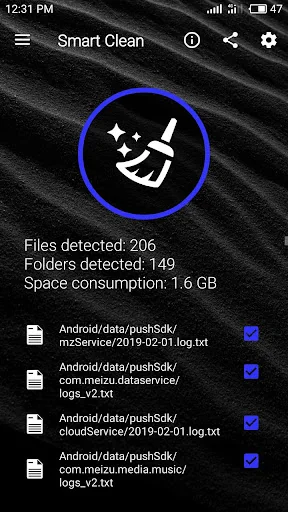
Removes temporary files and folders which sometimes not gets deleted by apps and results in storage consumption.
<b>4. Duplicate Files:</b>
Scans clone files very fast without …
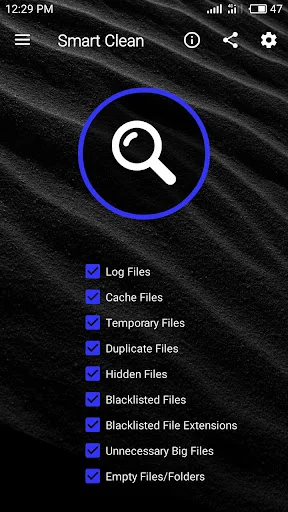
Smart Clean is the most powerful junk (Unwanted Files) cleaner ever made on android. It has the following features:
1. Log Files: Removes logs files and folders from every location.
2. Cache Files: Removes caches without removing your important files.
3. Temporary Files: Removes temporary files and folders which sometimes not gets deleted by apps and results in storage consumption.
4. Duplicate Files: Scans clone files very fast without removing original files from Duplicates.
5. Blacklist Files: Removes all the files which is present in Blacklist
Unnecessary files / folders which are automatically created with time could be kept inside blacklist to remove them automatically on every scan.
6. Blacklisted File Extensions: Removes all those files which have blacklisted extensions
(i.e. whose extensions are present in "Extensions Blacklist")
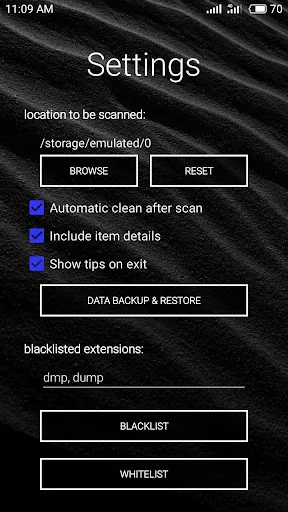
Simply insert those extensions in "Blacklist Extensions" separated by commas without including period.
7. Hidden Files: Removes all those files and folders which are hidden to users (which are started with a period).
CAUTION: Make sure to add important hidden files and folders into whitelist to prevent them from deleting at the time of scan.
8. Unnecessary Big Files: Remove all large files without fearing of loosing your favourite movies, music, apk and many more important big files.
9. Empty Files: Removes all empty files.
i.e. Files which don't have any contents in it.
10. Empty Folder: Removes all the folders which are empty.
11. Whitelist Files/Folders: This feature is developed to save some of those files or folders which are important to the user but occurs in category of logs, cache, hidden, unnecessary large files, etc...
Simply put those files/folders into white list and this will not going to scan those folders / files.
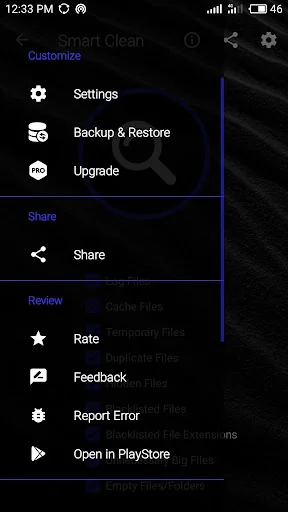
12: Data Backup & Restore: This feature is developed to backup all the data of Smart Clean including blacklist, whitelist, and preferences data.
In short its best cleaner ever made on android !
Comparable Android apps
The five apps in Tools with the closest revenue to Smart Clean:Phone Junk Cleaner. Click any to see its detail page.
Each forecast combines App Store rating, ratings count, monetisation model, pricing tier, IAP signals and ad-supported flag.
The base estimate is then multiplied by a per-category scaling factor learned from apps with founder-verified MRR.
Every number on this page comes from public APIs and bumetric's own snapshot history.
Full methodology covers input variables, accuracy bands per category and how we treat apps without comparable anchors.
See also the live data on Smart Clean:Phone Junk Cleaner's tracker page for current rating, reviews and snapshot timeline.
Building something similar? Get a free AI audit with $-revenue forecasts for every recommendation.


 Virtuino 6
 La bàn phong thủy
 Reliable Flashlight
 Belong
 MEAIndia