What Photo Blur Effects - Variety actually does (from store listing)
Photo Blur Effects - Variety provides multiple blur effects to create amazing <b>Photo Focus</b> pictures with just one touch. <b>TRY NOW!!!</b>
You can use variety of blur options to get the perfect blur and create focus effect on your images:
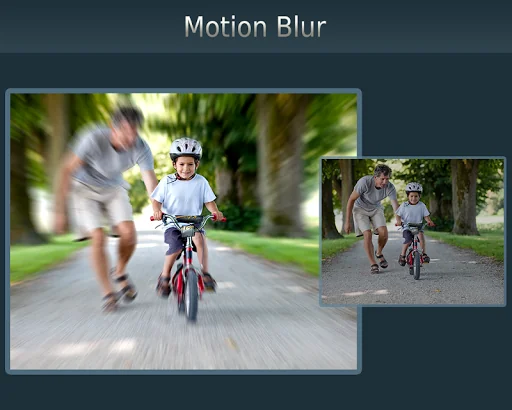
- <b>Motion Blur</b>,
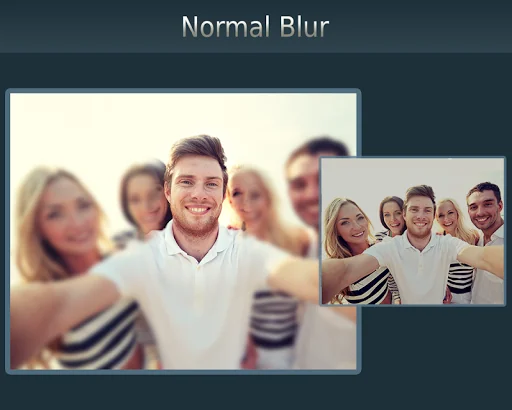
- <b>Gaussian Blur</b>,
- <b>Line Blur</b>,
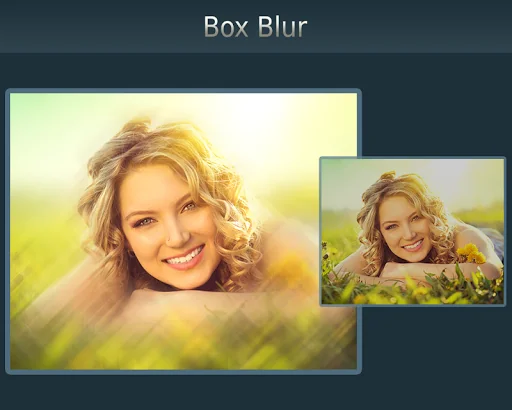
- <b>Box Blur</b>,
- <b>Pixel Blur</b>
Photo Blur Effects - Variety is very easy to use app to create perfect focus by adjusting blur effect with slide-bar.
…
Photo Blur Effects - Variety provides multiple blur effects to create amazing Photo Focus pictures with just one touch. TRY NOW!!!
You can use variety of blur options to get the perfect blur and create focus effect on your images:
- Motion Blur,
- Gaussian Blur,
- Line Blur,
- Box Blur,
- Pixel Blur
Photo Blur Effects - Variety is very easy to use app to create perfect focus by adjusting blur effect with slide-bar.
Just select the picture from your gallery or capture from camera and apply blur effects, tap on picture to focus that area and adjust the focus area with slide-bar, you can also adjust the blur effect intensity with slide-bar.
Features:
***** Select or capture image - Select image from gallery or capture from camera
***** Apply Blur Effect - Apply one of the various blur effects like Motion, Gaussian, Line, Box, Pixel blur
***** Adjust Blur intensity - Adjust the blur effect intensity with slide-bar
***** Tap to focus - Tap the area where you want focus
***** Adjust Focus - Adjust the focus radius with slide-bar
***** Save & Share - Save your creation on SD Card and share on any social media directly from the app
Transforms your favorite picture into a fashionable eye catcher. Try Now!!
Comparable Android apps
The five apps in Photography with the closest revenue to Photo Blur Effects - Variety. Click any to see its detail page.
Each forecast combines App Store rating, ratings count, monetisation model, pricing tier, IAP signals and ad-supported flag.
The base estimate is then multiplied by a per-category scaling factor learned from apps with founder-verified MRR.
Every number on this page comes from public APIs and bumetric's own snapshot history.
Full methodology covers input variables, accuracy bands per category and how we treat apps without comparable anchors.
See also the live data on Photo Blur Effects - Variety's tracker page for current rating, reviews and snapshot timeline.
Building something similar? Get a free AI audit with $-revenue forecasts for every recommendation.


 Village photo editor frames
 celebrate: share photo & video
 GlitchCam: Glitch Photo Editor
 Selfie photo frames
 Book Photo Frame