What Photo Exif Editor - Metadata actually does (from store listing)
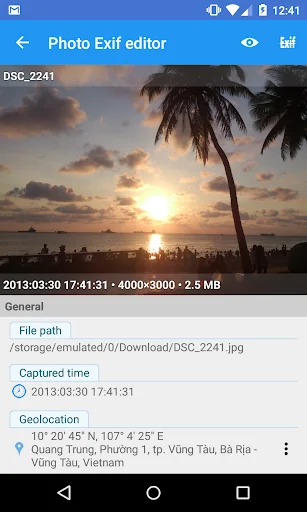
Photo Exif Editor allows you to view, modify and remove the Exif data of your pictures.
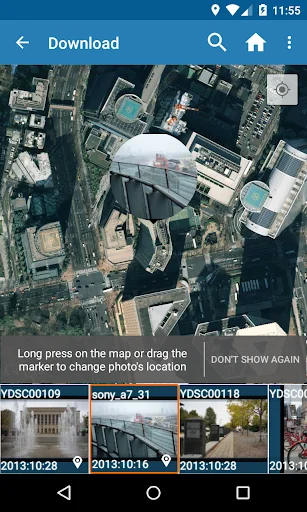
You can also change the location of picture to anywhere. In this case, Photo Exif Editor acts as Photo location changer, GPS photo viewer or Photo place editor.
Or to remove/strip all Exif tags inside the photos. In this case, Photo Exif Editor acts as Exif remover, or Photo data stripper.
With the clear user interface, Photo Exif Editor is an easy to use tool that helps you to correct the missing inform…
Photo Exif Editor allows you to view, modify and remove the Exif data of your pictures.
You can also change the location of picture to anywhere. In this case, Photo Exif Editor acts as Photo location changer, GPS photo viewer or Photo place editor.
Or to remove/strip all Exif tags inside the photos. In this case, Photo Exif Editor acts as Exif remover, or Photo data stripper.
With the clear user interface, Photo Exif Editor is an easy to use tool that helps you to correct the missing information of your favorite photos.
If you want to support, consider to get the Pro version with no ads and more features.
NOTICE All the features of our app "EXIF Pro - ExifTool for Android" will be merged into this application soon. It will include the abilities to edit pictures (JPG, PNG, RAW...), audio, video, please be patient!
Android 4.4 (Kitkat) does not allow non-system application to write file to the external sdcard. Please read more at: https://metactrl.com/docs/sdcard-on-kitkat/
To open Camera, long tap on the Gallery button
What is the Exif data of picture? • It contains Camera settings, for example, static information such as the camera model and make, and information that varies with each image such as orientation (rotation), aperture, shutter speed, focal length, metering mode, and ISO speed information.
• It also includes the GPS ( Global Positioning System) tag for holding location information where the photo was taken.
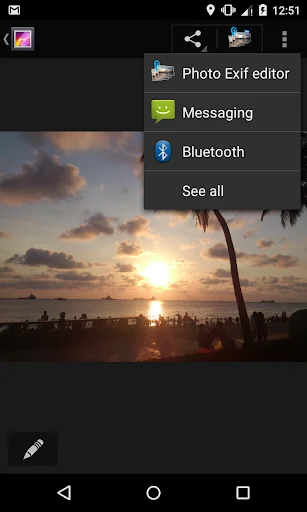
What can Photo Exif Editor do? • Browse and view Exif information from Android Gallery or from Photo Exif Editor's integrated photo browser.
• Add or correct the location where photo was taken using Google Maps.
• Batch editing multiple photos.
• Remove all photo information to protect your privacy.
• Add, modify, remove EXIF tags:
- GPS coordinates/GPS location
- Camera model
- Camera maker
- Captured time
- Orientation (rotation)
- Aperture
- Shutter speed
- Focal length
- ISO speed
- White balance.
- And much more tags...
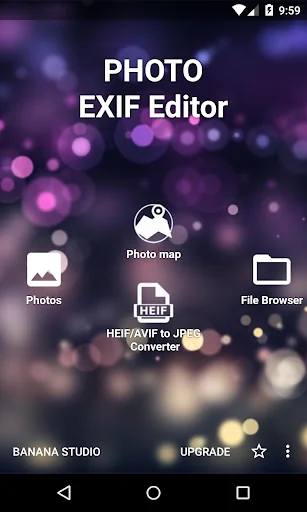
• HEIF, AVIF Converter
- Convert from HEIF, HEIC, AVIF images to JPEG or PNG (Keep exif data)
This is merged from our another app "HEIC/HEIF/AVIF 2 JPG Converter"
Other applications can share directly the HEIF, AVIF images to this app for converting files
File types supported - JPEG: Read and Write EXIF
- PNG (Extensions to the PNG 1.2 Specification): Read and Write EXIF - Since 2.3.6
- HEIF, HEIC, AVIF: Convert to jpeg, png: Since 2.2.22
What's next? - Support editing EXIF of WEBP
- Support reading EXIF of DNG
If you're facing any problem, want new feature or have feedback to improve this application, don't hesitate to send it to us via the support email: support@xnano.net
Permission explanation:
- WiFi Permission: This application requires network connection to load the Map (Google Map).
- Location permission: This is an optional permission to allow the Map to identify your current location.
- (Android 12+) Manage media: With this permission granted, app will not display the write request on each saving
- (Android 9+) Media location (geolocation of media files): Need to read and write geolocation of files.
We do not store, collect or share the location/information of your images/data anywhere!
For example in the case of application Maps", there is a button on the map, when you taps on it, the map moves to your current location.
On Android 6.0 (Marshmallow) and above, you can choose to deny this location permission.
Comparable Android apps
The five apps in Photography with the closest revenue to Photo Exif Editor - Metadata. Click any to see its detail page.
Each forecast combines App Store rating, ratings count, monetisation model, pricing tier, IAP signals and ad-supported flag.
The base estimate is then multiplied by a per-category scaling factor learned from apps with founder-verified MRR.
Every number on this page comes from public APIs and bumetric's own snapshot history.
Full methodology covers input variables, accuracy bands per category and how we treat apps without comparable anchors.
See also the live data on Photo Exif Editor - Metadata's tracker page for current rating, reviews and snapshot timeline.
Building something similar? Get a free AI audit with $-revenue forecasts for every recommendation.


 Auto Background Changer
 Before After Collages
 الكتابة على الصورـ بخطوط عربية
 Blur Camera Background Editor
 Footej Camera - PRO HD Camera