What Photo Markup: Draw & Annotate actually does (from store listing)
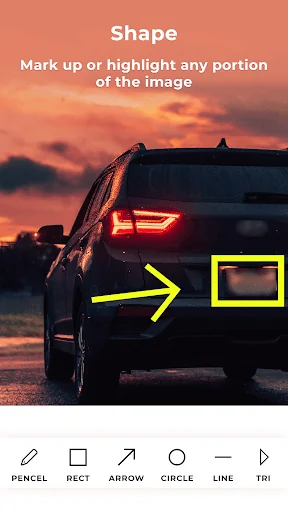
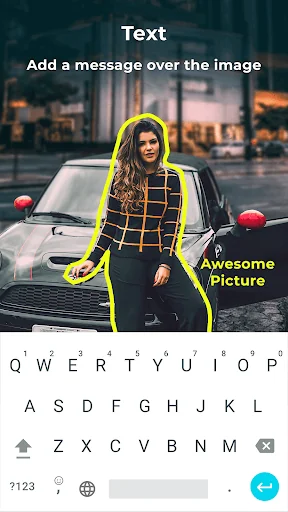
With Photo Markup you can add text, arrow, shapes, lines, curves, circle, stickers, free hand drawing & text on photos, images, drawings, diagrams etc.
A very useful tool for everyone specially for students, teachers, architect, doctors and other professionals. With this tool we can point out important portions on photos, add text for further explanations, free hand drawing to write or draw something on photos.
App Features:
- Add markups on images from gallery or capture new images usin…
With Photo Markup you can add text, arrow, shapes, lines, curves, circle, stickers, free hand drawing & text on photos, images, drawings, diagrams etc.
A very useful tool for everyone specially for students, teachers, architect, doctors and other professionals. With this tool we can point out important portions on photos, add text for further explanations, free hand drawing to write or draw something on photos.
App Features:
- Add markups on images from gallery or capture new images using mobile camera.
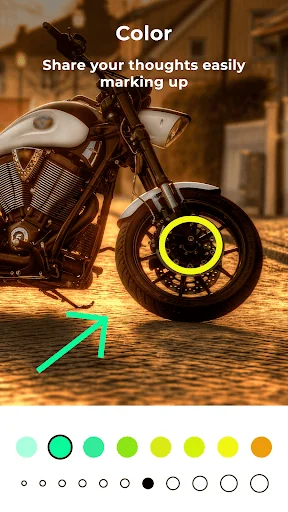
- Use pencil tool for freehand drawing or writing on photo with different thickness and color option.
- Create any size or thickness arrow with arrow tool with different thickness and color option.
- Add ready shapes like triangle, rectangle, lines or circles.
- Add text to images with different color, size and font style.
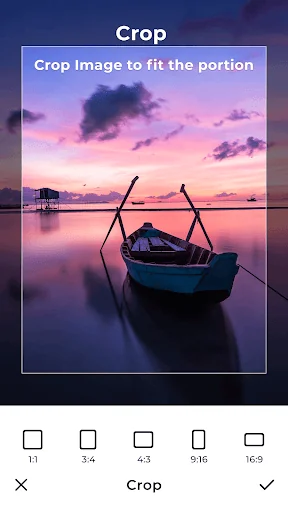
- Cropping feature to crop image with desired size and ratio.
Comparable Android apps
The five apps in Tools with the closest revenue to Photo Markup: Draw & Annotate. Click any to see its detail page.
Each forecast combines App Store rating, ratings count, monetisation model, pricing tier, IAP signals and ad-supported flag.
The base estimate is then multiplied by a per-category scaling factor learned from apps with founder-verified MRR.
Every number on this page comes from public APIs and bumetric's own snapshot history.
Full methodology covers input variables, accuracy bands per category and how we treat apps without comparable anchors.
See also the live data on Photo Markup: Draw & Annotate's tracker page for current rating, reviews and snapshot timeline.
Building something similar? Get a free AI audit with $-revenue forecasts for every recommendation.

 PM Rename
 Cox TV Remote Control
 Meridian Lighting
 Nikki.Amsterdam
 REBEL Fastwheels PRO