What Photo Organizer: FocusClean actually does (from App Store listing)
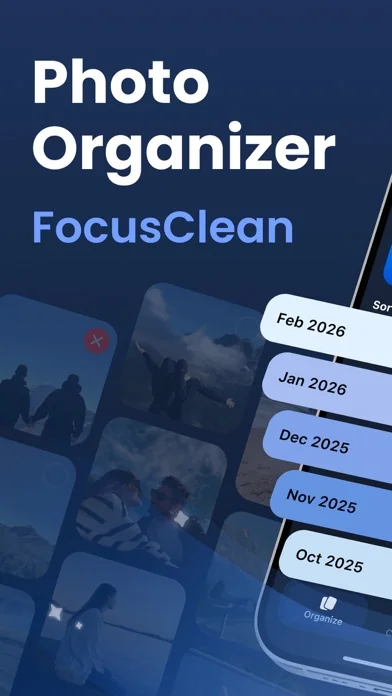
Welcome to Photo Organizer: FocusClean — your photo and video organizing assistant!
【Key Features】
1. Smart Photo Cleanup
Organize up to 100 photos for free each month. Easily remove similar photos, blurry images, and screenshots—while keeping your best memories.
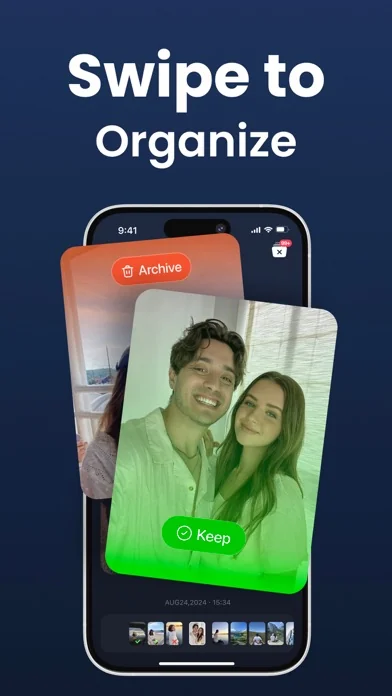
2. Swipe to Clean Up Photos
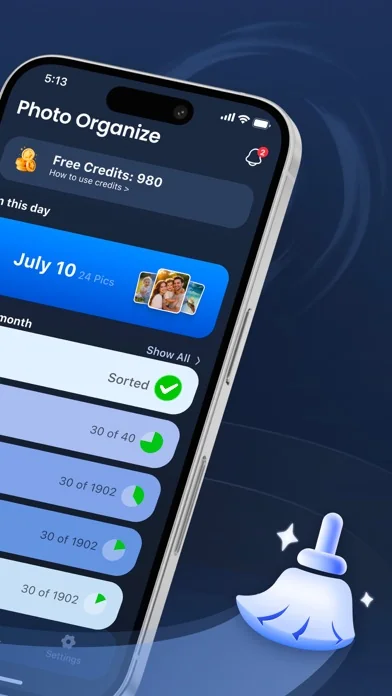
Photos are automatically grouped by month so you can organize them chronologically. With simple swipe gestures, you can archive and delete unwanted photos in one tap, while keeping the ones that matter…
Welcome to Photo Organizer: FocusClean — your photo and video organizing assistant!
【Key Features】
1. Smart Photo Cleanup Organize up to 100 photos for free each month. Easily remove similar photos, blurry images, and screenshots—while keeping your best memories.
2. Swipe to Clean Up Photos Photos are automatically grouped by month so you can organize them chronologically. With simple swipe gestures, you can archive and delete unwanted photos in one tap, while keeping the ones that matter—making photo and video management faster and more efficient.
3. Save Your Progress When you exit, the app automatically saves your manual sorting progress, so you can manage and organize your library over time.
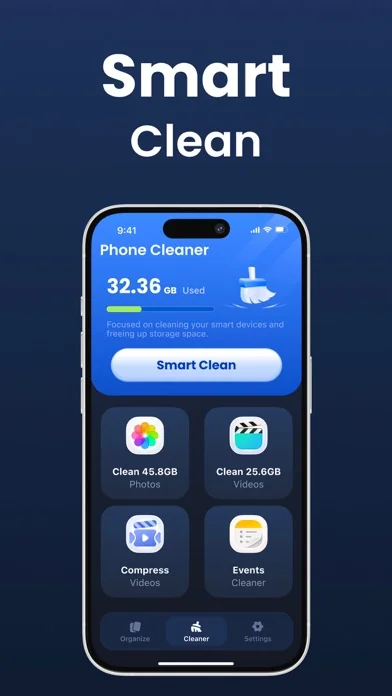
4. Video Compression Efficiently compress large videos with virtually no visible quality loss to free up more storage space.
5. Calendar Event Cleanup Automatically detects and removes duplicate and expired calendar events to keep your schedule clear and organized.
About Subscriptions
We offer flexible subscription options. You can try it for free first, then decide whether to subscribe:
- 7-day free trial, then $7.99/week - 7-day free trial, then $39.99/year - $5.99/week (no trial)
Subscription Notes - Trial reminder: We’ll send you a notification 1 day before your trial ends to remind you that billing is about to start. - Cancel anytime: You can manage or cancel your subscription anytime in “Settings > Apple ID > Subscriptions” on your device. - In-app guidance: The app’s “Settings” page includes detailed instructions on “How to Cancel a Subscription.”
Subscription Details - Payment will be charged to iTunes Account at confirmation of purchase - Subscription automatically renews unless auto-renew is turned off at least 24-hours before the end of the current period - Account will be charged for renewal within 24-hours before the end of the current period, and identify the cost of the renewal - Subscriptions may be managed by the user and auto-renewal may be turned off by going to the user's Account Settings after purchase - Any unused portion of a free trial period, if offered, will be forfeited when the user purchases a subscription to that publication, where applicable
This update brings a clearer and more user-friendly photo organizing experience:
New Features
- Swipe to Clean Photos: Photos are automatically sorted by month—simply swipe to quickly organize, with your progress automatically saved
- Monthly Free Trial: Get 1000 credits each month to clean 100 photos/videos for free, allowing you to fully experience core features
Experience Improvements
- Clearer Paid Features: Added prominent "paid lock" icons to premium features, making it easy to distinguish free vs. paid content
- Trial Reminders: Trial users will now receive a notification one day before billing, giving you plenty of time to decide whether to continue
- Cancel Subscription Guide: Added "How to Cancel Subscription" instructions, making it easy to manage your subscription anytime
Other Updates
- Metadata updates to improve app store presentation
Thank you for using Photo Organizer: FocusClean! We're continuously improving to bring you the best photo organizing experience.
Comparable iOS apps
The five apps in Utilities with the closest revenue to Photo Organizer: FocusClean. Click any to see its detail page.
Each forecast combines App Store rating, ratings count, monetisation model, pricing tier, IAP signals and ad-supported flag.
The base estimate is then multiplied by a per-category scaling factor learned from apps with founder-verified MRR.
Every number on this page comes from public APIs and bumetric's own snapshot history.
Full methodology covers input variables, accuracy bands per category and how we treat apps without comparable anchors.
See also the live data on Photo Organizer: FocusClean's tracker page for current rating, reviews and snapshot timeline.
Building something similar? Get a free AI audit with $-revenue forecasts for every recommendation.


 Phone Drive Pro - File Sharing
 Sonar Ruler
 VSim - Верифікація SMS
 IHK. 34a GewO
 Coin Scanner & Value Checker