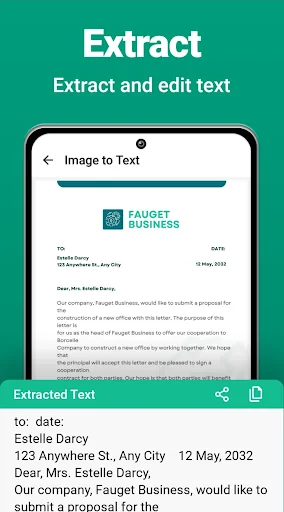
Live screenshots from the Play Store, captured by our snapshot worker. Tap any image to enlarge.
Photo Scanner - Scan to PDF's revenue trajectory
Forecast revenue from snapshot history. Last 1 months.
App spec
Version
2.1.1
Last update
Oct 23, 2025
Launched
Jun 04, 2026
Price
Free
Monetization
Free
What Photo Scanner - Scan to PDF actually does (from store listing)
<h1>Cam Scanner App For Android - Scan to PDF: Your Ultimate Document Digitization Tool!</h1>Are you tired of dealing with bulky scanners and complicated document conversion processes? Look no further! Introducing Photo Scanner and Size Editor - Scan to PDF app, the cam scanner app for Android that transforms your phone into a powerful document scanner app with just a simple tap.
Whether you need to scan documents, files, IDs, books, or even convert images to PDF or JPG, this document scanner…
Cam Scanner App For Android - Scan to PDF: Your Ultimate Document Digitization Tool!
Are you tired of dealing with bulky scanners and complicated document conversion processes? Look no further! Introducing Photo Scanner and Size Editor - Scan to PDF app, the cam scanner app for Android that transforms your phone into a powerful document scanner app with just a simple tap.
Whether you need to scan documents, files, IDs, books, or even convert images to PDF or JPG, this document scanner app is your go-to solution. Experience the freedom of having your documents at your fingertips with the Picture to PDF Converter. Say goodbye to the hassle and hello to seamless scanning with the Photo Scanner app!
📸 Photo Scanner Camera Key Features: 📸
📷 Cam scanner App for Android;
📄 PDF Scanner Camera;
📑 Document Scanner App;
🔍 Scan to PDF App;
🖼️ Picture to PDF Converter;
📸 Convert Photo to PDF;
📋 Scan Documents App;
📏 Photo Scanner and Size Editor;
📷 Photo Scanner App;
📱 Photo Scanner for Android.
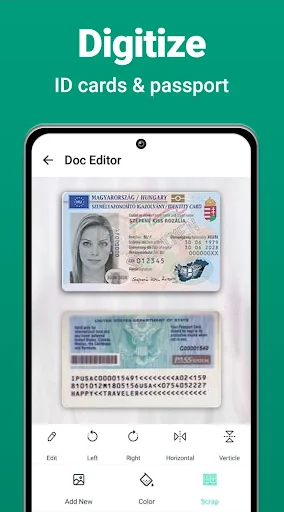
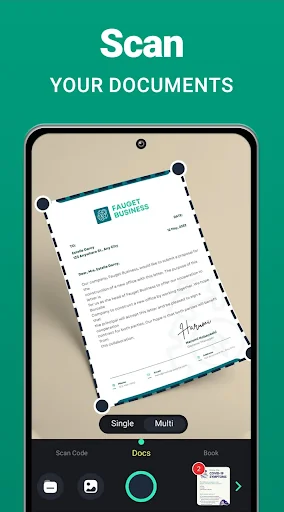
🚀 Effortless Scanning - Scan to PDF Converter: With a Photo Scanner and size editor, turning your phone into a portable PDF Scanner Camera has never been easier. Point, tap, and watch as the Picture to PDF Converter app quickly scans documents, files, IDs, and books in high-definition quality. Convert photo to PDF or JPG effortlessly with the touch of a button. This PDF scanner camera is lightning-fast and gorgeously designed to convert photo to PDF in the easiest way.
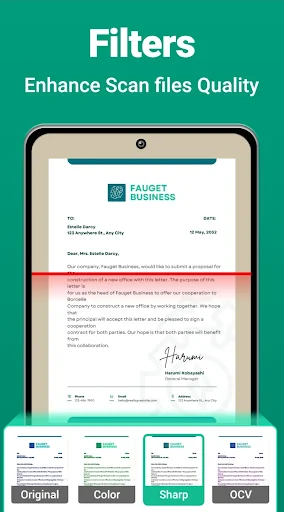
🎨 Smart Cropping and Auto-Enhancing Features: Enhance the clarity of texts and graphics in scanned documents with the Photo Scanner app's smart cropping and auto-enhancing features. Enjoy premium colors and resolutions, ensuring your scanned documents are clear, sharp, and professional. The Picture to PDF Converter app boasts automatic document edge recognition and perspective correction for a flawless scanning experience. Choose between scanning in color or black and white to suit your preferences. The Scan Documents App has everything you need!
📷 Versatility Beyond Document Scanning: Photo Scanner For Android - The scan to PDF app goes beyond traditional document scanning. Use the app to scan QR codes and barcodes effortlessly. Additionally, leverage the OCR scanner to convert photo to PDF or text, adding a new level of functionality to your scanning experience. The scan documents app adapts to your needs, providing a comprehensive solution for scanning requirements.
Embrace the Future of Document Digitization!
Say goodbye to outdated scanning methods and welcome the future of document digitization with Photo Scanner For Android - Scan to PDF App. Whether you're a professional, student, or anyone needing a reliable scanning tool, this cam scanner app for Android has you covered. Download Photo Scanner Camera today and experience the convenience of turning your phone into a high-quality document scanner. Say hello to a new era of effortless scanning and document conversion! 📸📄🚀
Own Photo Scanner - Scan to PDF? Replace our estimate with your real revenue via Stripe Connect or ASC. Get a public Verified badge.
Each forecast combines App Store rating, ratings count, monetisation model, pricing tier, IAP signals and ad-supported flag.
The base estimate is then multiplied by a per-category scaling factor learned from apps with founder-verified MRR.
Every number on this page comes from public APIs and bumetric's own snapshot history.
Full methodology covers input variables, accuracy bands per category and how we treat apps without comparable anchors.
See also the live data on Photo Scanner - Scan to PDF's tracker page for current rating, reviews and snapshot timeline.
Building something similar? Get a free AI audit with $-revenue forecasts for every recommendation.