What PhotoPad Photo Editor actually does (from store listing)
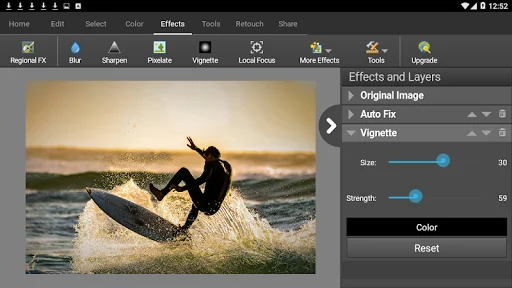
PhotoPad Free Photo Editing App is an easy-to-use digital image editor app for Android phones and devices. Easily edit photos, pictures, and other image types. PhotoPad supports the most popular image formats. Use this picture editor to crop, rotate, resize, and flip photos quickly and easily.
Photo Editing Features:
- Crop, rotate, resize and flip pictures
- Touch up photos to remove blemishes and fix color
- Improve photo quality and focus with blur, sharpening, and noise reduction to…
PhotoPad Free Photo Editing App is an easy-to-use digital image editor app for Android phones and devices. Easily edit photos, pictures, and other image types. PhotoPad supports the most popular image formats. Use this picture editor to crop, rotate, resize, and flip photos quickly and easily.
Photo Editing Features:
- Crop, rotate, resize and flip pictures
- Touch up photos to remove blemishes and fix color
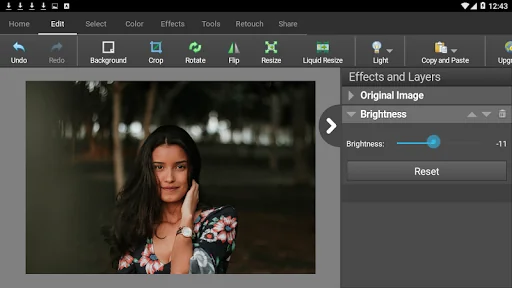
- Improve photo quality and focus with blur, sharpening, and noise reduction tools
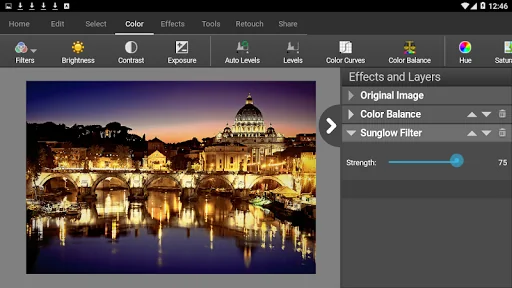
- Adjust the color balance, exposure, levels, brightness, contrast, and more
- Merge multiple exposures to create stunning HDR photographs
- Load JPG, GIF, PNG, TIFF, BMP, and other popular image formats
- Resize your image utilizing machine learning and AI for the best quality with super-resolution
- Change the aspect ratio of an image without distorting key features using the liquid resize effect
- Easily undo, re-order and edit existing effects on the layers list using non-destructive editing
- Toggle layer visibility to review an edit
- Take and edit screenshots of your desktop
Image Editing Features:
- Apply photo effects, including oil paint, cartoon, vignette, sepia and many more
- Add splashes of color to images with our easy to use Colorize Tool
- Create collages and photo mosaics with your photographs
- Use preset filters to easily enhance your photos
- Convert your photo to cross stitch patterns, paint by numbers or add an oil painting effect
- Add text and captions to photos to post online, add to photo books or to create a new viral meme
- Insert clipart from the included clipart library
- Add frames and borders around your photographs
- Upload edited pictures directly to Facebook or Flickr
- Adjust the opacity of a layer to finesse an edit
PhotoPad Free Photo Editing for Android is perfect for professionals or someone just wanting to edit personal photos. Editing with this app can help improve the quality on your favorite photo, picture, or other image. Easily upload your picture after editing to Facebook or Flickr.
PhotoPad Free Image Editor. Do you have an old photo you want to update or improve? Use the included tools to reduce red-eye and blemishes in your picture. PhotoPad Free Photo and Image editing app is the easiest editor available for Android.
Comparable Android apps
The five apps in Photography with the closest revenue to PhotoPad Photo Editor. Click any to see its detail page.
Each forecast combines App Store rating, ratings count, monetisation model, pricing tier, IAP signals and ad-supported flag.
The base estimate is then multiplied by a per-category scaling factor learned from apps with founder-verified MRR.
Every number on this page comes from public APIs and bumetric's own snapshot history.
Full methodology covers input variables, accuracy bands per category and how we treat apps without comparable anchors.
See also the live data on PhotoPad Photo Editor's tracker page for current rating, reviews and snapshot timeline.
Building something similar? Get a free AI audit with $-revenue forecasts for every recommendation.

 Kids Photo Frame, Photo Editor
 Photo Collage Frame - Editor
 Bedroom selfie photo frame
 Cover Photo Maker
 Ala Wad3k - صانع كوميكس وميمز