What PhotoSync Autotransfer Add-On actually does (from store listing)
This product is the ‘PhotoSync Autotransfer Add-On’ Activation License of PhotoSync. Once purchased, you can add PhotoSync Autotransfer Add-On capabilities to the free PhotoSync version and remove ads.
★ Over 10,000 positive reviews, thousands of happy users and millions of photo transfers
★ Number one cross-platform solution with native apps for Android, iOS, Windows & Mac
★ Reliable and secure software – operating 10 years in the market and continuously updated
★ Total user control and…
This product is the ‘PhotoSync Autotransfer Add-On’ Activation License of PhotoSync. Once purchased, you can add PhotoSync Autotransfer Add-On capabilities to the free PhotoSync version and remove ads.
★ Over 10,000 positive reviews, thousands of happy users and millions of photo transfers
★ Number one cross-platform solution with native apps for Android, iOS, Windows & Mac
★ Reliable and secure software – operating 10 years in the market and continuously updated
★ Total user control and fully customisable
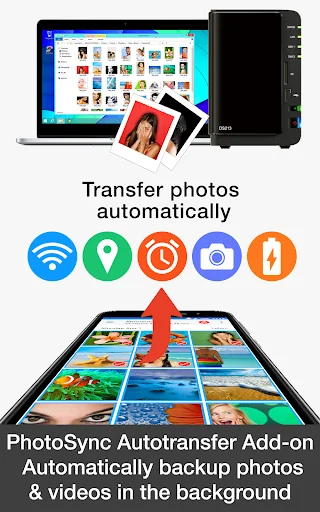
ABOUT PHOTOSYNC AUTOTRANSFER ADD-ON VERSION • Automatically and wirelessly backup photos and videos in the background to computer, private cloud, NAS and supported cloud / photo services.
• Five configurable Autotransfer triggers: Wi-Fi access point (SSID), geolocation, time schedule, take a photo and charge device
• No ads
HOW IT WORKS: 1. Download and Install PhotoSync at https://play.google.com/store/apps/details?id=com.touchbyte.photosync
2. Download and install 'PhotoSync Autotransfer Add-On License'
3. PhotoSync will automatically upgrade to PhotoSync Autotransfer Add-On version upon the installation of PhotoSync Autotransfer Add-On License
PHOTOSYNC AUTOTRANSFER HIGHLIGHTS Easy and reliable transfer solution for automatically and wirelessly backing up your photos and videos in the background to pre-selected targets.
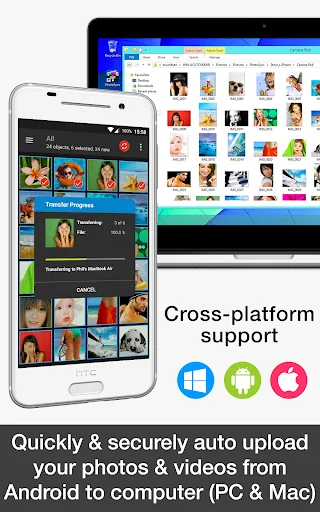
Automatically backup your photos and videos • Securely auto backup your photos and videos directly from your Android phone / tablet to computer (PC and Mac) over WiFi or Portable WiFi Hotspot
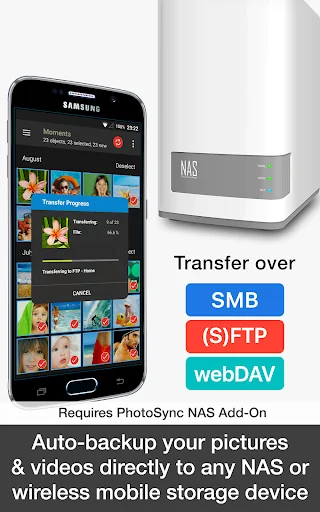
• Safely auto upload your photos and videos straight from Android to any NAS, wireless mobile storage device or remote server over SMB, (S)FTP or WebDav. (Requires PhotoSync NAS Add-On – all major NAS and mobile storage devices are supported!)
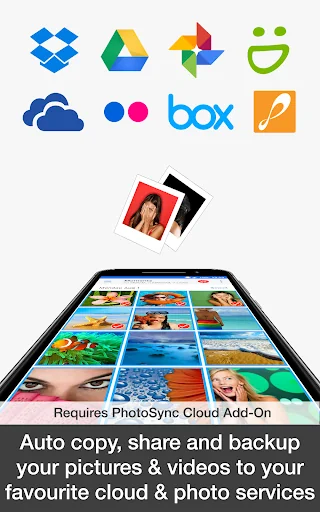
• Securely auto copy, share and backup your photos and videos directly from your Android phone / tablet to your favourite cloud and photo services over WiFi and Cellular network. (Requires PhotoSync Cloud Add-On – Dropbox, Google Drive, Google Photos, Flickr, OneDrive, SmugMug, Box, Zenfolio and PhotoPrism are supported!)
Five Autotransfer options • Automatically backup your photos and videos whenever you take a new picture or video [Instant transfer]
• Automatically backup your photos and videos whenever your device connects to a pre-selected WiFi network [WiFi access point based (SSID) transfer]
• Automatically backup your photos and videos whenever you arrive at a pre-selected geolocation [Location based transfer]
• Automatically backup your photos and videos whenever you charge your device [Trigger transfer]
• Automatically backup your photos and videos whenever a pre-set time schedule is met [Time schedule]
ABOUT FREE PHOTOSYNC VERSION • Safely and securely backup photos and videos from Android devices to computer (PC & Mac) over WiFi
• Send pictures & videos from computer to Android phone and tablet over WiFi or Portable WiFi Hotspot
• Transfer photos and videos between Android phone and tablet over your local network (WiFi or Portable WiFi Hotspot)
• Copy and move photos and videos between Android devices and iPhone / iPad over WiFi
• Ad-supported
Comparable Android apps
The five apps in Photography with the closest revenue to PhotoSync Autotransfer Add-On. Click any to see its detail page.
Each forecast combines App Store rating, ratings count, monetisation model, pricing tier, IAP signals and ad-supported flag.
The base estimate is then multiplied by a per-category scaling factor learned from apps with founder-verified MRR.
Every number on this page comes from public APIs and bumetric's own snapshot history.
Full methodology covers input variables, accuracy bands per category and how we treat apps without comparable anchors.
See also the live data on PhotoSync Autotransfer Add-On's tracker page for current rating, reviews and snapshot timeline.
Building something similar? Get a free AI audit with $-revenue forecasts for every recommendation.

 Prisma Art Effect Photo Editor
 Sweet Face: beauty face camera
 Pixlr AI Photo & Video Editor
 PixFolio - Photos & Slideshows
 Background Eraser