What Pixelart paint Pro actually does (from store listing)
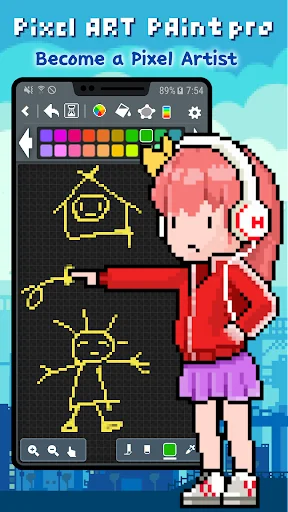
Try to become a Pixel Artist
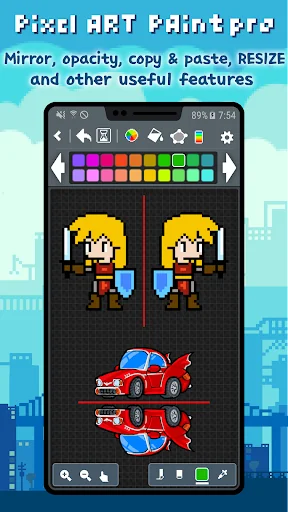
‘Pixel Art paint pro’ is a great and simple pixel editor.
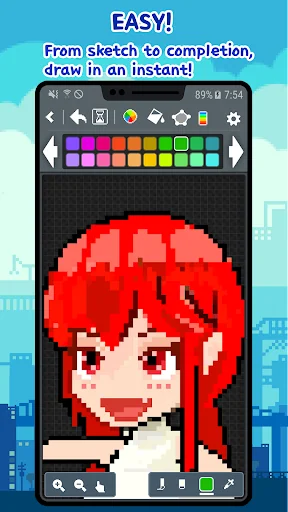
‘Pixel Art paint pro’ is intuitive, simple and easy to draw pixel, dot, 8bit pic sprite.
Let's drawing an pixel, dot, 8bit, retro pic sprite easily and quickly
Enjoy nice time in ‘Pixel Art paint pro’ in bus, at school, in the workplace anywhere, anytime.
You'll also become a pixel, dot, 8bit pic artist.
Download this app now and please try to use the cool features of ‘Pixel Art paint pro’
…
Try to become a Pixel Artist
‘Pixel Art paint pro’ is a great and simple pixel editor.
‘Pixel Art paint pro’ is intuitive, simple and easy to draw pixel, dot, 8bit pic sprite.
Let's drawing an pixel, dot, 8bit, retro pic sprite easily and quickly
Enjoy nice time in ‘Pixel Art paint pro’ in bus, at school, in the workplace anywhere, anytime.
You'll also become a pixel, dot, 8bit pic artist.
Download this app now and please try to use the cool features of ‘Pixel Art paint pro’
You can be easily shared with SNS services.
Let's share your Pixel Art to everyone via Twitter or Instagram!
You can share as possible in all apps (e-mail or other SNS).
[Features]
• Drawing shapes
→ line, rectangle, ellipse and etc.
• Undo / Redo
• Save to PNG format image (Sprite)
→ Storage path> PixelArtPaintPro / png
• Import image from Gallery
→ Bring up a photo and edit it in pixels. (pixel converter)
• Color wheel
• Edit Palette
→ change a color from palette by using the eyedropper (spoide), HSV, RGB
(To edit the palette color, click long the corresponding color!)
• Load Palette
→ load a custom palette, not only at starting a new work
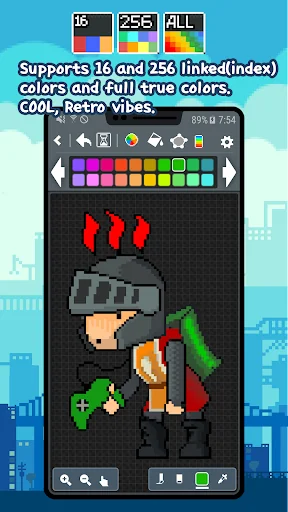
→ If you change the palette while drawing an 16, 256 color image, and the pixels that have already been drawn change accordingly.
• Eyedropper (Spoide)
• Color blending brush (Opacity)
• Zoom In/Out
• Preview (Mini view)
• 8 ~ 600 pixel image size
• Grid on/off (Grid drawing)
• Mirror
• Share via Twitter, Instagram, etc...
• Paint Bucket (fill color)
• Flip Horizontal and Vertical
• Brush size
• Crop
• Working image will be auto-saved when you go over the background
• Enable to change background color (from version 2.0.1)
• Samsung Galaxy Note S-Pen
[Pro-pack Features]
→ Animation & Export to GIF
→ Project Management
(Click 'Long' on a project folder to open the menu)
(On the top screen, click 'Long' on a image to open the menu)
→ Layers : merge, move, erase
→ Save Palettes
→ Resize when you save PNG
(Unlimited size, but maximum size depends on device memory)
→ Resize image
→ Resize canvas
→ Copy and Paste
→ No AD
Remember~
Our pixel editor will be constantly updated.
We are currently working on adding ‘Layer’ functionality.
We are trying to make a perfect pixel editor.
Please let us know if there are additional functions or any problems.
Comparable Android apps
The five apps in Art & Design with the closest revenue to Pixelart paint Pro. Click any to see its detail page.
Each forecast combines App Store rating, ratings count, monetisation model, pricing tier, IAP signals and ad-supported flag.
The base estimate is then multiplied by a per-category scaling factor learned from apps with founder-verified MRR.
Every number on this page comes from public APIs and bumetric's own snapshot history.
Full methodology covers input variables, accuracy bands per category and how we treat apps without comparable anchors.
See also the live data on Pixelart paint Pro's tracker page for current rating, reviews and snapshot timeline.
Building something similar? Get a free AI audit with $-revenue forecasts for every recommendation.

 T-shirt Design - Custom Shirts
 Poseit
 Name Art - Focus Filter
 Watermark On Photo
 AR VR Drawing Coloring Anime