ML revenue forecast.
Calibrated against 77129 apps in this category.
Confidence band
±15%
High — many comparable apps with verified data
At a glance
Tracks close to the Android app category median (189/mo).
Ranks #32,555 of 77,129 in Tools (top 42.2% by revenue).
Launched Jun 06, 2020 · last updated Aug 24, 2024.
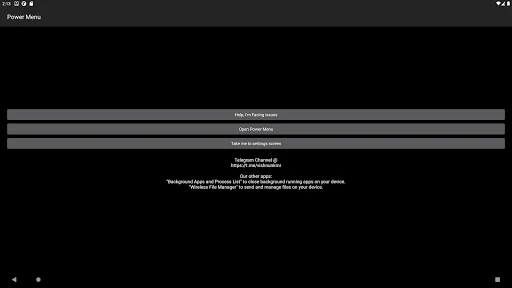
What the app looks like
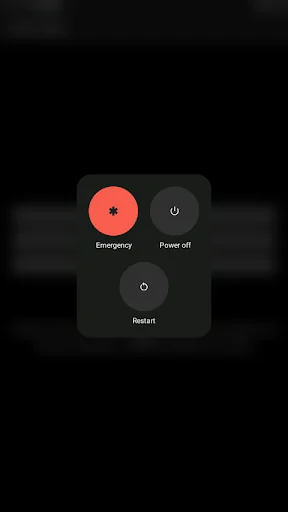
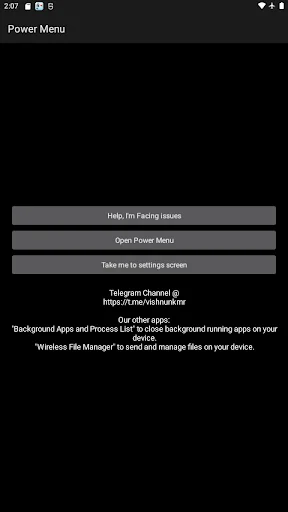
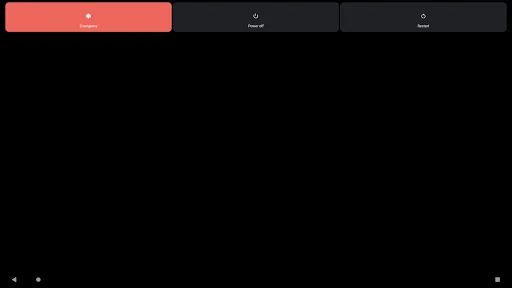
Live screenshots from the Play Store, captured by our snapshot worker. Tap any image to enlarge.
Power Menu : Software Button's revenue trajectory
Forecast revenue from snapshot history. Last 1 months.
Where Power Menu : Software Button sits in Tools
Revenue distribution of 77129 comparable apps. Power Menu : Software Button highlighted.
Power Menu : Software Button vs comparable apps
Revenue trajectory side-by-side. Bold = Power Menu : Software Button, ghosted = peers.
App spec
Version
2.1G8i
Last update
Aug 24, 2024
Launched
Jun 06, 2020
Price
Free
Monetization
Free
What Power Menu : Software Button actually does (from store listing)
Quickly open the system default Power Menu UI on your device.
Prolong Power button lifespan, breathe new life into devices having defective Power key.
► Additional feature:
★ Lock screen shortcut (widget,quick launch shortcut) [For Android 9.0+ only] (Please note: This feature is not available for Android 5.0~8.1)
★ Take Screenshot (quick launch shortcut) [For Android 7.0+ only]
★ Split Screen (quick launch shortcut) [For Android 7.0+ only]
<b>Why does the app need Accessibility Servic…
Quickly open the system default Power Menu UI on your device.
Prolong Power button lifespan, breathe new life into devices having defective Power key.
► Additional feature:
★ Lock screen shortcut (widget,quick launch shortcut) [For Android 9.0+ only] (Please note: This feature is not available for Android 5.0~8.1)
★ Take Screenshot (quick launch shortcut) [For Android 7.0+ only]
★ Split Screen (quick launch shortcut) [For Android 7.0+ only]
Why does the app need Accessibility Service API, or Accessibility Permission
Power Menu uses Accessibility Service API to support the following core functions:
- Open power menu (In App Button, Widget,Quick Launch Shortcut),
- Lock Screen (Widget,Quick Launch Shortcut),
- Take a screenshot (Quick Launch Shortcut),
- Toggle Split Screen (Quick Launch Shortcut),
The application only uses the accessibility permission for the sole purpose of supporting core functionalities listed above. Power menu does not ever transmit personal or sensitive information nor does it ever gather user's data or information. Please note that Accessibility service API is mandatory for Power Menu to function.
How to access the "Lock Screen" widget?
◼ For devices running Android version 7.1 ~ 13
1) Tap and hold the Power Menu app icon, you'll see those options displayed.
2) Furthermore, you can tap and hold the preferred option and drag it to your home screen launcher.
◼ For devices running Android version 5.0 ~ 7.0
1) Use "add widget" from your home screen launcher, and navigate to find "Lock Screen".
2) Drag the above widget to your home screen launcher, you'll find an app icon being created on your home screen.
⚠️Important Please note that this app can't power on a device.
Due to physical restrictions, Android applications can't launch if the phone is OFF, so it is impossible to power on any phone with any Android app. This app is only designed to "Slow Down" the damage progress of the power button but not completely replace it. Usually, the crumbling of the power button is a long process. Before it is completely damaged, there may be a period when the power button has poor contact. You should use the app during this time, avoid unnecessary use of the physical buttons, and only use the physical button when necessary (such as when starting the phone). If your power button is already broken, it may be too late.
⚠️Please note that the screenshots, video tutorial displays the power menu of the android emulator; the actual power menu shown will be the default power menu of your particular device; it varies based on your device manufacturer and android version.
Post your Suggestions, feedback and issues if any @ https://github.com/visnkmr/visnkmr/issues.
Thanks for your time.
Comparable Android apps
The five apps in Tools with the closest revenue to Power Menu : Software Button. Click any to see its detail page.
Each forecast combines App Store rating, ratings count, monetisation model, pricing tier, IAP signals and ad-supported flag.
The base estimate is then multiplied by a per-category scaling factor learned from apps with founder-verified MRR.
Every number on this page comes from public APIs and bumetric's own snapshot history.
Full methodology covers input variables, accuracy bands per category and how we treat apps without comparable anchors.
See also the live data on Power Menu : Software Button's tracker page for current rating, reviews and snapshot timeline.
Building something similar? Get a free AI audit with $-revenue forecasts for every recommendation.

 Drone RC Quadcopter Controller
 SIMPEL MOBILE
 D-Day List
 octopus order
 Battery Drain Speed tester