What Prismify - perfect sync actually does (from store listing)
Prismify aims to bring your the perfect synchronization between your Hue lightbulbs and Spotify.
What makes Prismify unique is that it uses and combines the possibilities offered by the entertainment areas from Philips Hue with the very detailed analysis about the track being played by Spotify.
It allows Prismify to achieve (in ideal conditions) perfect sync between the lighting and the sound as well as multiple other things.
The light show from Prismify is deterministic, randomness has lit…
Prismify aims to bring your the perfect synchronization between your Hue lightbulbs and Spotify.
What makes Prismify unique is that it uses and combines the possibilities offered by the entertainment areas from Philips Hue with the very detailed analysis about the track being played by Spotify.
It allows Prismify to achieve (in ideal conditions) perfect sync between the lighting and the sound as well as multiple other things.
The light show from Prismify is deterministic, randomness has little to no place here.
The new 2.0 feature allows you to customize the different parts of a track, as well as saving this personalization, so that the next time the track in question comes up, your custom settings will automatically be applied to the lighting.
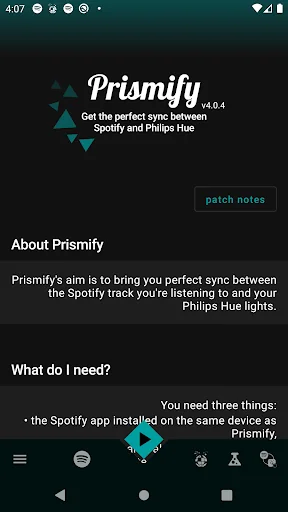
You need three things for that :
- the Spotify app installed on the same device as Prismify
- colored Hue lights with a bridge v2 and an entertainment area already created
- being connected to Internet
Then, connect to Spotify, select your entertainment area and hit Play!
You can:
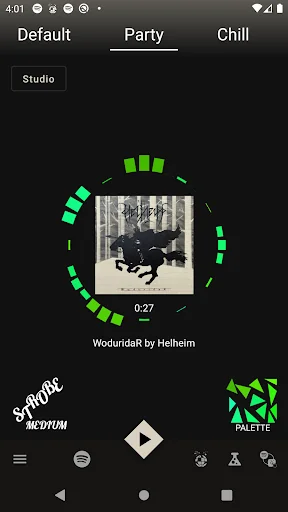
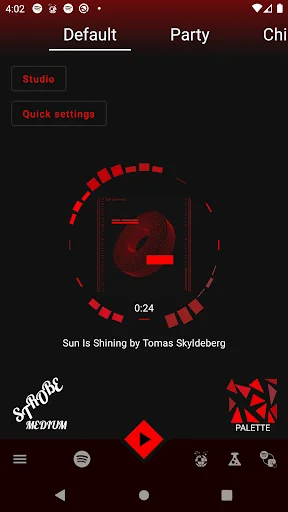
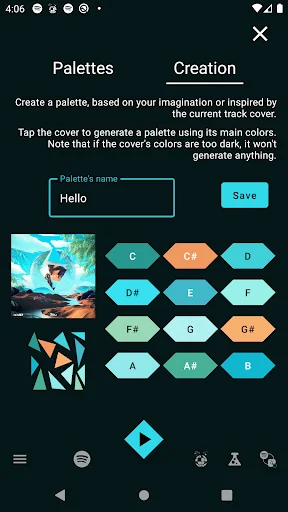
- choose between multiple color palettes (only 3 in the free version) (there is one that always matches the track cover of the song being played)
- create your own palettes, based on your imagination or the track cover
- select the order in which lights are gonna be played
- adjust the brightness and flashiness
- select when all lights should play a sound
- filter out sounds depending on their loudness or length
- attribute specific sounds to specific lights (e.g.: all the C, C# will be played by the lightstrip)
- ...
Note that while most of the settings above are "premium", there are no specific limitations in the free version, it is completely usable with all your lights! But the default settings might not be the best for every taste and every kind of music.
Another "cool" thing to note is that you can enjoy the lighting provided by Prismify even if it's not the Spotify app on your mobile which is playing the music. The only thing needed in that case is that the same account is used on both Spotify apps. Altough be aware, in that case, it might happen that both Spotify apps aren't in perfect sync which results in a small delay (ranging from a few milliseconds to one second, which can be corrected using the delay setting if needed).
Each forecast combines App Store rating, ratings count, monetisation model, pricing tier, IAP signals and ad-supported flag.
The base estimate is then multiplied by a per-category scaling factor learned from apps with founder-verified MRR.
Every number on this page comes from public APIs and bumetric's own snapshot history.
Full methodology covers input variables, accuracy bands per category and how we treat apps without comparable anchors.
See also the live data on Prismify - perfect sync's tracker page for current rating, reviews and snapshot timeline.
Building something similar? Get a free AI audit with $-revenue forecasts for every recommendation.

 Lịch Ông Đồ ngày giờ tốt xấu
 Game Keyboard for cheat codes
 Kids Bowl Free
 El Gallo Pinto Cuento Infantil
 바둑월드(온라인대국)