What Private Notepad - safe notes actually does (from store listing)
Private Notepad is a secure notepad app that allows you to create secret notes and reminders and to organize data in lists (to do list, checklist, shopping list). Store your photos in a private vault, backup your data to the secure cloud and sync it across your devices. Text and photos are securely encrypted. Create safe notes with this notepad!
Features:
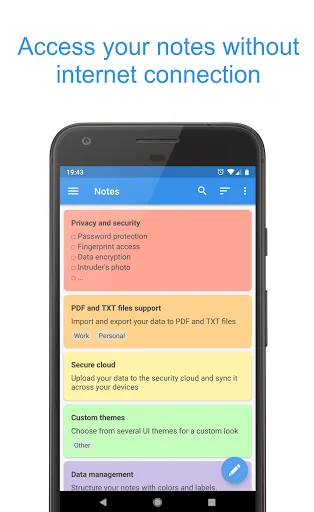
- Offline access: access your notes without internet connection
- Checklist: plan your day with to do list, make shopping list, grocery l…
Private Notepad is a secure notepad app that allows you to create secret notes and reminders and to organize data in lists (to do list, checklist, shopping list). Store your photos in a private vault, backup your data to the secure cloud and sync it across your devices. Text and photos are securely encrypted. Create safe notes with this notepad!
Features:
- Offline access: access your notes without internet connection
- Checklist: plan your day with to do list, make shopping list, grocery list
- Autosave: the notepad will save your notes automatically while you edit them
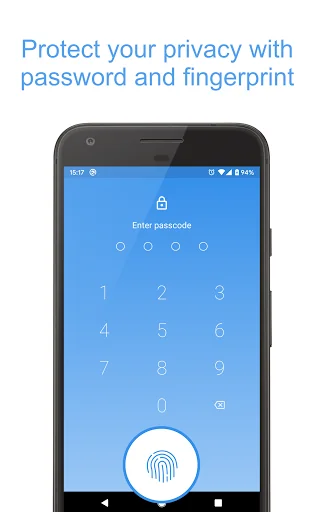
- Password protection: protect your notes and checklist with password, PIN-code or pattern
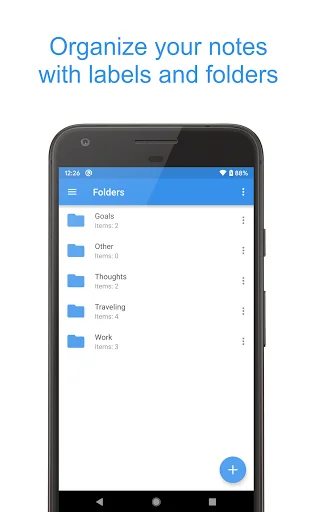
- Folders: organize your notes using folders
- Photo vault: add photos and images to your secure notes
- Encryption: your notes and photos are always stored encrypted with AES standard which is used in banking systems
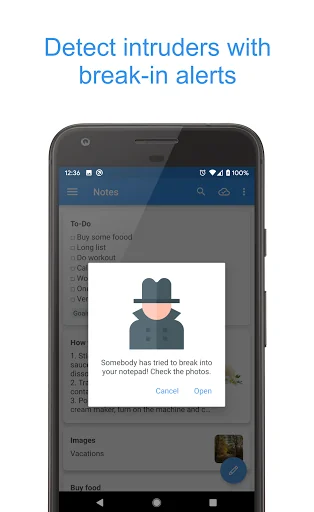
- Intruder's photo: the notepad will notify you about wrong password attempts and will show you a photo of the intruder
- Fingerprint access: open your notes and checklists with one touch
- Labels: group your notes and to do list with labels to find them easily
- Colors: make your notepad more colorful - paint your notes with your favorite colors
- Cloud sync: backup and sync your notes across your devices using the secure cloud
- Reminders: add reminders to your notes to remember important things
- Undo button: undo last changes while you edit a note or to do list
- Data hiding: enable hiding the most critical notes if someone tries to break into your private vault
- Self-destruction: enable destroying the most critical notes if someone tries to break into your private vault
- Selective protection: protect only particular notes or to do list with password
- PDF and TXT files: export your notes to PDF and TXT files or convert the existing file to your notes
- UI themes: select from several notepad themes for a custom look
- Support: FAQ will help you to work with notes, checklist and reminders. Also you can always contact support if you have some questions
Permissions
- Camera: the notepad uses it for taking pictures of intruders
- Contacts: required to backup notes to your Google Drive
- Storage: required for exporting notes to the phone memory
- Network access and Internet: the notepad uses it for for syncing notes with cloud
- Billing service: required for purchasing premium version
- Fingerprint hardware: required for the fingerprint access
- Preventing notepad from sleeping: required for disabling the sleep mode in some situations
Comparable Android apps
The five apps in Productivity with the closest revenue to Private Notepad - safe notes. Click any to see its detail page.
Each forecast combines App Store rating, ratings count, monetisation model, pricing tier, IAP signals and ad-supported flag.
The base estimate is then multiplied by a per-category scaling factor learned from apps with founder-verified MRR.
Every number on this page comes from public APIs and bumetric's own snapshot history.
Full methodology covers input variables, accuracy bands per category and how we treat apps without comparable anchors.
See also the live data on Private Notepad - safe notes's tracker page for current rating, reviews and snapshot timeline.
Building something similar? Get a free AI audit with $-revenue forecasts for every recommendation.

 spacedesk - USB Display for PC
 To Do List with Reminder
 PDFO - Photo to PDF Converter
 Prezi Viewer
 BlockSite: Block Apps & Sites