What Private Screenshots actually does (from store listing)
Take screenshots of photos and chats without the other person ever knowing.
Private Screenshots saves everything into a hidden folder on your device, and because of the way it captures the screen, apps that normally alert the sender do not send a "screenshot taken" notification anymore.
⬛ Came here to get rid of that annoying black screen?
🚫 Bad news: we're powerless, and you'll be keeping it.
We capture the very same screenshot your phone does — so wherever you already get a black scree…
Take screenshots of photos and chats without the other person ever knowing.
Private Screenshots saves everything into a hidden folder on your device, and because of the way it captures the screen, apps that normally alert the sender do not send a "screenshot taken" notification anymore.
⬛ Came here to get rid of that annoying black screen?
🚫 Bad news: we're powerless, and you'll be keeping it.
We capture the very same screenshot your phone does — so wherever you already get a black screen, our outcome will be exactly the same.
Screenshot protection can't be bypassed. Not by us, not by any app out there. No magic tricks, no exceptions.
So no, we can't rescue your screenshot from:
❌ Streaming and video subscription apps
❌ Banking and payment apps
❌ Secret or disappearing chats that block screenshots
❌ Anything that already turns black when you try to capture it
✅ WHAT IT'S PERFECT FOR
Made for photo-messaging and social apps that alert the sender when you take a screenshot — keep a picture or a conversation without notifying anyone:
👉 Save snaps, stories and chat photos privately
👉 No "screenshot taken" alert to the other side
👉 Keep moments that would otherwise disappear
❓ HOW IT KEEPS THINGS PRIVATE
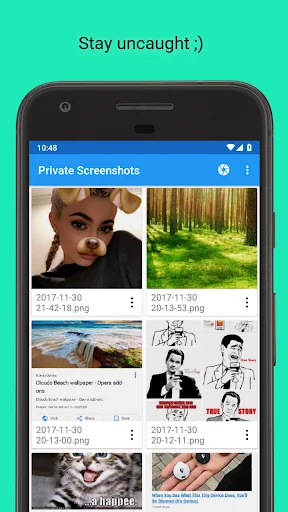
🔒 Screenshots are stored in a hidden folder inside the app
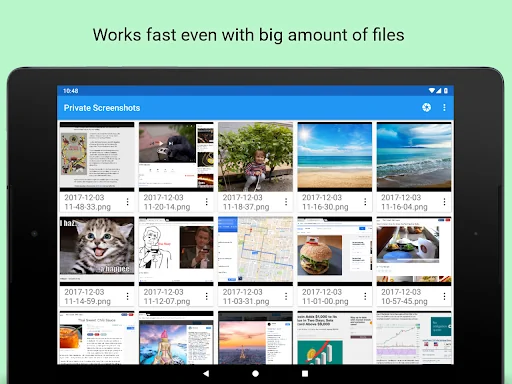
👻 Your gallery and other apps can't see them
🗄️ Nothing is uploaded, files never leave your device
☺️ Only you can view, share or delete them
❓ HOW IT WORKS
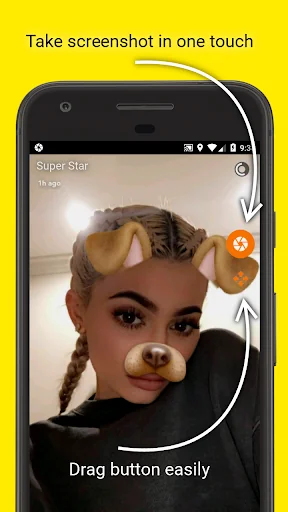
The app captures the current screen and saves it into a private file. A small floating shutter button lets you capture any screen with a single tap.
❓ HOW TO USE
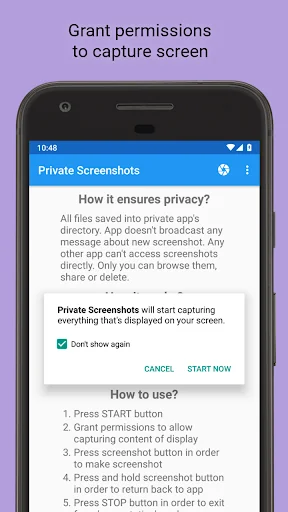
1️⃣ Press START and grant all the permissions needed
2️⃣ Tap the floating shutter button to take a screenshot
3️⃣ Press STOP when you're done
😎 MORE THAN JUST SCREENSHOTS
📷 Private camera — take photos that stay inside the app, never in your gallery
🔒 App lock — protect your screenshots with your fingerprint or device PIN
🫥 Blur previews — hide a thumbnail from a quick glance over your shoulder
📝 Notes — attach a text note to any screenshot
🔎 Search — find screenshots by note or by date
📳 Shake to capture — take a screenshot just by shaking your phone (handy when a finger is busy holding a story)
⚡ Quick Settings tile and home-screen shortcut for an instant start
🖼️ Move to gallery anytime — "reveal" a screenshot into your normal gallery when you choose
📤 Share to any app whenever you want
💻 Transfer to PC over your local Wi-Fi (for advanced users)
Reminder: Private Screenshots keeps YOUR OWN screenshots private. It does not, and cannot, defeat other apps' screenshot protection.
Comparable Android apps
The five apps in Tools with the closest revenue to Private Screenshots. Click any to see its detail page.
Each forecast combines App Store rating, ratings count, monetisation model, pricing tier, IAP signals and ad-supported flag.
The base estimate is then multiplied by a per-category scaling factor learned from apps with founder-verified MRR.
Every number on this page comes from public APIs and bumetric's own snapshot history.
Full methodology covers input variables, accuracy bands per category and how we treat apps without comparable anchors.
See also the live data on Private Screenshots's tracker page for current rating, reviews and snapshot timeline.
Building something similar? Get a free AI audit with $-revenue forecasts for every recommendation.


 AppLock Theme Thanksgiving
 Winter Princess Diary: Lock
 Internet Speed Meter Live
 Japanese Keyboard
 Device Info HW