What Proximity Sensor Screen On Off actually does (from store listing)
<b>TUTORIALS</b>
https://youtube.com/playlist?list=PLUskUU-NvGqh9VAfl7NtArAaJsa6-ZRme
<b>TROUBLESHOOTING</b>
https://julietapp.blogspot.com/p/troubleshooting-general.html
<b>TEST THIS APP BEFORE ENABLING THE SERVICE</b>
It is strongly recommended that you test before using this app.
Just click on the "TEST" button to start a new test.
If the screen turns off automatically during the test it means that the sensor is not working properly.
In this case I suggest you uninstall this app.
…
TEST THIS APP BEFORE ENABLING THE SERVICE It is strongly recommended that you test before using this app.
Just click on the "TEST" button to start a new test.
If the screen turns off automatically during the test it means that the sensor is not working properly.
In this case I suggest you uninstall this app.
IMPORTANT: Do not cover the proximity sensor during the test.
NOTE: The test lasts 5 seconds.
HOW TO UNINSTALL https://www.youtube.com/watch?v=WTXDJexF1Xk
Device administration must be disabled before uninstalling.
Just click on the button at the top and select the "Remove active admin" option.
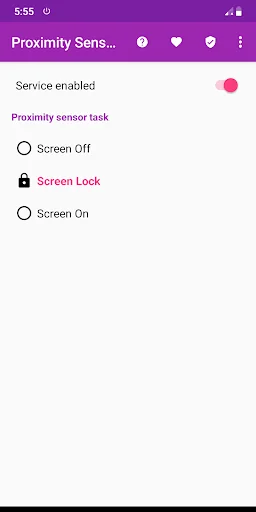
This app allows you to turn the display on or off using the proximity sensor.
Just cover the proximity sensor to turn the display on or off.
NOTE: The proximity sensor usually sits up near the top speaker.
FEATURES AND BENEFITS • Persistent service: Background service
Autostart on boot and after update
• No root
• Easy to use
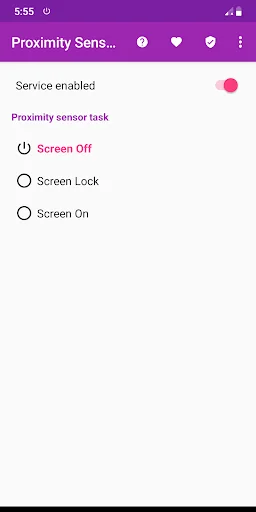
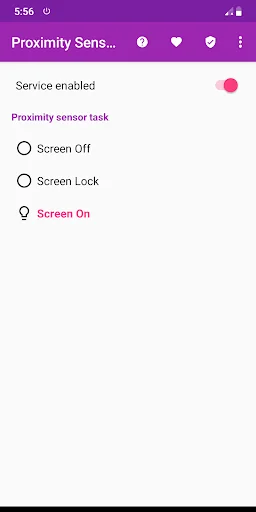
OPTIONS • Screen Off
• Screen Lock
• Screen On
NOTE This service does not interfere with the proximity sensor during a call
DISCLAIMER Do not use this app if the sensor is faulty.
I do not take any responsibility for any problems arising from the use of this app.
Comparable Android apps
The five apps in Tools with the closest revenue to Proximity Sensor Screen On Off. Click any to see its detail page.
Each forecast combines App Store rating, ratings count, monetisation model, pricing tier, IAP signals and ad-supported flag.
The base estimate is then multiplied by a per-category scaling factor learned from apps with founder-verified MRR.
Every number on this page comes from public APIs and bumetric's own snapshot history.
Full methodology covers input variables, accuracy bands per category and how we treat apps without comparable anchors.
See also the live data on Proximity Sensor Screen On Off's tracker page for current rating, reviews and snapshot timeline.
Building something similar? Get a free AI audit with $-revenue forecasts for every recommendation.

 OctoApp: OctoPrint & Klipper
 Meeting Schedule Builder
 Hindi Compass ( हिंदी कम्पास )
 DjVU to PDF converter
 Nexxt Home