What PS Remote Play actually does (from store listing)
Use PS Remote Play to access your PS5™ or PS4™ wherever you go.
With PS Remote Play, you can:
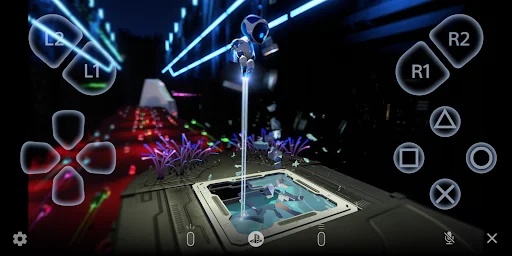
• Display the PlayStation®5 or PlayStation®4 screen on your mobile device.
• Use the on-screen controller on your mobile device to control your PS5 or PS4.
• Use the DUALSHOCK®4 wireless controller.
• Use the DualSense™ wireless controller on mobile devices with Android 12 or later installed.
• Use the DualSense Edge™ wireless controller on mobile devices with Android 14 or later installed.
• U…
Use PS Remote Play to access your PS5™ or PS4™ wherever you go.
With PS Remote Play, you can:
• Display the PlayStation®5 or PlayStation®4 screen on your mobile device.
• Use the on-screen controller on your mobile device to control your PS5 or PS4.
• Use the DUALSHOCK®4 wireless controller.
• Use the DualSense™ wireless controller on mobile devices with Android 12 or later installed.
• Use the DualSense Edge™ wireless controller on mobile devices with Android 14 or later installed.
• Use the Backbone One PlayStation® Edition on USB Type-C Android smartphones.
• Join voice chats using the mic on your mobile device.
• Enter text on your PS5 or PS4 using the keyboard on your mobile device.
To use this app, you need the following:
• A mobile device with Android 10 or later installed
• A PS5 or PS4 console with the latest system software version
• An account for PlayStation Network
• A fast and stable internet connection
When using mobile data:
• Depending on your carrier and network conditions, you may not be able to use Remote Play.
• Remote Play uses a lot more data than most video streaming services. Data charges may apply.
Verified devices:
• Google Pixel 9 series
• Google Pixel 8 series
• Google Pixel 7 series
Using your Controller:
• You can use the DUALSHOCK 4 wireless controller. (On devices with Android 10 and 11 installed, use the on-screen controller to use the touch pad function.)
• You can use the DualSense wireless controller on mobile devices with Android 12 or later installed.
• You can use the DualSense Edge wireless controller on mobile devices with Android 14 or later installed.
• You can use the Backbone One PlayStation® Edition on USB Type-C Android smartphones.
Note:
• This app may not work properly on unverified devices.
• This app may not be compatible with some games.
• Your controller may vibrate differently than when playing on your PS5 or PS4 console.
• Depending on your mobile device's performance, you might experience input lag when using your wireless controller.
App subject to end-user license agreement:
www.playstation.com/legal/sie-inc-mobile-application-license-agreement/
Comparable Android apps
The five apps in Entertainment with the closest revenue to PS Remote Play. Click any to see its detail page.
Each forecast combines App Store rating, ratings count, monetisation model, pricing tier, IAP signals and ad-supported flag.
The base estimate is then multiplied by a per-category scaling factor learned from apps with founder-verified MRR.
Every number on this page comes from public APIs and bumetric's own snapshot history.
Full methodology covers input variables, accuracy bands per category and how we treat apps without comparable anchors.
See also the live data on PS Remote Play's tracker page for current rating, reviews and snapshot timeline.
Building something similar? Get a free AI audit with $-revenue forecasts for every recommendation.

 Mirroring360 AirPlay Receiver
 Meme Soundboard
 SFOM - Our Minecraft Contents
 Realistic Shader Mod
 Shining Tribe Tarot