What Quick Marathi Keyboard actually does (from store listing)
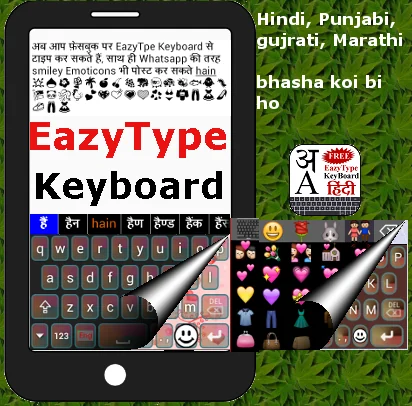
इजीटाइप वापरून अगदी सोप्या पद्धतीने आणि पटापट तुम्ही तुमच्या एंड्रॉयड फ़ोन वर मराठी टाइप करू शाकाल।
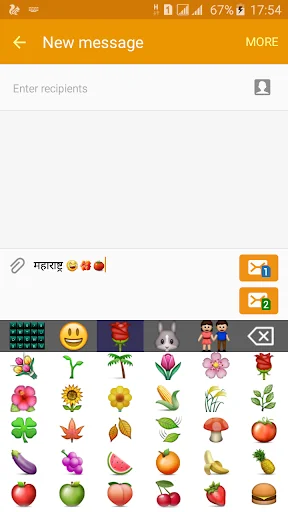
वाट्स एप्प सारख्या स्माईलीज, एस.एम.एस. आणी फेसबुक वर वापरा, इजीटाइप किबोर्ड वरून।
EazyType has Changed to Quick
😹🙈🙉🙏🌹🍅🍌🍸🐘🐗🐔🐫💘💗💟💞💛👚💏💐🐠🐒
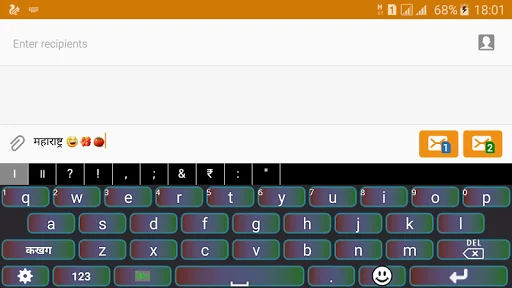
This is a Soft Keyboard to type Marathi on your Phone. You can type easily on any app like Gmail, Facebook, Whatsapp. you can write blogs in Marathi in web browser. This keyboard works as default keyboard in android phones/tablets. No need to learn specific Mar…
इजीटाइप वापरून अगदी सोप्या पद्धतीने आणि पटापट तुम्ही तुमच्या एंड्रॉयड फ़ोन वर मराठी टाइप करू शाकाल।
वाट्स एप्प सारख्या स्माईलीज, एस.एम.एस. आणी फेसबुक वर वापरा, इजीटाइप किबोर्ड वरून।
EazyType has Changed to Quick
😹🙈🙉🙏🌹🍅🍌🍸🐘🐗🐔🐫💘💗💟💞💛👚💏💐🐠🐒
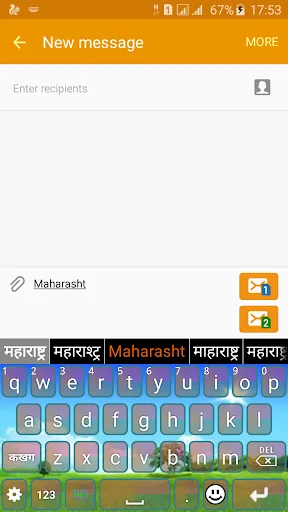
This is a Soft Keyboard to type Marathi on your Phone. You can type easily on any app like Gmail, Facebook, Whatsapp. you can write blogs in Marathi in web browser. This keyboard works as default keyboard in android phones/tablets. No need to learn specific Marathi keyboard. Just type in English and press space you English word will be converted into Marathi script automatically. This keyboard provides word suggestions to type in a fast way. This Keyboard provides English typing option to type in English. if you want to type in English just press toggle button to switch English to Marathi or Marathi to English.
If your are able to read "नमस्ते" (Marathi text) in your mobile phone, If you can read Marathi text on your phone, you may install this application.
Please see video to know how it works.
Installation.
1. Download and install this application on phone.
2. Open EzyType's Home screen. there are two button on screen (i) Enable Keyboard (ii) Choose default
3. Press 'Enable Keyboard" button and select EazyType Keyboard to enable this keyboard
4. Press "Choose default" button and choose EazyType Keyboard as default keyboard.
OR
2. Go to "Setting"->"Language and Input" and tick in check box on EazyType Marathi
3. Go to any text filed in which you want to type.
4. Drag Notification bar (On the top of Screen of Phone). Tap on "Select input method"
Now Select "EazyType Marathi" (On a popup)
OR
Long press on text field and choose "Input Method".
Now Select EazyType Marathi (On a popup)
Comparable Android apps
The five apps in Tools with the closest revenue to Quick Marathi Keyboard. Click any to see its detail page.
Each forecast combines App Store rating, ratings count, monetisation model, pricing tier, IAP signals and ad-supported flag.
The base estimate is then multiplied by a per-category scaling factor learned from apps with founder-verified MRR.
Every number on this page comes from public APIs and bumetric's own snapshot history.
Full methodology covers input variables, accuracy bands per category and how we treat apps without comparable anchors.
See also the live data on Quick Marathi Keyboard's tracker page for current rating, reviews and snapshot timeline.
Building something similar? Get a free AI audit with $-revenue forecasts for every recommendation.

 Addons Detector
 Notepad
 Cloud Storage Backup & Drive
 Crosshair Pro: Custom Scope
 WiFi - Internet Speed Test