What Raiffeisen Bank SK actually does (from store listing)
The Raiffeisen Bank application allows you to access the bank’s website, where you can log into Internet Banking, using a mobile device according to Raiffeisen’s terms and conditions.
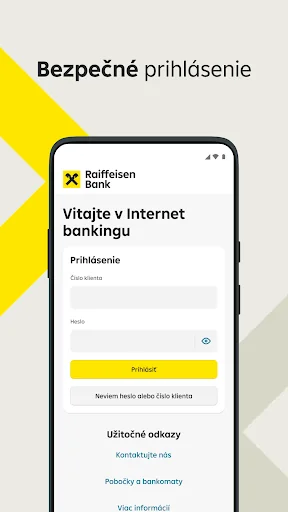
To log into Raiffeisen Bank Internet Banking, enter your client number (given in your Framework Contract with us) and your Internet Banking password, and then confirm the login using the code you receive from us in an SMS. After logging into Internet Banking using the Raiffeisen Bank SK application, you can cre…
The Raiffeisen Bank application allows you to access the bank’s website, where you can log into Internet Banking, using a mobile device according to Raiffeisen’s terms and conditions.
To log into Raiffeisen Bank Internet Banking, enter your client number (given in your Framework Contract with us) and your Internet Banking password, and then confirm the login using the code you receive from us in an SMS. After logging into Internet Banking using the Raiffeisen Bank SK application, you can create a quick login option. When using the quick login option to access Internet Banking, simply enter your own numeric login code. This code is only valid for the mobile device and the browser you used to activate the quick login option.
The Internet Banking, offers the following services:
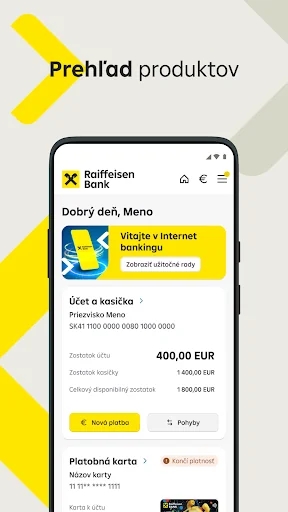
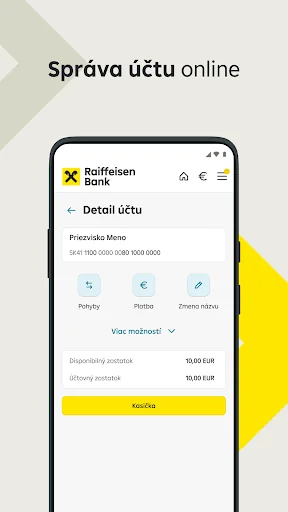
- access to information about the account, savings products, cards, consumer loans and supplementary pension saving using the product overview and details functions,
- allocation of funds on the account using one-time payment orders, standing orders and directs debits,
- barcode scanner, QR codes scanner and IBAN account numbers scanner,
- change the limits, view PIN code and block payment card,
- change of postal and e-mail address and mobile phone number,
- the account owner may change how account statements are delivered,
- creation, change and cancellation of PUSH or SMS account notifications,
- change of the login password for Internet Banking,
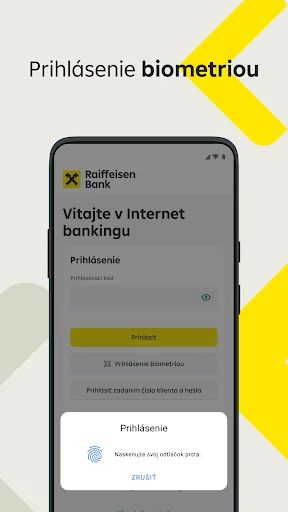
- activation and deactivation of the quick login option for Internet Banking,
- activation and deactivation of biometrics login,
- message inbox,
- document inbox,
- localisation of equipment to locate the nearest ATM and provide navigation to it,
- download files and a possibility to save, share.
Should you have any questions, ideas or problems related to the application, please contact us via e-mail at info@raiffeisen.sk or using the contact details on the Raiffeisen Bank website: https://www.raiffeisen.sk/sk/o-banke/kontakty/
Terms of use for Internet Banking are given in Raiffeisen’s terms and conditions. Raiffeisen bank is Tatra banka, a.s., organizačná zložka podniku - Raiffeisen banka.
Comparable Android apps
The five apps in Finance with the closest revenue to Raiffeisen Bank SK. Click any to see its detail page.
Each forecast combines App Store rating, ratings count, monetisation model, pricing tier, IAP signals and ad-supported flag.
The base estimate is then multiplied by a per-category scaling factor learned from apps with founder-verified MRR.
Every number on this page comes from public APIs and bumetric's own snapshot history.
Full methodology covers input variables, accuracy bands per category and how we treat apps without comparable anchors.
See also the live data on Raiffeisen Bank SK's tracker page for current rating, reviews and snapshot timeline.
Building something similar? Get a free AI audit with $-revenue forecasts for every recommendation.


 National Police
 Tsupetot
 Fold: Bitcoin Personal Finance
 Quản lý chi tiêu -Quan ly chi
 Dubai First