BASIC INFORMATION
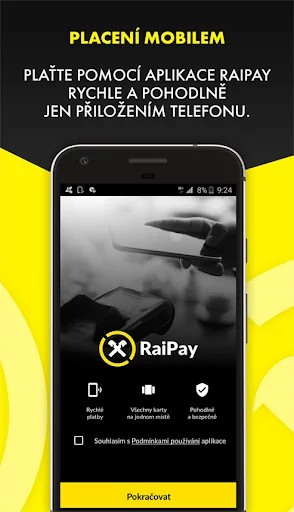
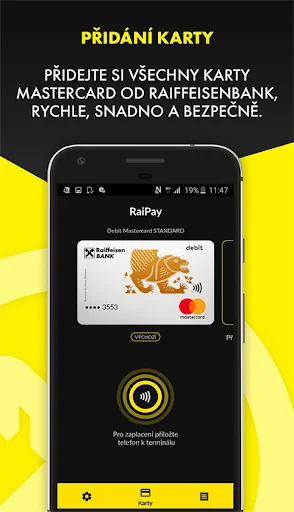
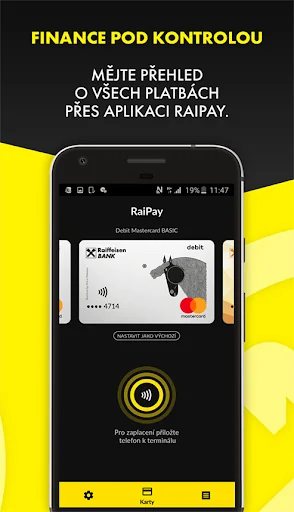
RaiPay is Raiffeisenbank's banking application that allows you to add Mastercard debit and credit cards from Raiffeisenbank, in order to make contactless payments by mobile phone or contactless withdrawals from ATMs. In the application, the client can see additional information about the card and transactions, as well as set the level and form of security or appearance. It is designed for mobile phones with Android version 7 and higher and supporting NFC technology (HCE type).…
BASIC INFORMATION
RaiPay is Raiffeisenbank's banking application that allows you to add Mastercard debit and credit cards from Raiffeisenbank, in order to make contactless payments by mobile phone or contactless withdrawals from ATMs. In the application, the client can see additional information about the card and transactions, as well as set the level and form of security or appearance. It is designed for mobile phones with Android version 7 and higher and supporting NFC technology (HCE type). It is necessary to have active Raiffeisenbank mobile banking to add cards.
You can find more information at https://www.rb.cz/raipay
LOGGING INTO THE APPLICATION
To access card information, transactions and application settings, you must log in to the application with your password or fingerprint.
INTERNET CONNECTION
A data or Wi-Fi connection to the Internet is required when activating the application, adding cards and logging into the application. When paying or withdrawing, you no longer need to be online, just have the NFC antenna on.
PREFERRED CARD
If you have multiple payment cards added to RaiPay, set one as the default, from which payments and withdrawals will be made automatically. If you want to make a payment or withdrawal from a card other than the default one, just start the application before the event, choose another card and only then bring your phone to the terminal or reader.
PAYMENTS AND THEIR SECURITY
It is not necessary to start the application before paying (if it is set as the default for NFC payments). We recommend unlocking the phone before payment (using a fingerprint, PIN, etc.), then you only need to attach the phone once (for payments up to CZK 5,000). If you forget, the app prompts you to unlock your phone and bring it to the terminal again. For payments over CZK 5,000, you will be prompted to enter the application password and attach it to the terminal again.
If you want to pay faster, you can set the app to verify your identity in advance. When paying, just tap on the "Confirm payment" action, enter your password or fingerprint and hold your phone to the terminal.
If you want to pay more securely, you can set the app to require verification for every payment. We recommend verifying your identity again in advance by tapping on "Confirm payment".
Comparable Android apps
The five apps in Finance with the closest revenue to RaiPay. Click any to see its detail page.
Each forecast combines App Store rating, ratings count, monetisation model, pricing tier, IAP signals and ad-supported flag.
The base estimate is then multiplied by a per-category scaling factor learned from apps with founder-verified MRR.
Every number on this page comes from public APIs and bumetric's own snapshot history.
Full methodology covers input variables, accuracy bands per category and how we treat apps without comparable anchors.
See also the live data on RaiPay's tracker page for current rating, reviews and snapshot timeline.
Building something similar? Get a free AI audit with $-revenue forecasts for every recommendation.



 Subscriptions - Manage your re
 Mobile Banking
 Tiger Trade: Invest globally
 CoinCap.io
 Budget App & Tracker: Spendee