About Raymarine RayView
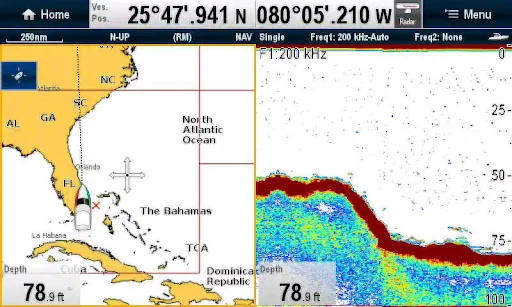
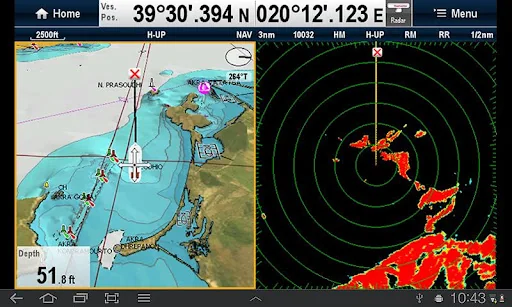
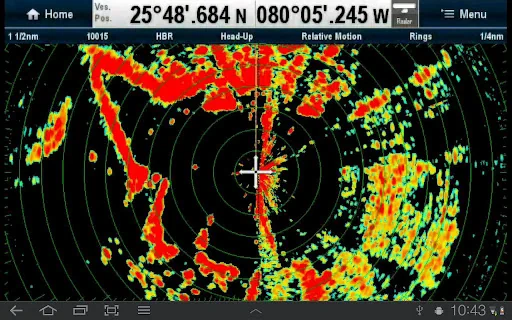
RayView allows you to view your Raymarine WiFi enabled Multi-Functional Display via your smartphone or tablet.
Android/Kindle Fire = Best performance achieved with 1GHz processor or better and running Android 2.2.2 or later.
Multi-Functional Display software requirement – v 3.15 or later.
Compatible displays (MFDs) – all Axiom as well as third generation c-Series, e-Series, g-S, ES and Wi-Fi enabled a-Series models
To use this app please upgrade your Raym…
RayView allows you to view your Raymarine WiFi enabled Multi-Functional Display via your smartphone or tablet.
Android/Kindle Fire = Best performance achieved with 1GHz processor or better and running Android 2.2.2 or later.
Multi-Functional Display software requirement – v 3.15 or later.
Compatible displays (MFDs) – all Axiom as well as third generation c-Series, e-Series, g-S, ES and Wi-Fi enabled a-Series models
To use this app please upgrade your Raymarine c-Series or e-Series Multi-Functional Display to software version 3.15 or later. Software upgrades are available for free at www.raymarine.com/support.
If you enjoy RayView you may also be interested in the RayControl and RayRemote apps. RayControl for tablets provides full touch screen control of your Raymarine WiFi enabled MFD, plus a handy slide out virtual MFD keypad gives you even more control options. RayRemote for smart phones provides a full screen virtual MFD keypad, transforming your phone into a full function Raymarine MFD remote control.
Getting Started
Download the RayView app, and install it on your device. Then connect to your Multi-Functional Display via Wi-Fi (see operators manual for Wi-Fi setup details).
When the Wi-Fi connection is established, launch the app.
You should now see the same image on your device as on your Multi-Functional Display.
Comparable Android apps
The five apps in Travel & Local with the closest revenue to RayView. Click any to see its detail page.
Each forecast combines App Store rating, ratings count, monetisation model, pricing tier, IAP signals and ad-supported flag.
The base estimate is then multiplied by a per-category scaling factor learned from apps with founder-verified MRR.
Every number on this page comes from public APIs and Bumetric's own snapshot history.
Full methodology covers input variables, accuracy bands per category and how we treat apps without comparable anchors.
See also the live data on RayView's tracker page for current rating, reviews and snapshot timeline.
Building something similar? Get a free AI audit with $-revenue forecasts for every recommendation.

 Westbahn
 TakeTours – Book Tours online
 Atlanta Airport (ATL) Info
 Sydney Airport (SYD) Info
 OpenKey