What Leonardo - Photo Layer Editor actually does (from App Store listing)
Universal Photo Editor with support for Layers, Selection, Masks and of course filters, effects and other tools.
An editor so powerful that you could do almost anything that you thought was possible only on a desktop.
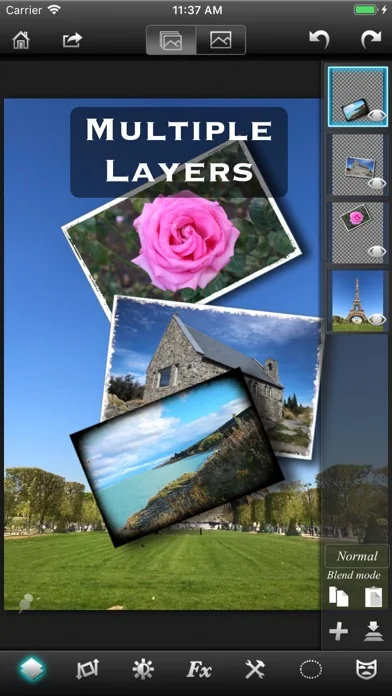
√ True layer support, just like photo editing on desktop.
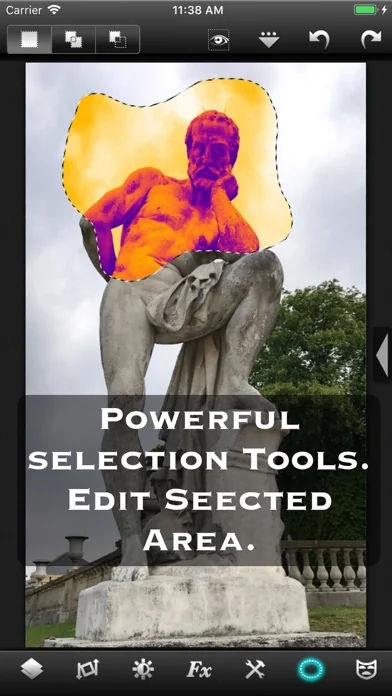
√ Selection. You can select an area and work with filters and effects only on that area.
√ Layers can be masked. And not just with brush, you get a whole set of mask editing tool.
√ Layers support all that a true layer app…
Universal Photo Editor with support for Layers, Selection, Masks and of course filters, effects and other tools.
An editor so powerful that you could do almost anything that you thought was possible only on a desktop.
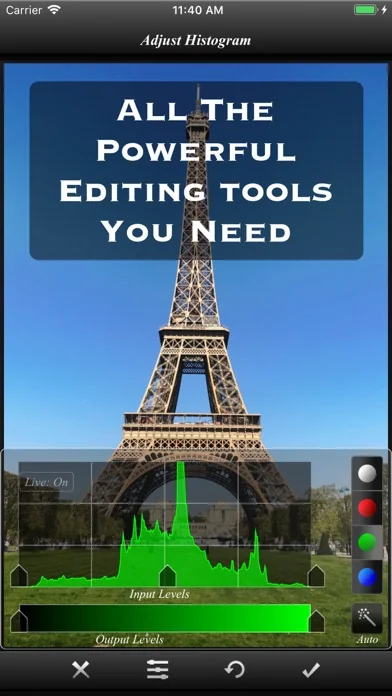
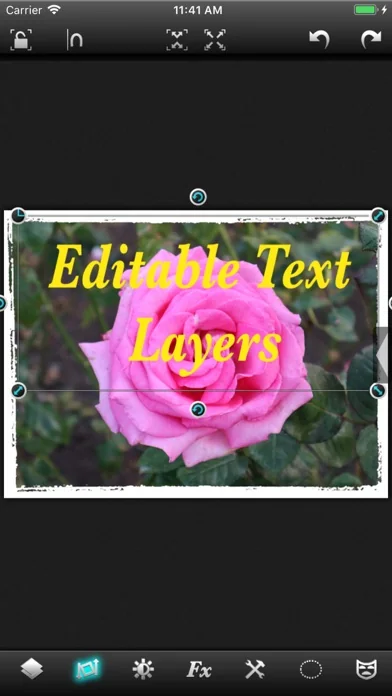
√ True layer support, just like photo editing on desktop. √ Selection. You can select an area and work with filters and effects only on that area. √ Layers can be masked. And not just with brush, you get a whole set of mask editing tool. √ Layers support all that a true layer app should. Blending, Opacity, Transform, Duplicate, Merge and flatten. √ The app is so fast that most of the operations are real time. You don't have to wait while adjusting the sliders. √ Handles Exif, IPTC, Geotag etc. You can even edit Geotag and IPTC. √ Exports PSD with layers. And of course exports JPEG and PNG too. √ Copy/Paste with selections and masks. √ Undo/Redo. √ Powerful filters you will hardly find on many other apps. √ 25 preset photo effects. √ Tools like Crop, Straighten, Clone stamp, color gradient, paint brush, red eye brush and add text etc. √ You can save your projects with all layers and selections preserved and work on them back and forth. √ 18 video tutorials. √ Resolution up to 4096x4096 on iPad3 and above and on iPhone max resolution is equal to the resolution of the built-in camera.
And yes, it runs on both iPhone and iPad.
Note that reduce noise filter is available only on iPhone 5 and iPad3 and above.
To get maximum resolution you will need to... 1. Go to home screen. 2. Press on the "?" button. 3. Under resolution, select the max.
🆕 What's new · v2.7.2
● Access to millions of royalty free stock photos.
● Improved font picker.
● Bug fixes.
Try out our moder photo editing app "Superimpose X", a powerful yet easy to use multilayer photo editing app.
Comparable iOS apps
The five apps in Photo & Video with the closest revenue to Leonardo - Photo Layer Editor. Click any to see its detail page.
Each forecast combines App Store rating, ratings count, monetisation model, pricing tier, IAP signals and ad-supported flag.
The base estimate is then multiplied by a per-category scaling factor learned from apps with founder-verified MRR.
Every number on this page comes from public APIs and bumetric's own snapshot history.
Full methodology covers input variables, accuracy bands per category and how we treat apps without comparable anchors.
See also the live data on Leonardo - Photo Layer Editor's tracker page for current rating, reviews and snapshot timeline.
Building something similar? Get a free AI audit with $-revenue forecasts for every recommendation.


 PICSPLAY Classic
 Squaready Pro
 Glitch Wizard - Distort Photos to Trippy GIFs
 Aquarella
 Lighting Designer