What Record it! :: Screen Recorder actually does (from App Store listing)
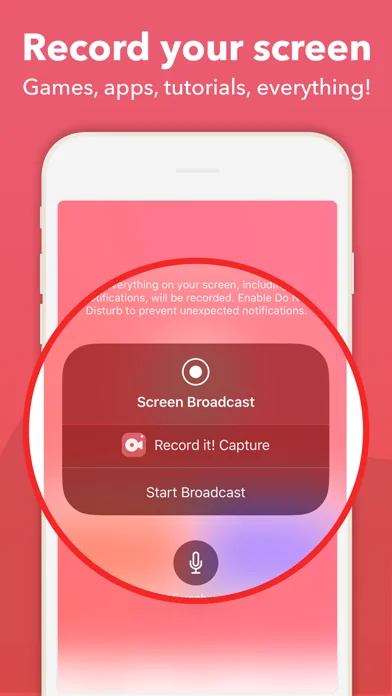
Record it!: Screen Recorder allows you to record your favorite games and apps for tutorials, games walk-through, video demos and training videos on your iPhone and iPad. After recording your screen, you can add video reactions with audio commentary to further enhance your recording!
RECORD
• One tap to start recording your entire screen (requires iOS 12)
• For iOS 11, we provide easy to follow video tutorials to get you setup fast
• Record everything: games, video tutorials, apps
VIDEO FACE CA…
Record it!: Screen Recorder allows you to record your favorite games and apps for tutorials, games walk-through, video demos and training videos on your iPhone and iPad. After recording your screen, you can add video reactions with audio commentary to further enhance your recording!
RECORD • One tap to start recording your entire screen (requires iOS 12) • For iOS 11, we provide easy to follow video tutorials to get you setup fast • Record everything: games, video tutorials, apps
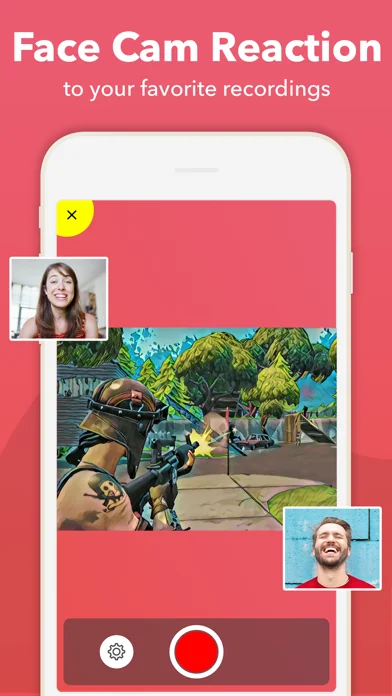
VIDEO FACE CAM REACTIONS • Add FaceCam Reactions to your recordings • Add reactions to your favorite YouTube videos! • Personalize your reaction by setting the reaction shape, position and size • Camera Roll videos are supported
AUDIO COMMENTARY • Record audio only commentary for your videos
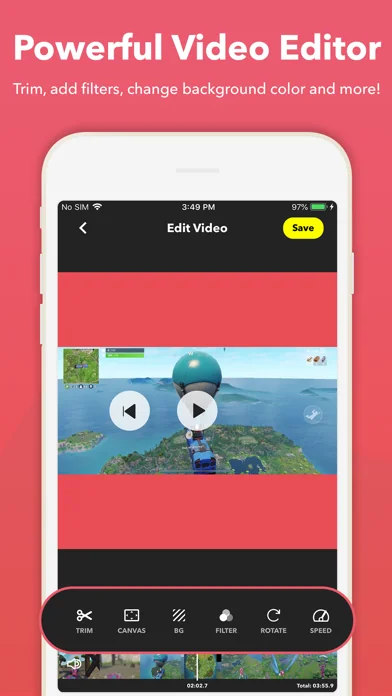
VIDEO EDITOR • Trim your video • Video filters • Adjustable playback speed • Change canvas and background color • Rotate
ORGANIZER • Organize your recordings in one simple application with easy access
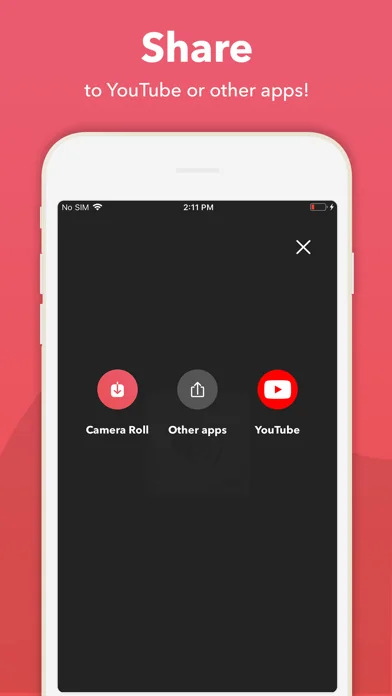
SHARE • Share directly to YouTube for easy and fast exporting • Save directly to camera roll • Share and export your recordings to other apps, via email or AirDrop. You can also export your recording to your computer via WiFi or any other app for more specialized video editing.
Video reactions is a perfect way to add personality to your video recordings. You can add video reaction to your recordings so your audience can watch you while you play your favorite game, or when simply recording an app demonstration (Perfect to show your friends how to complete a task, or how to achieve that perfect score in a game).
The combinations are endless, just download and try for yourself.
-------------
Video share are limited to three minutes videos. For longer videos sharing, please upgrade to our Pro version (In App Purchase)
🆕 What's new · v4.10.3
+ Fix for ads that cannot be closed (Thanks to everyone reporting the issue)
Please write to DigisetApps@gmail.com for support/help.
Comparable iOS apps
The five apps in Utilities with the closest revenue to Record it! :: Screen Recorder. Click any to see its detail page.
Each forecast combines App Store rating, ratings count, monetisation model, pricing tier, IAP signals and ad-supported flag.
The base estimate is then multiplied by a per-category scaling factor learned from apps with founder-verified MRR.
Every number on this page comes from public APIs and Bumetric's own snapshot history.
Full methodology covers input variables, accuracy bands per category and how we treat apps without comparable anchors.
See also the live data on Record it! :: Screen Recorder's tracker page for current rating, reviews and snapshot timeline.
Building something similar? Get a free AI audit with $-revenue forecasts for every recommendation.


 Free VPN by Free VPN .org™
 Nest Egg - Inventory
 MotoJitsu
 Easy Cleaner: Clean Up Storage
 Magic Cleaner - Clean Storage