What Recovery Today actually does (from store listing)
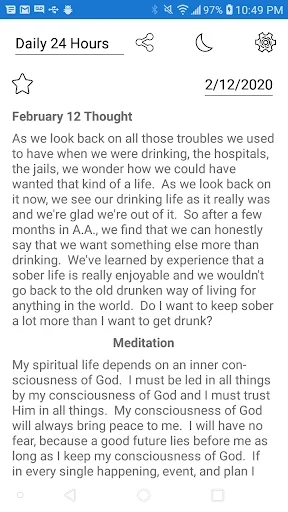
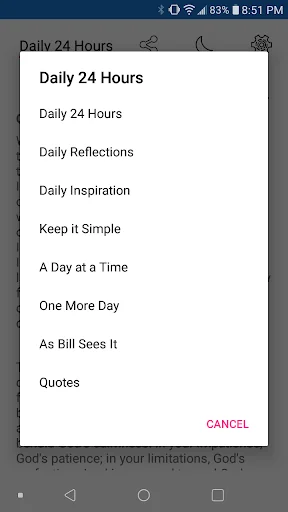
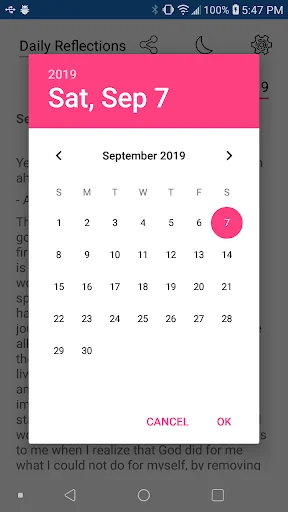
Collection of daily readings that are recovery themed. Click on the name of the reading to be able to select any of the other readings - Daily 24 Hours, Daily Reflections, Daily Inspiration, Keep it Simple, A Day at a Time, One More Day, As Bill Sees It, and Quotes. The reading for the current day will be loaded. Click on the date to open a calendar and select any other date.
Select the share icon next to the name of the reading for sending the currently loaded reading to other applications o…
Collection of daily readings that are recovery themed. Click on the name of the reading to be able to select any of the other readings - Daily 24 Hours, Daily Reflections, Daily Inspiration, Keep it Simple, A Day at a Time, One More Day, As Bill Sees It, and Quotes. The reading for the current day will be loaded. Click on the date to open a calendar and select any other date.
Select the share icon next to the name of the reading for sending the currently loaded reading to other applications on the device for sharing.
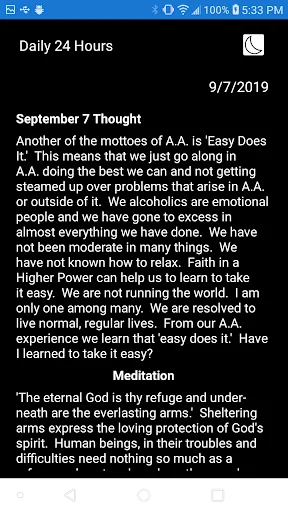
Select the moon-shaped icon in the top reading menu to toggle dark mode.
Select the empty star icon above a reading to enter a name and save it as a favorite. If you have saved any favorites, the reading selection list includes "Saved Favorites" - select this item to display a list of your favorites, sorted alphabetically by the names entered. Select an item from the list to load that reading. Select the filled star icon above a favorite reading to remove it from your saved favorites.
Select the gear icon in the upper right corner of the main page to open the settings page. You can select a preferred text size and you can enter your anniversary date to have your recovery time displayed. To enter your anniversary date, select the Set button and click on the date to open the calendar. To remove your anniversary date, select the Reset button.
Select the Save button on the settings page to keep any changes you have made and have them saved; select the Cancel button or page back to exit the settings page without keeping any changes you have made. The preferred text size will be applied to all readings.
-
Please let me know if you guys have ideas for features you'd like to have added. I'm just a guy in recovery, trying to make this app as helpful as I can for everyone.
Thank you, Michael
Comparable Android apps
The five apps in Books & Reference with the closest revenue to Recovery Today. Click any to see its detail page.
Each forecast combines App Store rating, ratings count, monetisation model, pricing tier, IAP signals and ad-supported flag.
The base estimate is then multiplied by a per-category scaling factor learned from apps with founder-verified MRR.
Every number on this page comes from public APIs and bumetric's own snapshot history.
Full methodology covers input variables, accuracy bands per category and how we treat apps without comparable anchors.
See also the live data on Recovery Today's tracker page for current rating, reviews and snapshot timeline.
Building something similar? Get a free AI audit with $-revenue forecasts for every recommendation.


 Constitución Mexicana - CPEUM
 موسوعة بيان الإسلام
 Negari - Laws & Decisions
 music.jpブックリーダー@いま話題のマンガを配信中!
 Hebrew English Bible