What RoboMaker® actually does (from store listing)
The RoboMaker® kit was created to guide you on an educational journey to introduce you to robotics, logical thinking and coding. By using the 250 and more interchangeable components present in the box, you can build 5 different robots with growing levels of complexity and then programme them in a fun way through this free application.
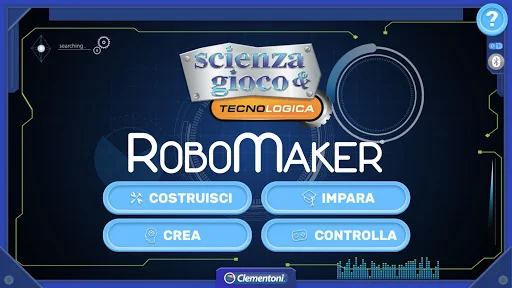
The RoboMaker® app communicates with the robots via Bluetooth® Low Energy and contains 4 different sections, each with their own specific and engaging functions…
The RoboMaker® kit was created to guide you on an educational journey to introduce you to robotics, logical thinking and coding. By using the 250 and more interchangeable components present in the box, you can build 5 different robots with growing levels of complexity and then programme them in a fun way through this free application.
The RoboMaker® app communicates with the robots via Bluetooth® Low Energy and contains 4 different sections, each with their own specific and engaging functions:
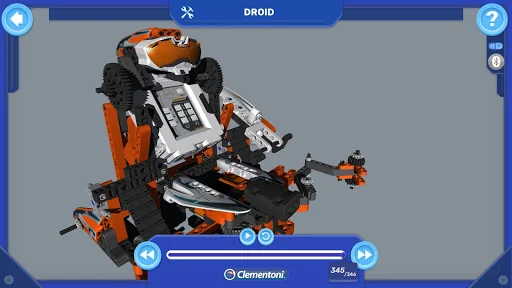
1- BUILD
In this section the 5 robot models can be reconstructed in 3D, piece-by-piece, in a dynamic and animated way. Whenever you add a new component, you can even enlarge/shrink it and rotate the model by 360° to understand how to connect the various modules.
2- LEARN
The Learn section illustrates the basic programming concepts through 10 guided activities (2 for each robot model); which can be completed by creating specific command sequences using the Clementoni block-based programming.
3- CREATE
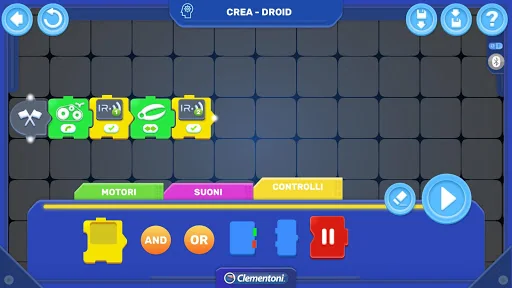
Once you have learnt the basic programming concepts and have familiarised with our block-based programming, you can juggle around with the options in the Create section.
In this area, after building a robot of any shape, you can programme it as you prefer. In this case, the activity is performed freely, therefore the app will not signal whether or not you have entered the sequence correctly, so you will have to realise by yourself whether the result meets your objective.
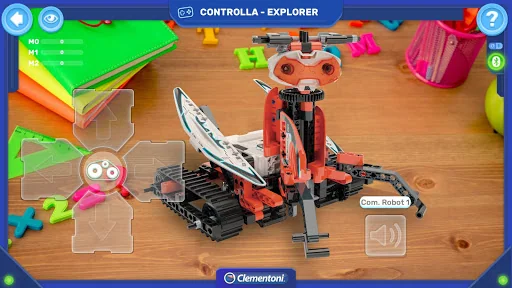
4- CONTROL
The Control mode does not entail the use of block-based programming. Through this mode it is possible to control and command in real time the 5 robot models proposed.
Each command you send will be executed instantly by the robot, without any delay.
Given that the 5 robots are different in terms of both the electronic components used and their functions, there is a specific control page for each one of them.
So, what are you waiting for? Enter the RoboMaker® world, step in the programmer’s boots and start this engaging and formative adventure!
Comparable Android apps
The five apps in Educational with the closest revenue to RoboMaker®. Click any to see its detail page.
Each forecast combines App Store rating, ratings count, monetisation model, pricing tier, IAP signals and ad-supported flag.
The base estimate is then multiplied by a per-category scaling factor learned from apps with founder-verified MRR.
Every number on this page comes from public APIs and Bumetric's own snapshot history.
Full methodology covers input variables, accuracy bands per category and how we treat apps without comparable anchors.
See also the live data on RoboMaker®'s tracker page for current rating, reviews and snapshot timeline.
Building something similar? Get a free AI audit with $-revenue forecasts for every recommendation.

 Picture Quiz: Country Flags
 Human Anatomy - Body parts
 Dinosaur Coding games for kids
 Piano Anak: Musik dan Lagu
 Pingo Pet