<font color="#2196F3"><b>🤖 News!</b></font>
<font color="#2196F3"><b>Easy Mode: No PC required!! Supports Android 8.0 or above</b></font>
<font color="#2196F3"><b>Robotmon is a javascript interpreter run on android phone. And run routine tasks automately</b></font>
<b>Below Android 7, Use Simple Manager to launch Robotmon service first</b>
<b>Above Android 8, supports EasyMode, no needs PC anymore. Also supports PC launching</b>
<b>Supports most of Android emulators!! Nox, LDPlaye…
Easy Mode: No PC required!! Supports Android 8.0 or above
Robotmon is a javascript interpreter run on android phone. And run routine tasks automately
Below Android 7, Use Simple Manager to launch Robotmon service first
Above Android 8, supports EasyMode, no needs PC anymore. Also supports PC launching
Supports most of Android emulators!! Nox, LDPlayer, momo, memuPlay
🤖 Robotmon Introduce
Robotmon is a javascript interpreter run on android phone. And run routine tasks automately Supports screenshot, touch, image recognition, key input,... more than 40 APIs.
🤖 Features • Root not required. Only first time to launch service needs Simple Manager installed PC
• Javascript for easy to use, supports ES5
• Integrated with OpenCV Apis, template matching, enhance images, find edge images
• Free download open source scripts. (http://bit.ly/2EfVUMg)
• Cookie run Kingdom: automated production and other features to help manage your kingdom!
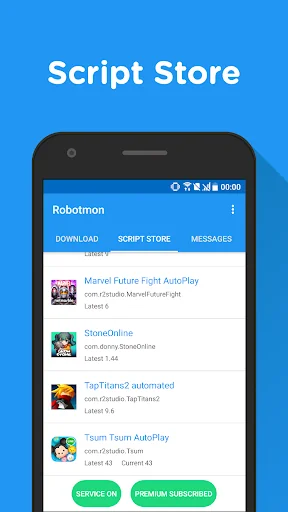
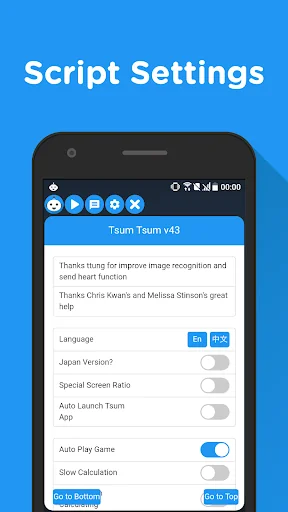
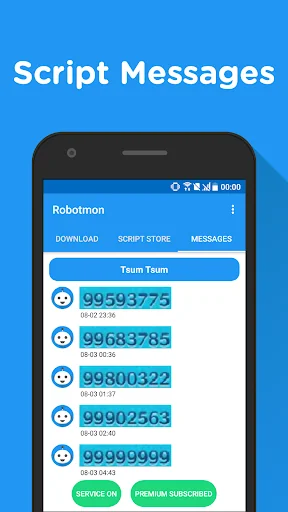
• TsumTsum script: Auto receive hearts, auto sending hearts, auto play game, and record hearts who sent, etc
• LineageM script: Detect HP/MP and auto use skills, auto buy items,...
🤖 Usage Importand!! You should launch robotmon service before starting scripts EasyMode (above Android 8.0) • Just click rocket button at right-bottom to launch service
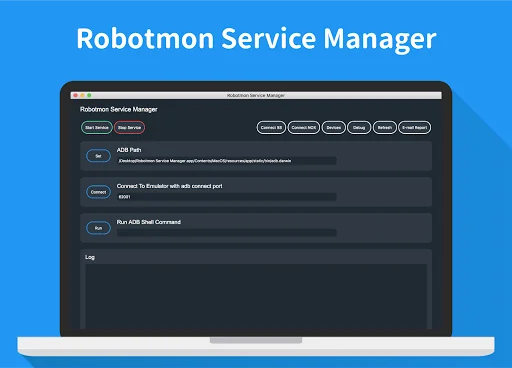
Use SimpleManager to launch service (below Android 7.0) (Require PC at first time) • Install Robotmon App
• Enable developer options on android phone (Google for more information)
• Enable USB debugging on phone (from developer options)
• Install ADB driver (phone driver) on PC (Required on Windows, download the drive from official site of your phone)
• Connect the phone to PC, download the Robotmon SimpleManager (Windows: http://bit.ly/2I94Qri, Mac: http://bit.ly/2VFu6gV, Linux: http://bit.ly/32Brkus). Latest release information: https://github.com/r2-studio/robotmon-desktop/releases
• Start Robotmon Service
• Now start app and pick a script to run! Enjoy!
🤖 More Information • Facebook: https://www.facebook.com/RobotmonOfficial
• Website: https://docs.robotmon.app/
• Github: https://github.com/r2-studio
Feel free to leave a message to our Facebook fans page!
🤖 Develop Scripts and open source • Cross platform developer tool, VSCode Extension: http://bit.ly/2W5hiQR
• Open source scripts and apis documents: http://bit.ly/2EfVUMg
• More developer tools: http://bit.ly/2EgetQx
🤖 Accessibility API Users can switch on/off airplane mode on specified page through Accessibility service. Also helps mimic user screen touch behavior through Accessibility API to automated routine tasks. The app will not collect users' information or perform any action through Accessibility service on other pages.
Comparable Android apps
The five apps in Tools with the closest revenue to Robotmon. Click any to see its detail page.
Each forecast combines App Store rating, ratings count, monetisation model, pricing tier, IAP signals and ad-supported flag.
The base estimate is then multiplied by a per-category scaling factor learned from apps with founder-verified MRR.
Every number on this page comes from public APIs and bumetric's own snapshot history.
Full methodology covers input variables, accuracy bands per category and how we treat apps without comparable anchors.
See also the live data on Robotmon's tracker page for current rating, reviews and snapshot timeline.
Building something similar? Get a free AI audit with $-revenue forecasts for every recommendation.


 Don't Touch Security Alarm
 Notification Manager: Notisave
 Lux Light Meter
 Duplicate Files Remover
 AVT - Audio Video Compressor