What Rogers Xfinity actually does (from store listing)
You’re in control with Rogers Xfinity. Easily manage and protect your home WiFi and connected devices from anywhere, at any time.
Included exclusively with Rogers Xfinity Internet plans and bundles with TV/Streaming or Self Protection. If you used the previous Rogers Xfinity (Shaw) app, this app replaces it.
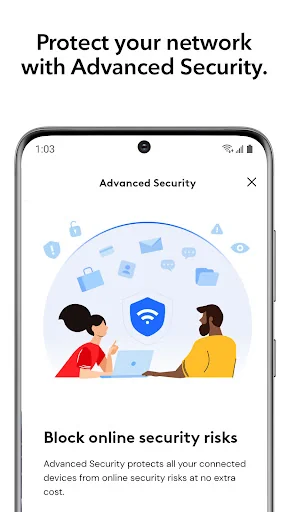
• Get our most secure WiFi – turn on Advanced Security for worry-free protection of all connected devices; automatically block online threats 24/7 and get alerts about suspicious activ…
You’re in control with Rogers Xfinity. Easily manage and protect your home WiFi and connected devices from anywhere, at any time.
Included exclusively with Rogers Xfinity Internet plans and bundles with TV/Streaming or Self Protection. If you used the previous Rogers Xfinity (Shaw) app, this app replaces it.
• Get our most secure WiFi – turn on Advanced Security for worry-free protection of all connected devices; automatically block online threats 24/7 and get alerts about suspicious activity
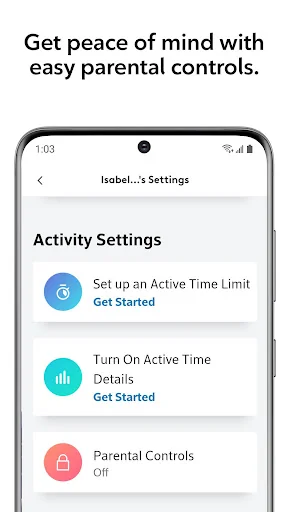
• Protect your loved ones – activate easy Parental Controls and Active Time Details for added peace of mind
• Pause or schedule WiFi whenever you choose – create Downtime Schedules or set Active Time Limits
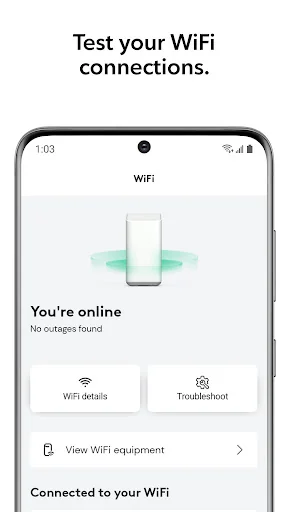
• Test your connections – ensure you’re getting the best WiFi for all your connected devices without having to call tech support
• Never forget your WiFi password again – quickly check, update or share your WiFi password
• One app that does it all – link and control smart devices like lights, thermostats and door locks, from popular brands
• Add Rogers Xfinity Self Protection to any Rogers Xfinity Internet plan and keep an eye on your home with 24/7 self-monitoring right at your fingertips.
• Elevate your home WiFi - Add Rogers Xfinity Pro to extend your WiFi range, Boost a Device, stay connected during power outages, and enjoy premium support.
Getting Started
• Download and install the Rogers Xfinity app on your smartphone
• Launch the app and sign in using your MyRogers or MyRogers (Shaw) username and password
Requirements
• Rogers Xfinity Gateway, included exclusively with Rogers Xfinity Internet plans and bundles
• MyRogers or MyRogers (Shaw) username and password to access the app, depending on which option you use for your Rogers Xfinity home services.
• App designed for smartphone use only.
For more information see rogers.com/rogers-xfinity-app
Comparable Android apps
The five apps in Tools with the closest revenue to Rogers Xfinity. Click any to see its detail page.
Each forecast combines App Store rating, ratings count, monetisation model, pricing tier, IAP signals and ad-supported flag.
The base estimate is then multiplied by a per-category scaling factor learned from apps with founder-verified MRR.
Every number on this page comes from public APIs and bumetric's own snapshot history.
Full methodology covers input variables, accuracy bands per category and how we treat apps without comparable anchors.
See also the live data on Rogers Xfinity's tracker page for current rating, reviews and snapshot timeline.
Building something similar? Get a free AI audit with $-revenue forecasts for every recommendation.


 Random Number Generator
 Mod Bussid Pickup Muatan Kayu
 Keep Photos Secret:Hide Photos
 Avenix
 Live Mobile Location Tracker