What Rotation | Orientation Manager actually does (from store listing)
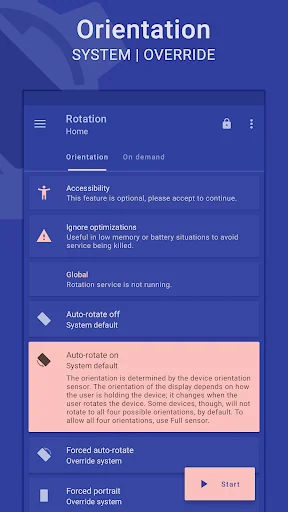
Rotation is a tool to manage the device screen orientation. It offers all the modes that Android supports and can be configured according to the apps and various events like call, lock, headset, charging and dock. Let's give it a try to explore its other features.
<b>FEATURES</b>
<b>Orientations</b>
• Auto-rotate on • Auto-rotate off
• Forced auto-rotate • Sensor auto-rotate • Reverse auto-rotate
• Forced portrait • Forced landscape • Reverse portrait
• Reverse landscape • Sensor por…
Rotation is a tool to manage the device screen orientation. It offers all the modes that Android supports and can be configured according to the apps and various events like call, lock, headset, charging and dock. Let's give it a try to explore its other features.
FEATURES
Orientations • Auto-rotate on • Auto-rotate off
• Forced auto-rotate • Sensor auto-rotate • Reverse auto-rotate
• Forced portrait • Forced landscape • Reverse portrait
• Reverse landscape • Sensor portrait • Sensor landscape
• Full sensor • Sensor left • Sensor right • Sensor reverse
• Lock Current – Lock current orientation
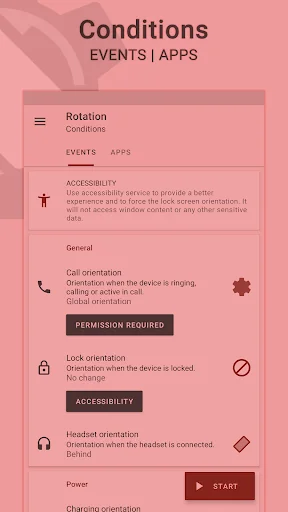
Conditions • Call orientation • Lock orientation • Headset orientation
• Charging orientation • Dock orientation • App orientation
• Events priority - Customizable events preference in case two or more events occur simultaneously.
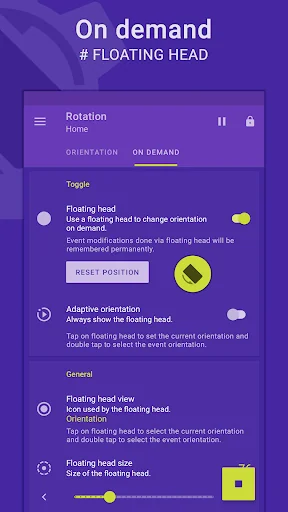
On demand # Change the orientation of the foreground app or events with a fully customizable floating head (or notification or tile) available on the top of supported tasks.
Themes • A dynamic theme engine with background-aware functionality to avoid any visibility issues.
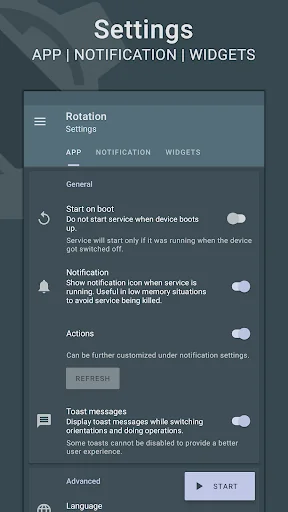
Others • Start on boot • Notification • Vibration and more.
• Widgets, shortcuts and notification tiles to perform various operations.
# Rotation extension to automate over 40 actions via Locale / Tasker plugin.
Support • Quick setup to configure major features at once.
• Dedicated support section to troubleshoot general issues.
# Perform backup and restore operations to save and load the app settings.
Features marked with # are paid, and Premium is required to use them.
LANGUAGES English, Deutsch, Español, Français, हिंदी, Indonesia, Italiano, Português, Русский, Türkçe, 日本語, 한국인, 中文 (简体), 中文 (繁體)
PERMISSIONS Internet access – To display ads in free version.
Retrieve running apps – To detect foreground app.
Usage statistics (Android 5.0+) – To detect foreground app.
Modify system settings – To change display orientation settings.
Draw over other apps – To change foreground orientation.
Read device state and identity – To change the phone call orientation.
Run at startup – To start the service when the device boots up.
Control vibration – To vibrate device when orientation changes.
Post notifications (Android 13 and above) – To show notifications that help (and are required) in keeping the service running during various restrictions.
Modify USB storage (Android 4.3 and below) – To create and restore backups.
ACCESSIBILITY It uses an accessibility service to provide a better experience and to force the lock screen orientation on Android 8.0+ devices. It will not access window content or any other sensitive data.
Rotation > Conditions > Events > Accessibility.
------------------------------
- Buy Premium to support the development.
- Kindly contact me via email in case of any issues.
- Some apps might not work properly when forced to work in certain orientations. Use Auto-rotate on/off from conditions to use system settings for those apps.
- Reverse portrait orientation is disabled on some Xiaomi (MIUI) devices with the default launcher. Please try other launchers (home screen) to make it work.
Android is a trademark of Google LLC.
Comparable Android apps
The five apps in Tools with the closest revenue to Rotation | Orientation Manager. Click any to see its detail page.
Each forecast combines App Store rating, ratings count, monetisation model, pricing tier, IAP signals and ad-supported flag.
The base estimate is then multiplied by a per-category scaling factor learned from apps with founder-verified MRR.
Every number on this page comes from public APIs and Bumetric's own snapshot history.
Full methodology covers input variables, accuracy bands per category and how we treat apps without comparable anchors.
See also the live data on Rotation | Orientation Manager's tracker page for current rating, reviews and snapshot timeline.
Building something similar? Get a free AI audit with $-revenue forecasts for every recommendation.


 Posten
 GO Field Guide (Events, Raids)
 Copy Link to Clipboard
 Mobile Se Jamin Napna App
 Video downloader - Download fo