What Samsung Galaxy Buds actually does (from App Store listing)
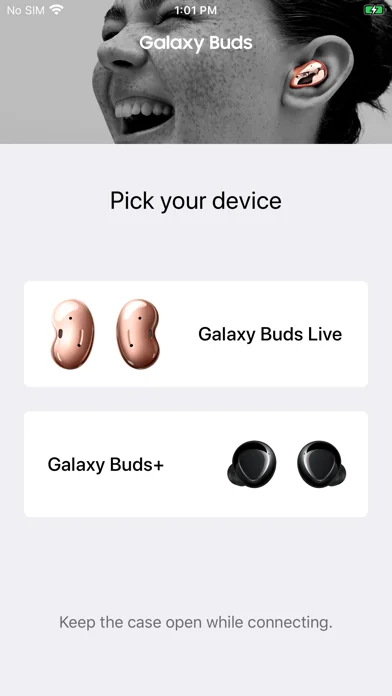
*This application is for Galaxy Buds+ and Galaxy Buds Live. Support for Galaxy Buds (SM-R170) is not available.
Open the charging case.
On your mobile device, tap Settings -> Bluetooth and then connect earbuds and mobile devices.
Launch the Samsung Galaxy Buds app, and the follow the on-screen instructions to complete the connection.
* The Samsung Galaxy Buds application connects Samsung Galaxy Buds+ and Samsung Galaxy Buds Live to your iPhone.
* Use the Samsung Galaxy Buds application to s…
*This application is for Galaxy Buds+ and Galaxy Buds Live. Support for Galaxy Buds (SM-R170) is not available.
Open the charging case. On your mobile device, tap Settings -> Bluetooth and then connect earbuds and mobile devices. Launch the Samsung Galaxy Buds app, and the follow the on-screen instructions to complete the connection.
* The Samsung Galaxy Buds application connects Samsung Galaxy Buds+ and Samsung Galaxy Buds Live to your iPhone.
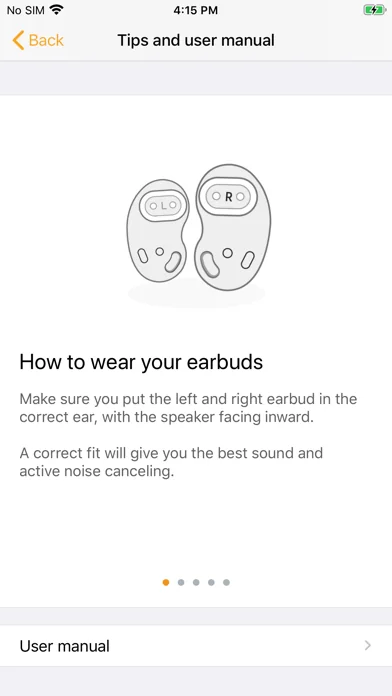
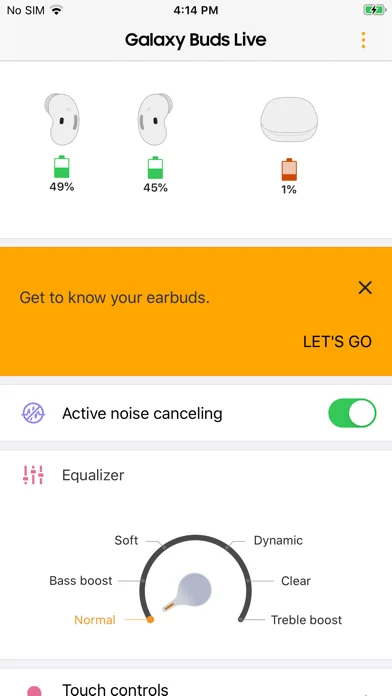
* Use the Samsung Galaxy Buds application to set up and manage the following features.
- Connect to and disconnect from a mobile device - Earbuds & Charging Case battery status - Ambient Sound (Samsung Galaxy Buds+ only) - Active Noise Cancelling (Samsung Galaxy Buds Live only) - Equalizer Setting - Touchpad Setting - Advanced Feature - Find my Earbuds - Earbuds Software Update
* Compatibility: - iPhone 7 or later models with the iOS 10 and higher version - The Galaxy Buds application is not compatible with Galaxy Buds (SM-R170)
* Settings and features provided by the Galaxy Buds application are only available when Galaxy Buds+ or Galaxy Buds Live is connected to your mobile device. Features will not work properly without a proper connection between your earbuds and your mobile device.
* If you have any questions, please contact to the web page below. (http://www.samsung.com/support/)
※ User Agreement Following User Agreements are required for the app service. Even if you don't agree the agreements you can use basic service but can't use disagree services.
[Required User Agreements] - Bluetooth: Required for communication with Buds+ or Buds Live
🆕 What's new · v2.1.1
- Improved application stability
Comparable iOS apps
The five apps in Utilities with the closest revenue to Samsung Galaxy Buds. Click any to see its detail page.
Each forecast combines App Store rating, ratings count, monetisation model, pricing tier, IAP signals and ad-supported flag.
The base estimate is then multiplied by a per-category scaling factor learned from apps with founder-verified MRR.
Every number on this page comes from public APIs and bumetric's own snapshot history.
Full methodology covers input variables, accuracy bands per category and how we treat apps without comparable anchors.
See also the live data on Samsung Galaxy Buds's tracker page for current rating, reviews and snapshot timeline.
Building something similar? Get a free AI audit with $-revenue forecasts for every recommendation.


 Lineal + Maßband, Länge messen
 ShinyHunt: Shiny Counter
 HeyMelody
 EU Exit: ID Document Check
 uBlock Origin Lite