What Samsung My Files actually does (from store listing)
[Introducing My Files]
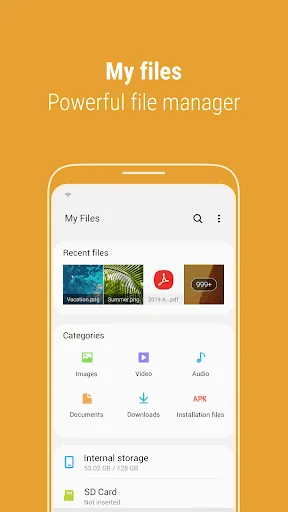
"My Files" manages all the files on your smartphone, just like a file explorer on your computer.
You can also manage files stored on SD cards, USB drives and files in the cloud storage connected with your smartphone at the same time.
Download and experience "My Files" now.
[New features in My Files]
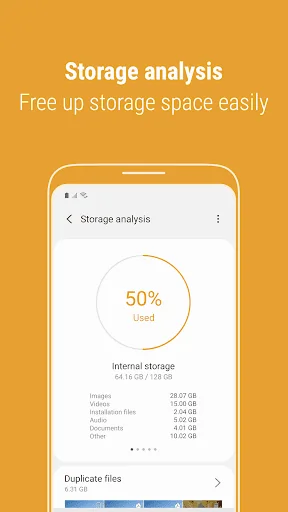
1. Free up storage space easily by tapping the "Storage Analysis" button on the main screen.
2. You can hide any unused storage space from the main screen …
[Introducing My Files]
"My Files" manages all the files on your smartphone, just like a file explorer on your computer.
You can also manage files stored on SD cards, USB drives and files in the cloud storage connected with your smartphone at the same time.
Download and experience "My Files" now.
[New features in My Files]
1. Free up storage space easily by tapping the "Storage Analysis" button on the main screen.
2. You can hide any unused storage space from the main screen via the "Edit My Files home".
3. You can view long file names without ellipses using the "Listview" button.
[Key features]
- Browse and manage files stored on your smartphone, SD card, or USB drive conveniently.
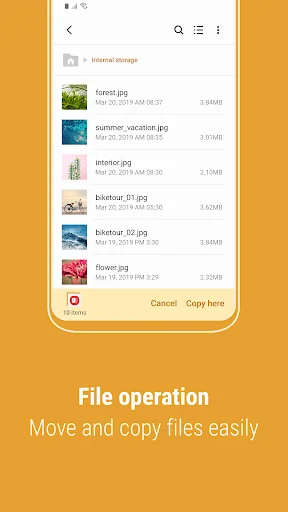
.Users can create folders; move, copy, share, compress, and decompress files; and view file details.
- Try our user-friendly features.
.The Recent Files list: Files the user has downloaded, run, and/or opened
.The Categories list: Types of files, including downloaded, document, image, audio, video, and installation files (.APK)
.Folder and file shortcuts: Show on the device home screen and the My Files main screen
.Provides a function used to analyze and free up storage space.
※ Supported features may be different depending on models.
The following permissions are required for the app service.
[Required permissions]
-Storage: Used to open, delete, edit, search files and folders on internal / external memory (lower than Android 13)
- Notifications : Used to show the progress of ongoing actions such as moving or copying files and folders
Comparable Android apps
The five apps in Tools with the closest revenue to Samsung My Files. Click any to see its detail page.
Each forecast combines App Store rating, ratings count, monetisation model, pricing tier, IAP signals and ad-supported flag.
The base estimate is then multiplied by a per-category scaling factor learned from apps with founder-verified MRR.
Every number on this page comes from public APIs and bumetric's own snapshot history.
Full methodology covers input variables, accuracy bands per category and how we treat apps without comparable anchors.
See also the live data on Samsung My Files's tracker page for current rating, reviews and snapshot timeline.
Building something similar? Get a free AI audit with $-revenue forecasts for every recommendation.


 Vido : Video Status Maker
 QR Code Scanner Pro
 Calculator SR1 pro
 GFX Tool - Game Booster
 WIFI WPS WPA TESTER