What Screen On/Off With Double Tap actually does (from store listing)
<h1>Lock Screen: Touch Lock for Seamless Control!</h1>Enhance your device's security and convenience with Lock Screen: Touch Lock. Whether you're looking for Gesture Lock Screen protection or a simple Touch Screen Lock, this app gives you complete control over your phone's display. Manage your device easily using the Phone Lock Screen Touch feature, and enjoy effortless control. Plus, the Double Tap Screen On and Off option makes turning your phone on or off a breeze.
📄 <b>Lock Screen: Touch …
Enhance your device's security and convenience with Lock Screen: Touch Lock. Whether you're looking for Gesture Lock Screen protection or a simple Touch Screen Lock, this app gives you complete control over your phone's display. Manage your device easily using the Phone Lock Screen Touch feature, and enjoy effortless control. Plus, the Double Tap Screen On and Off option makes turning your phone on or off a breeze.
📄 Lock Screen: Touch Lock Key Features: 📄
🔒 Double tap to turn on/off the phone for fast access;
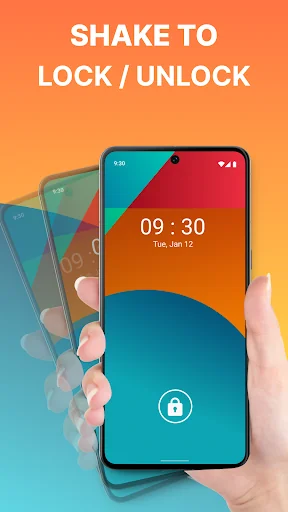
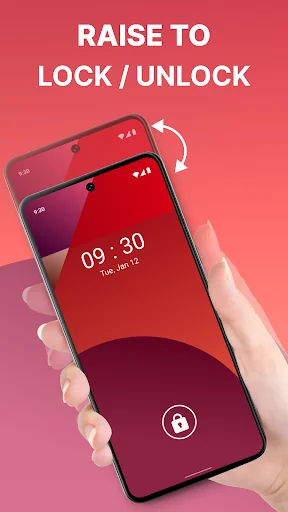
🔒 Activate the phone with Shake Phone to Unlock for convenience;
🔒 Protect your data with a Gesture Lock Screen;
🔒 Use the floating popup button for easy access to apps and settings;
🔒 Seamlessly switch between modes;
🔒 Manage your device with ease using Phone Lock Screen Touch;
🔒 Customizable Touch Screen Lock for accidental touch prevention.
Have a Secure Phone With Touch Screen Lock!
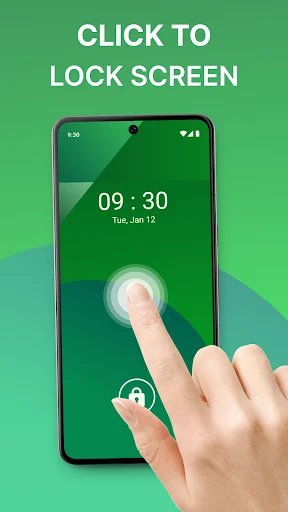
The Double Tap Screen On and Off feature offers a quick and easy way to manage your phone's display. Double-tap the phone to turn it on or off, eliminating the need to press the power button. Whether at work or on the go, the Double Tap Screen On and Off option makes phone management effortless.
Screen On/Off Using Shake Phone: Unlock your phone with just a shake! The Shake Phone to Unlock feature provides an intelligent alternative to pressing buttons. Shake your device, which will turn on or off, making it incredibly easy to wake your phone. This feature is perfect for users looking for a fast, hands-free way to interact with their devices, whether carrying groceries or multitasking.
Set Gesture Lock for Enhanced Security: Protect your personal information with a Gesture Lock Screen. This feature allows you to set a custom gesture to unlock your phone, ensuring that only you can access your device. This fantastic tool is ideal for anyone who wants an added layer of security without the hassle of entering a password or PIN each time.
Floating Popup Button for Quick Access: The floating popup button allows users to conveniently access frequently used apps, settings, and features. This button stays visible on your phone and can be moved to any location you prefer, allowing for quick access to your favorite apps and settings without navigating through menus.
Take Full Control with Lock Screen: Touch Lock!
Lock Screen: Touch Lock brings your device a new level of convenience and security. This app makes it easier to use, from managing your phone with the Double Tap Screen On and Off feature to unlocking it with a simple shake.
Access permissions:
1. Accessibility: The Phone Lock Screen Touch App uses Accessibility permission to turn off the display, unlock and lock it, and use the foreground app to determine whether to turn our tasks on or off.
2. Administrator: The app uses administrative permission for the privilege to turn off the display.
Comparable Android apps
The five apps in Tools with the closest revenue to Screen On/Off With Double Tap. Click any to see its detail page.
Each forecast combines App Store rating, ratings count, monetisation model, pricing tier, IAP signals and ad-supported flag.
The base estimate is then multiplied by a per-category scaling factor learned from apps with founder-verified MRR.
Every number on this page comes from public APIs and bumetric's own snapshot history.
Full methodology covers input variables, accuracy bands per category and how we treat apps without comparable anchors.
See also the live data on Screen On/Off With Double Tap's tracker page for current rating, reviews and snapshot timeline.
Building something similar? Get a free AI audit with $-revenue forecasts for every recommendation.

 iRISCO
 Scanator (OBD2, Check Engine)
 Block WiFi - WiFi Inspector
 Wearable Widgets
 Simple Diary - journal w/ lock