What Screen Recorder - KKRecorder actually does (from store listing)
<h2><b>🚀 WHAT'S NEW IN 2.0</b></h2>
✅ <b>Merge clips</b>: Combine multiple videos into a single video effortlessly.
✅ <b>Compress videos</b>: Reduce file size without quality loss, free up storage.
✅ <b>GIF maker</b>: Turn any video clip into a shareable GIF, with crop & duration control.
✅ <b>Faster & smoother</b>: Refreshed editor look, broader language support, more reliable saves.
<h2><b>📹 SCREEN RECORDER</b></h2>
✅ <b>No watermark</b>: Record your screen cleanly without any annoying…
✅ Merge clips: Combine multiple videos into a single video effortlessly.
✅ Compress videos: Reduce file size without quality loss, free up storage.
✅ GIF maker: Turn any video clip into a shareable GIF, with crop & duration control.
✅ Faster & smoother: Refreshed editor look, broader language support, more reliable saves.
📹 SCREEN RECORDER
✅ No watermark: Record your screen cleanly without any annoying watermarks.
✅ No time limit: Record as long as you need, no cap on duration.
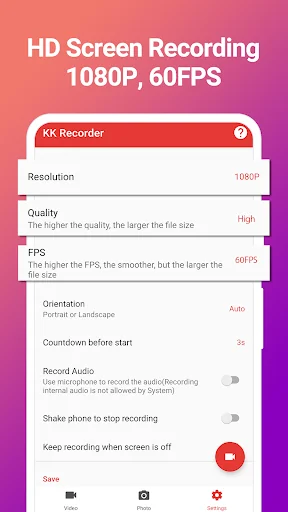
✅ 1080p 60FPS: Crystal-clear high-quality recordings.
✅ Internal audio: Record system sound without background noise (Android 10+).
✅ Facecam: Record yourself in a floating overlay while capturing your screen.
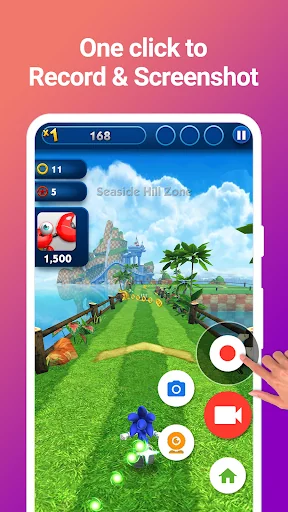
✅ One-tap recording: Start and stop with a single tap on the floating bubble.
✅ Screenshot: Capture clear screenshots anytime.
✅ Dark mode: Comfortable viewing experience day or night.
✂️ VIDEO EDITOR
✅ Merge videos: Combine multiple clips into one seamless video.
✅ Compress videos: Shrink file size while keeping quality.
✅ GIF maker: Convert any segment to GIF, adjust crop & length.
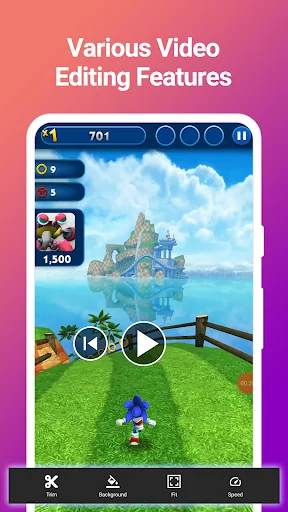
✅ Trim video: Cut out unwanted parts, remove middle sections.
✅ Speed control: Adjust playback speed for different sections.
✅ Crop video: Crop to any ratio you need.
✅ Change background: Choose from various background colors.
🖼️ PHOTO EDITOR
✅ Crop & rotate: Cut into rectangle, circle, star, triangle and more.
✅ Magnify: Zoom in on details with the loupe tool.
✅ Add text: Customizable color, background, shadow, stroke, style and size.
✅ Annotate: Arrow, rectangle, circle, pen — all the markup tools you need.
✅ Large image support: Annotate big pictures without cropping first.
📤 SHARE ANYWHERE
Share your recordings instantly to YouTube, Instagram, Twitter, Facebook and more.
💡 QUICK START
1️⃣ Tap the floating bubble → Start Recording.
2️⃣ Tap again → Stop Recording.
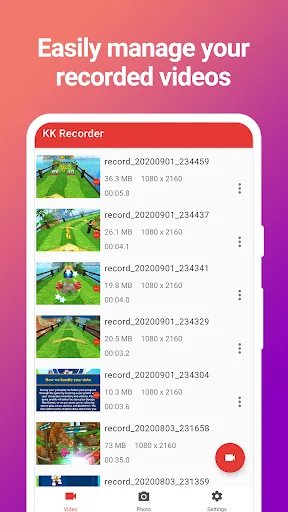
3️⃣ Open Video or Photo tab to edit.
4️⃣ Tap Share → pick your platform.
🔒 PERMISSIONS
KKRecorder requires: Storage, Microphone, and Overlay permissions — used only for screen recording. We never access or share your personal data.
📧 CONTACT US
Got feedback or suggestions? Reach us at dev.winterso@gmail.com. We'd love to hear from you!
Comparable Android apps
The five apps in Video Players & Editors with the closest revenue to Screen Recorder - KKRecorder. Click any to see its detail page.
Each forecast combines App Store rating, ratings count, monetisation model, pricing tier, IAP signals and ad-supported flag.
The base estimate is then multiplied by a per-category scaling factor learned from apps with founder-verified MRR.
Every number on this page comes from public APIs and bumetric's own snapshot history.
Full methodology covers input variables, accuracy bands per category and how we treat apps without comparable anchors.
See also the live data on Screen Recorder - KKRecorder's tracker page for current rating, reviews and snapshot timeline.
Building something similar? Get a free AI audit with $-revenue forecasts for every recommendation.


 X-CAM by CROSSCALL
 VidConverter - Video Converter
 My Photoset
 Christmas Video Maker 2024
 Axon Capture