What Screen Recorder - Vidma Record actually does (from store listing)
<b>#1 Screen Recorder with Audio</b>
Vidma Screen Recorder helps you record & take screenshots with ease.
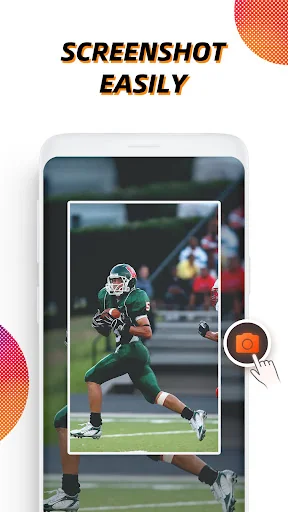
Vidma Screen Recorder makes screen recording more accessible than ever. Record, pause, resume, and screenshot any time with the handy record button. It's never too late to catch a live show again!
<b>Why choose Vidma Screen Recorder?</b>
✅ NO root needed, NO recording time limit
✅ Stable & Smooth video recorder
✅ Screen record with audio & no glitches
✅ Video recorder with face ca…
#1 Screen Recorder with Audio Vidma Screen Recorder helps you record & take screenshots with ease.
Vidma Screen Recorder makes screen recording more accessible than ever. Record, pause, resume, and screenshot any time with the handy record button. It's never too late to catch a live show again!
Why choose Vidma Screen Recorder? ✅ NO root needed, NO recording time limit
✅ Stable & Smooth video recorder
✅ Screen record with audio & no glitches
✅ Video recorder with face camera
✅ Screen video recorder without FPS drops
✅ Easy screen recorder app with customizable shortcuts
✅ Supports internal sound recording for Android 10 and up systems
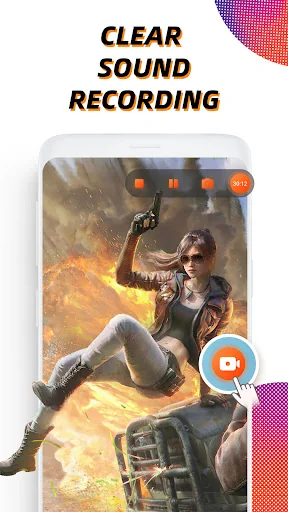
🏆 Powerful Video Recorder • Clear sound screen recorder: screen record with audio and microphone
• Brush tool: enable the brush on the toolbar and add marks on your screen
• Customizable and professional options: record screen in high quality (up to 2K resolution, 60fps)
• Video recorder without lag: running smoothly and stably on Android devices
• Video recorder without root: No need to root for screen recording
• Level up your recordings with professional video editing tools
💡 Recording Tips for You - For the most seamless recording experience, enable the floating button before you begin.
- The record button can be disabled if necessary. You can turn it off or adjust its opacity in Settings.
- You can stop video recording instantly by shaking your Android device.
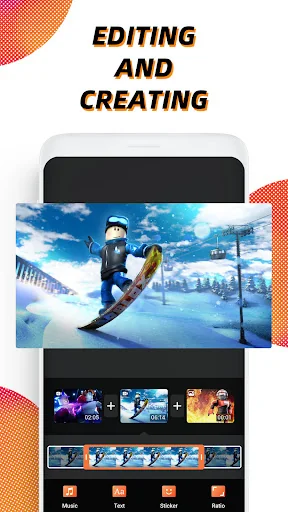
🎞 Screen Recorder, Editor • Quick edit: rotate, cut, and crop videos
• Video trimmer: remove the unwanted part of your recordings
• Add music: it will make your video sound more engaging
• Change speed: Slow down or speed up your screen recording
Most recording features in this screen recorder are totally free to use. Yet you can unblock more powerful video editing tools with Vidma Premium.
Are you a fan of Vidma? Stay connected with us:
Discord: https://discord.gg/NQxDkMH
Disclaimer:
* Vidma Video Recorder is not affiliated with any social media platforms.
* Screen recording features are offered for non-commercial and personal use only.
* Users shall be solely responsible for any intellectual property infringement arising from the recording.
* Vidma Video Recorder will never collect personal data from users without permission. All the recorded files are saved locally on your device. They cannot be accessed by us or by any third party.
Comparable Android apps
The five apps in Video Players & Editors with the closest revenue to Screen Recorder - Vidma Record. Click any to see its detail page.
Each forecast combines App Store rating, ratings count, monetisation model, pricing tier, IAP signals and ad-supported flag.
The base estimate is then multiplied by a per-category scaling factor learned from apps with founder-verified MRR.
Every number on this page comes from public APIs and bumetric's own snapshot history.
Full methodology covers input variables, accuracy bands per category and how we treat apps without comparable anchors.
See also the live data on Screen Recorder - Vidma Record's tracker page for current rating, reviews and snapshot timeline.
Building something similar? Get a free AI audit with $-revenue forecasts for every recommendation.


 Videoshop - Video Editor
 VITA - Video Editor & Maker
 Tunepal
 Video & GIF Memes PRO
 Alight Motion