What Screen Resolution Changer: Dis actually does (from store listing)
<b><center>Root Permissions Required</center></b>
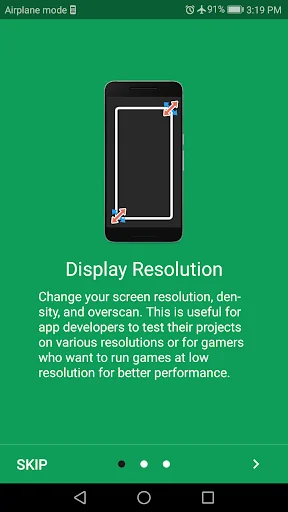
A great and reliable tool to change Android screen resolution as well as adjusting screen density. Resolution Changer switches your smartphone/tablet display between some pre-defined screen resolutions or you can set your custom screen size.
Moreover, you can use this app to alter the display resolution temporarily or permanently for the specified apps. Your custom screen sizes can be saved in profiles to use later.
This app is usefull f…
A great and reliable tool to change Android screen resolution as well as adjusting screen density. Resolution Changer switches your smartphone/tablet display between some pre-defined screen resolutions or you can set your custom screen size.
Moreover, you can use this app to alter the display resolution temporarily or permanently for the specified apps. Your custom screen sizes can be saved in profiles to use later.
This app is usefull for app developers who want to test their app on different screen sizes. Also, gamers will find this app useful if they want to run games at different screen resolutions for better performance.
You can also use the Overscan feature to set display outside of the visible bounds of the screen. use this feature wisely because it might render your display unusable. Use the app carefully to avoid some undesired behaviors, all these at your own risk... :)
App Features - Adjust Display Resolution (width and height)
- Change Screen Density
- Scaling
- Overscan
- Show Display Info: Screen Size, Refrersh Rate, xdpi, ydpi, etc.
The overscan feature is useful for usres having part(s) of a touch screen digitizer not working.
Comparable Android apps
The five apps in Tools with the closest revenue to Screen Resolution Changer: Dis. Click any to see its detail page.
Each forecast combines App Store rating, ratings count, monetisation model, pricing tier, IAP signals and ad-supported flag.
The base estimate is then multiplied by a per-category scaling factor learned from apps with founder-verified MRR.
Every number on this page comes from public APIs and bumetric's own snapshot history.
Full methodology covers input variables, accuracy bands per category and how we treat apps without comparable anchors.
See also the live data on Screen Resolution Changer: Dis's tracker page for current rating, reviews and snapshot timeline.
Building something similar? Get a free AI audit with $-revenue forecasts for every recommendation.





 Kiểm Tra Dịch Vụ - Mobifone, V
 Scientific Calculator Plus
 Video Downloader for Social
 Numbers in Spanish
 Video Compressor - Fast Compre