What Screen Time Manager actually does (from store listing)
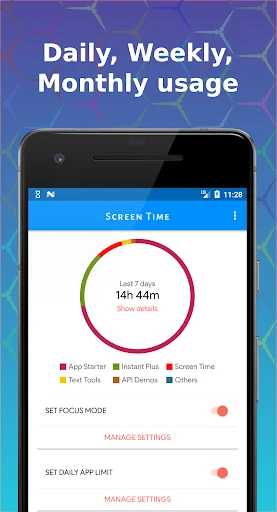
Take control of your phone usage and enhance your focus with Screen Time Manager! Available for all Android users up to Lollipop, this app extends Digital Well-being functionalities for better digital health.
Key Features
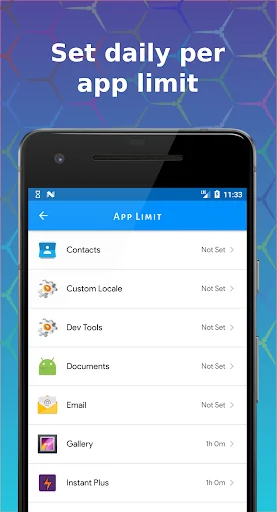
- 🕒 Limit App Usage: Set daily limits for apps.
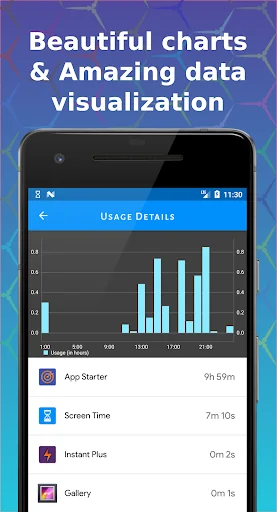
- 📊 Visualize Screen Time: Powerful visualizer and charts.
- ⏳ Daily App Limits: Manage phone usage effectively.
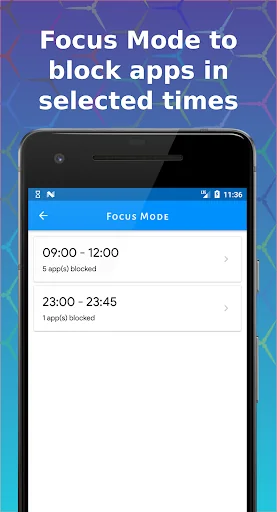
- 🚫 Focus Mode: Allow only essential apps during selected times.
- 📈 Compare Data: View screen time data ac…
Take control of your phone usage and enhance your focus with Screen Time Manager! Available for all Android users up to Lollipop, this app extends Digital Well-being functionalities for better digital health.
Key Features
- 🕒 Limit App Usage: Set daily limits for apps.
- 📊 Visualize Screen Time: Powerful visualizer and charts.
- ⏳ Daily App Limits: Manage phone usage effectively.
- 🚫 Focus Mode: Allow only essential apps during selected times.
- 📈 Compare Data: View screen time data across different periods.
- 🔍 Control Excessive Use: Enhanced charts to monitor usage.
- ⏰ Daily Notifications: Get screen time alerts.
Usage & Benefits
- 🔒 Effective Limiting: Manage app usage and break phone addiction.
- ⏰ Daily Limits: Keep track of app usage with notifications.
- 🚫 Focus Mode: Block certain apps during specific times.
Individuals often spend more time on their phones than they realize. Screen Time Manager helps you understand and manage your app usage for better productivity and digital wellbeing.
Why Choose Us?
Simple yet powerful, Screen Time Manager helps you manage screen time effectively. Your privacy is our priority; all data remains on your phone.
We’re always excited to hear from you! Contact us with any problems or suggestions.
Comparable Android apps
The five apps in Productivity with the closest revenue to Screen Time Manager. Click any to see its detail page.
Each forecast combines App Store rating, ratings count, monetisation model, pricing tier, IAP signals and ad-supported flag.
The base estimate is then multiplied by a per-category scaling factor learned from apps with founder-verified MRR.
Every number on this page comes from public APIs and bumetric's own snapshot history.
Full methodology covers input variables, accuracy bands per category and how we treat apps without comparable anchors.
See also the live data on Screen Time Manager's tracker page for current rating, reviews and snapshot timeline.
Building something similar? Get a free AI audit with $-revenue forecasts for every recommendation.

 오늘부터 금연 - 금연 위젯 & 첫화면 금연 타이머
 Braiins Pool
 NTMobile
 Dials
Dials
 OkBye - Post Call Platform