What Screenshot Quick actually does (from store listing)
<b>Screenshot Quick Free</b> is the most <i>simple</i> , <i>smallest</i> and <b><i>fastest</i></b> screenshot taking app. Very small size. It is optimized for <i>high performance</i> especially to take screenshots while playing games or watching videos. Works without internet.
Both <b><i>Phones</i></b> and <b><i>Tablets</i></b> are supported.
Fundamental features:
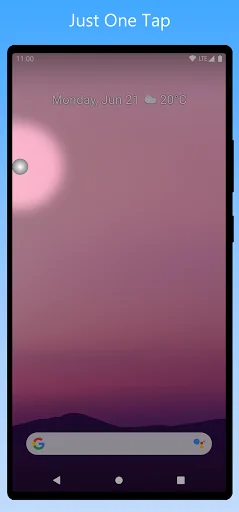
• Screenshots using overlay button. (Single/Double Tap)
(Click on 'Gear' icon in Notification OR open 'Capture Settings' in a…
Screenshot Quick Free is the most simple , smallest and fastest screenshot taking app. Very small size. It is optimized for high performance especially to take screenshots while playing games or watching videos. Works without internet.
Both Phones and Tablets are supported.
Fundamental features:
• Screenshots using overlay button. (Single/Double Tap)
(Click on 'Gear' icon in Notification OR open 'Capture Settings' in app's menu to turn on "Double tap overlay")
• Screenshots using the key shortcut.
• Screenshots using notification button.
• Screenshot / Shakeshot by just shaking your device.
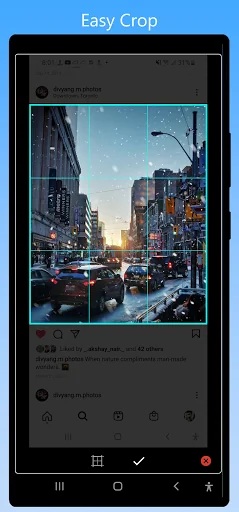
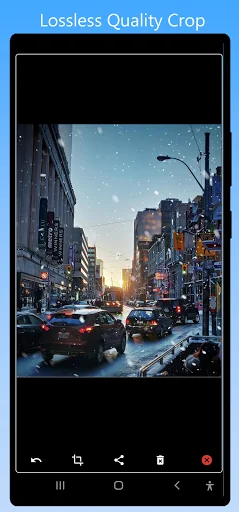
• Crop instantly in easiest way possible.
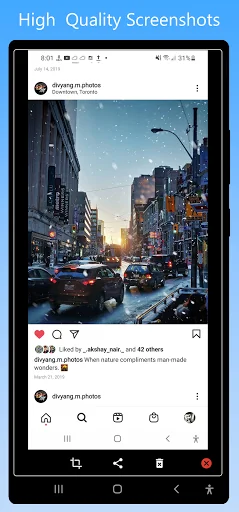
• View your taken screenshot instantly in the preview. (Pinch or Double-tap to Zoom-in/Zoom-out) You can also turn it off in app settings.
• Exclude Status-bar and Navigation-Bar from Screenshot.
• Share the screenshot instantly after taking it.
• Change screenshots saving location(Folder). (Click on 'Gear' icon in Notification OR open 'Capture Settings' in app's menu to change Folder)
• 18:9 Displays supported.
• Emulator supported.
Special features:
• Take the rapid burst of screenshots when screenshot preview is off. You can turn the preview on whenever you want.
• Customize overlay button however you like it from the settings.
• Lock the position of Overlay Button
Dynamic features:
• Screenshot Quick Free has its own gallery of taken screenshots for you: view, crop, share and delete wherever and whenever you like.
• Choose JPEG or PNG format.
• Choose the screenshot quality to your desire from six different levels in both JPEG and PNG formats.
Powerful features:
• Optimized for minimum/least battery usage.
• No annoying full-screen ads for better user experience.
• Tap once on notification to view and share the previously taken screenshots.
• Change settings (Screenshot preview, Overlay button and it's size, Double tap, Shake shot sensitivity, Screenshot folder, Haptic feedback) from notification without even opening an app.
Important:
• Screenshot Quick Free works in both Rooted and Non-Rooted devices.
• App will need access to screen-capture and storage permissions to capture screenshot and save screenshots respectively.
• Some apps such as banking or payment apps will not allow to capture screen, in that case app will display blank screenshot.
Details on the Utilization of the Accessibility Services API:
• Android 11 and later versions also support screenshot capture using the Accessibility Services API, simplifying the process for this app users. It’s important to note that this application is not designed as an accessibility tool. It provides only basic features, primarily the screenshot capture functionality. Also, note that this application utilizes the Media Projection API for taking screenshots on Android 13 and below, accessibility service will be used only for Android 14 and above.
Comparable Android apps
The five apps in Tools with the closest revenue to Screenshot Quick. Click any to see its detail page.
Each forecast combines App Store rating, ratings count, monetisation model, pricing tier, IAP signals and ad-supported flag.
The base estimate is then multiplied by a per-category scaling factor learned from apps with founder-verified MRR.
Every number on this page comes from public APIs and bumetric's own snapshot history.
Full methodology covers input variables, accuracy bands per category and how we treat apps without comparable anchors.
See also the live data on Screenshot Quick's tracker page for current rating, reviews and snapshot timeline.
Building something similar? Get a free AI audit with $-revenue forecasts for every recommendation.

 QR Hacked? Hack Check
 Perfect Sound Meter
 X App Hider(hide Application)
 Spark by CelcomDigi: 5G eSIM
 Voice Recorder - Sound Recorde