What Services Update Info actually does (from store listing)
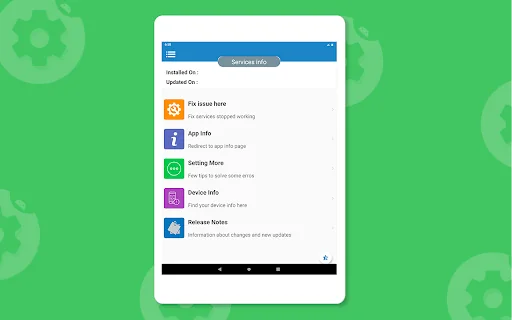
<b>Helps </b> to find installed and updated date
A Message <b>“Services has stopped working”</b> a very common issue on Android phones and tablets.
Number of reasons are available for the “Services has stopped” error. If it just started popping up for you, we have several methods to fix this services stop error and let’s see which one fits for your Android device.
<b>How to: Fix “Services has stopped” Error</b>
We’d suggest you to try out the following solutions and tips one by one and…
A Message “Services has stopped working” a very common issue on Android phones and tablets.
Number of reasons are available for the “Services has stopped” error. If it just started popping up for you, we have several methods to fix this services stop error and let’s see which one fits for your Android device.
How to: Fix “Services has stopped” Error We’d suggest you to try out the following solutions and tips one by one and see which one works for your Android phone or tablet.
Some things to try and get solution -
1. Update Services Since this issue is caused by the Services app, make sure you have its latest version installed.
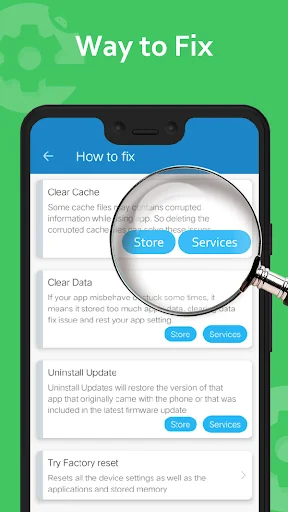
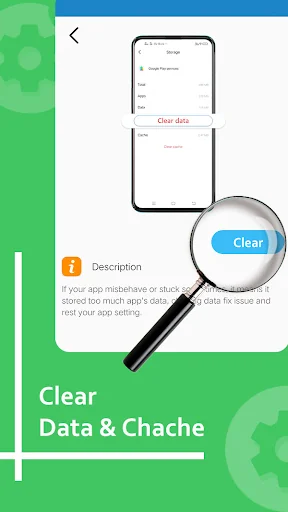
2. Clear app cache Clear the Services cache. The Services app in your phone acts like a framework for all the apps installed in your phone. You can try cleaning up its cache and see if that would fix the issue. This worked with one of our team members! Read these quick and easy steps :
Go to Settings > Apps.
Scroll to All apps and then scroll down to “Services” app.
Open the app details and tap on the “Force stop” button.
Then, tap on the “Clear cache” button.
3. Clear cache for Services Framework Clear the Services Framework cache. The Services Framework system app on your Android device stores information and helps your phon
Read these quick and easy steps :
Go to Settings > Apps.
Open the app details and tap on the “Force stop” button.
Then, tap on the “Clear cache” button.
Some Other things and difficulties with services, please find below and try solution.
- Difficulty in install new apps due to insufficient memory space
- Tired of "services has stopped working"
- Getting problem when downloading and updating app
- Downloading are interrupted by store due to some reason
- If app seems not compatible with your device
- Navigate to store.
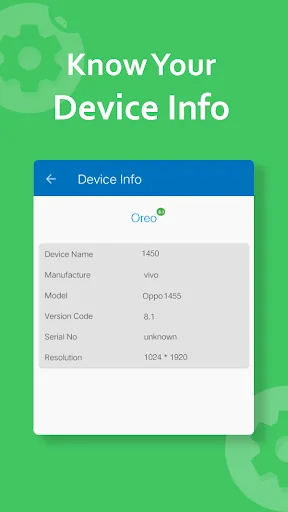
- See device information including device name, model no, resolution etc.
Functionality and Features
- Update services.
- services has stopped working.
- Date of Release and update services.
- Uninstall update of services.
- Services overview.
- Store had stopped working.
*Note: We are not getting any user information and user's device information, only showing this info to user's in quick manner.
: This app is not affiliated with Google LLC.
Comparable Android apps
The five apps in Tools with the closest revenue to Services Update Info. Click any to see its detail page.
Each forecast combines App Store rating, ratings count, monetisation model, pricing tier, IAP signals and ad-supported flag.
The base estimate is then multiplied by a per-category scaling factor learned from apps with founder-verified MRR.
Every number on this page comes from public APIs and bumetric's own snapshot history.
Full methodology covers input variables, accuracy bands per category and how we treat apps without comparable anchors.
See also the live data on Services Update Info's tracker page for current rating, reviews and snapshot timeline.
Building something similar? Get a free AI audit with $-revenue forecasts for every recommendation.


 Super high Volume Booster loud
 Time Calculator
 WiFi Hotspot: Auto-Off Manager
 AppLock Theme Halloween
 Battery Guru: Battery Health