What Settings Editor actually does (from store listing)
<b><u>--------NOTE--------</u></b>
This is an Xposed Module which requires the Xposed Framework to work. You can find more about the Xposed Framework here: http://forum.xda-developers.com/showthread.php?t=3034811
Devices below Android 5.0 (Lollipop) are not supported
This app is a trial version with a maximum of five modifications. You can buy the pro version without limitations here: https://play.google.com/store/apps/details?id=com.wilco375.settingseditorpro
This app allows you to eas…
--------NOTE-------- This is an Xposed Module which requires the Xposed Framework to work. You can find more about the Xposed Framework here: http://forum.xda-developers.com/showthread.php?t=3034811
Devices below Android 5.0 (Lollipop) are not supported
This app is a trial version with a maximum of five modifications. You can buy the pro version without limitations here: https://play.google.com/store/apps/details?id=com.wilco375.settingseditorpro
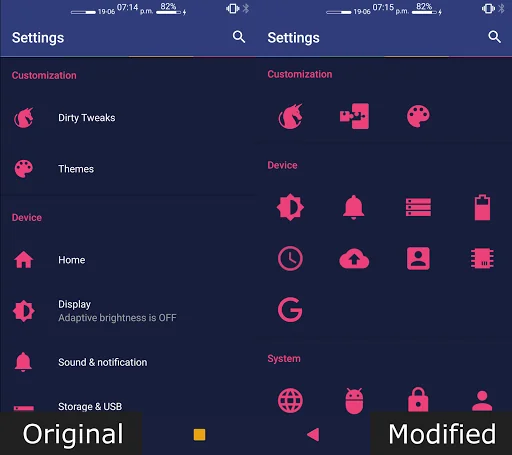
This app allows you to easily add, change or remove items in (close to) stock Android Settings.
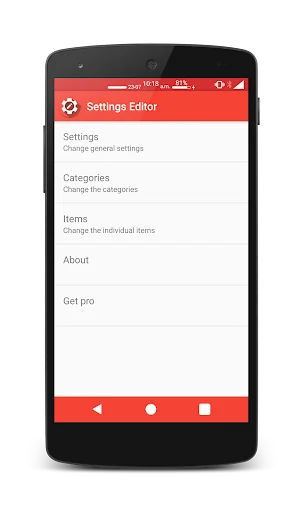
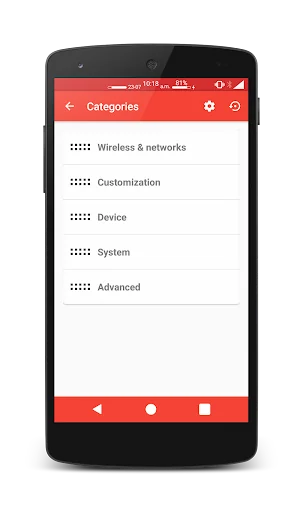
Features On first launch this app will get a list of all the settings items. You can add one by simply clicking the plus button. You can remove an item by long pressing it or edit one by clicking it. You can change the name, category, icon and application/fragment to launch. You can also change the order of the items and categories.
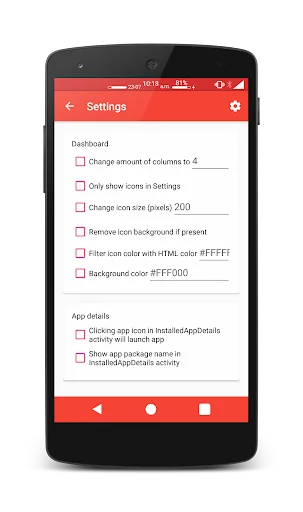
Other settings • Change amount of columns
• Only show icons
• Change icon size
• Remove icon background
• Enable or disable color filter of icons
• Change the background color of the main settings screen
• Change text color
• Hide status text
• Launch an app by clicking its icon in the InstalledAppDetails activity
• Show the apps package name in the InstalledAppDetails activity
• Hide app icon from launcher
You can easily modify a setting by just clicking it or remove the modification by long clicking it.
Comparable Android apps
The five apps in Tools with the closest revenue to Settings Editor. Click any to see its detail page.
Each forecast combines App Store rating, ratings count, monetisation model, pricing tier, IAP signals and ad-supported flag.
The base estimate is then multiplied by a per-category scaling factor learned from apps with founder-verified MRR.
Every number on this page comes from public APIs and bumetric's own snapshot history.
Full methodology covers input variables, accuracy bands per category and how we treat apps without comparable anchors.
See also the live data on Settings Editor's tracker page for current rating, reviews and snapshot timeline.
Building something similar? Get a free AI audit with $-revenue forecasts for every recommendation.


 Honor Care Pro
 Area Afval
 World Clock - TimeZone Widget
 Flip Text–Repeat, Stylish Font
 NetBridge - No Root Tethering